Bioware Localization Plugin
⚪ Last updated 2023Preview
🔍 Analysis
- 👍 2.8% endorsement rate — high engagement, a strong quality signal
- 🏆 #3 of 14 Utilities mods in this game by downloads
📋 About This Mod
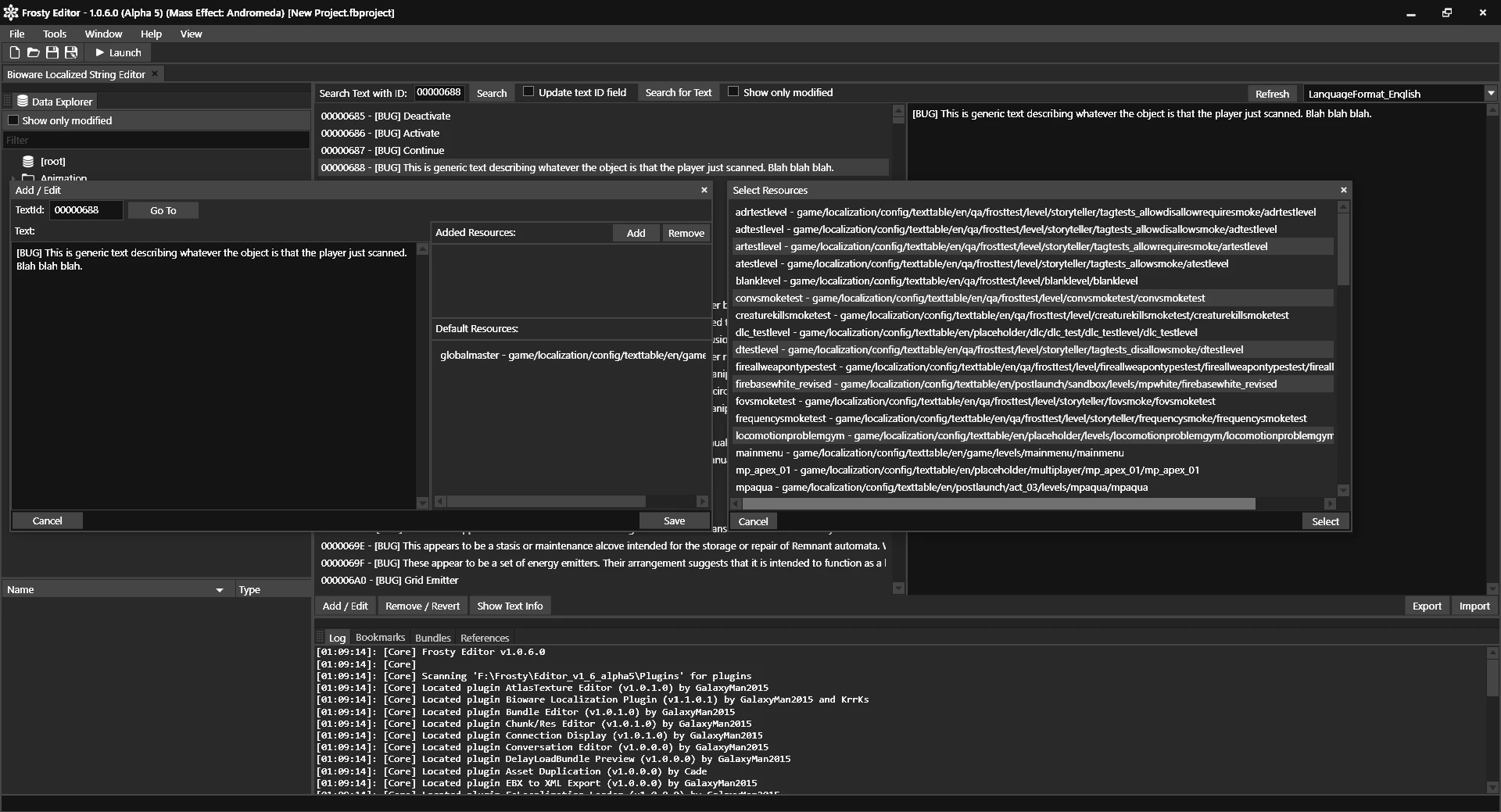
Plugin for the Frosty Editor and Mod Manager that allows editing and adding texts to the game, and use mods which include texts modified with this plugin.
Bioware Localization Plugin is a Frosty Editor and Mod Manager plugin that enables editing and adding game texts, allowing mods with modified text to work. With 1,711 endorsements and 61,200 downloads, it's a well-established utility for modders. Last updated in February 2023, it remains a key tool for text-based modding.
✨ Key Features
📊 Pros & Cons
✅ Pros
- Community-approved with 1,711 endorsements — clearly a go-to for text modding
- Solid download count (61,200) shows real demand and usage
- Essential for anyone wanting to create or use text-modifying mods in Frosty
⚠️ Cons
- Last updated in February 2023 — may not support the latest Frosty versions or game updates
- No detailed instructions or documentation provided by the author
- Requires Frosty Editor and Mod Manager, which adds setup complexity
For Frosty modders who want to edit or add in-game text, like dialogue or UI strings. Essential if you're creating mods that change text. Skip if you only use gameplay or visual mods without text changes.
💡 Beginner Tips
- Ensure you have the latest Frosty Editor and Mod Manager installed before adding this plugin.
- After installing the plugin, restart Frosty Editor to load it properly.
- Test with a simple text mod first to confirm the plugin works with your game version.
📊 Mod Details
- Game
- Dragon Age Mods
- Author
- KrrKs
- Version
- 1.1.1.0
- Downloads
- 61,200
- Endorsements
- 1,711
- Category
- Utilities
- Created
- 12/28/2021
- Updated
- 2/17/2023
🔧 How to Install Dragon Age Mods
Download from Nexus.
📖 Full step-by-step install guide for Dragon Age →
Visit the official mod page for specific installation instructions for this mod.
🎮 Need cheat codes or console commands? Check ur gaming wiki for Dragon Age commands, item IDs, and more.
Keep browsing — more Dragon Age mods await