Actually Alistair
⚪ Last updated 2018Preview
🔍 Analysis
- 👍 8.4% endorsement rate — high engagement, a strong quality signal
- 🏆 #62 of 451 Models and Textures mods in this game by downloads
📋 About This Mod
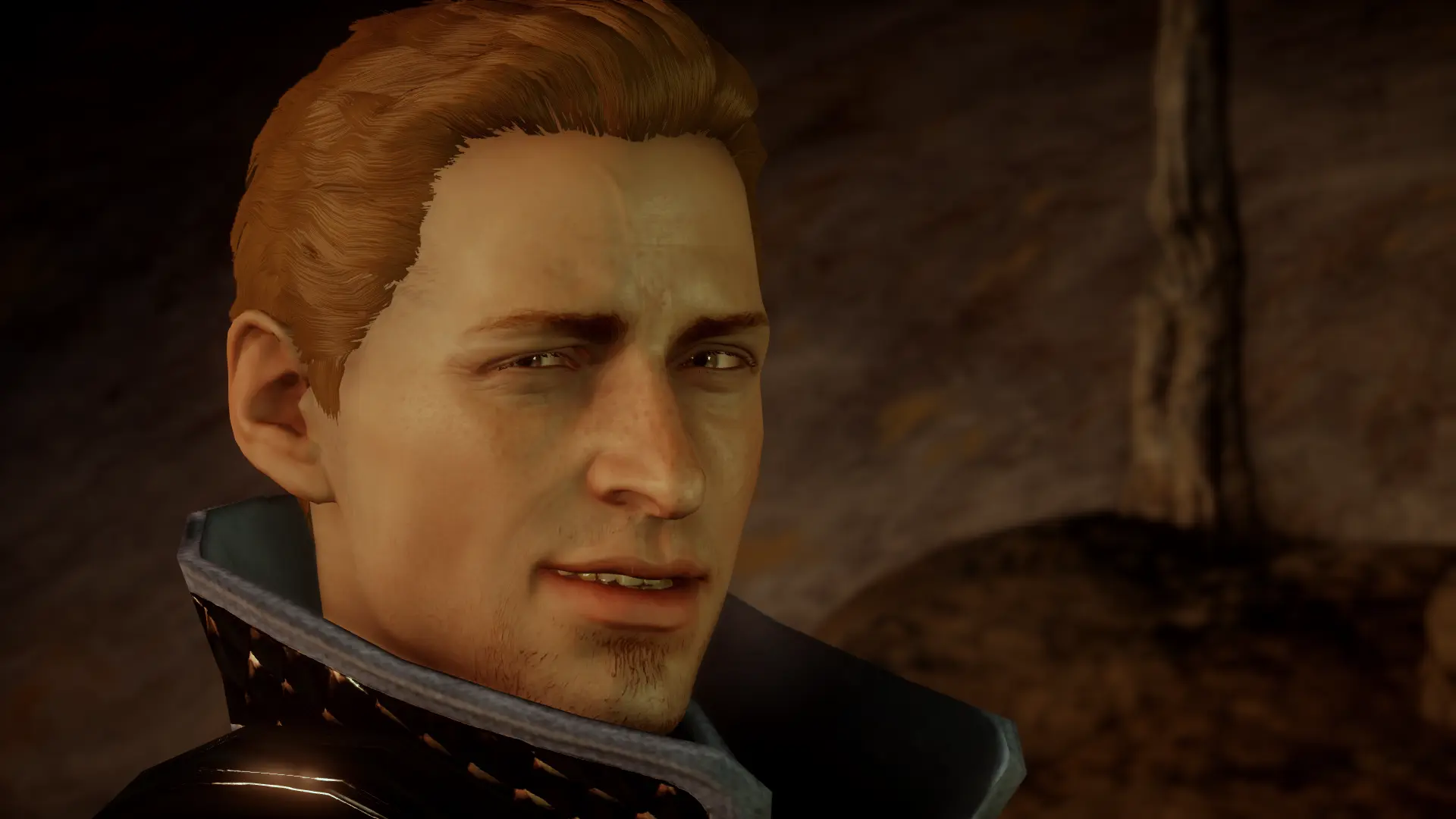
Hey look it's
Actually Alistair
What it does:
-
[]Darker skin tone! Because Alistair is not in fact the whitest person in Thedas!
[
]Darker brown hair color (separate file)! Because I don't know what that color was supposed to be originally but it wasn't our dear Al's hair![]Visible/more freckles! Because why would they put freckles on his face texture if they're so light you can't see them! What a waste of freckles!
[]More cooler "I spent a year of my life fighting darkspawn and three years ago the Arishok punched me in the face (it was awesome)" facial scar
[]De-shined, y'all
Recommended mods:
-
[]Alistair 10 years later by PunyGoddess
[]OriginAlistair by emmavakariantheirin
[]Hazel Eyes for Alistair by pudi0072000
[]Alistair's Old Hair by Bububull
[]DAO Alistair Hair by Padme4000
[]King Alistair Outfit Hand Fix by Padme4000 + KISS Skin Tones by ZannaMods
Installation:
- []Merge with the latest version of DAI Mod Manager or Frosty Mod Manager
-
[]Alistair 10 years later by PunyGoddess
Actually Alistair is a simple retexture and hair recolor mod for Alistair from Dragon Age: Origins. It has 1,183 endorsements and 14,126 downloads, last updated in 2018. This mod is for players who want a fresh look for the character without major changes.
✨ Key Features
📊 Pros & Cons
✅ Pros
- Community favorite with 1,183 endorsements
- Over 14,000 downloads shows it's been widely used
- Simple cosmetic change that's easy to install
⚠️ Cons
- Last updated in 2018 — may not be compatible with the latest game patches
- No detailed description of what the retexture looks like
- Only affects Alistair, so it's a niche mod for fans of the character
For Dragon Age: Origins players who want to give Alistair a visual refresh without overhauling the whole game. If you're a fan of the character and want a subtle change, this is for you. Skip if you're looking for gameplay changes or mods that affect multiple characters.
💡 Beginner Tips
- Make sure to place the mod files in your Dragon Age: Origins 'override' folder, typically found in Documents/BioWare/Dragon Age/packages/core/override.
- If you use a mod manager like Vortex, you can install it directly, but manual installation is just as simple.
- Check the mod's page for any optional files or compatibility notes before installing.
📊 Mod Details
- Game
- Dragon Age Mods
- Author
- sapphim
- Version
- 1.1
- Downloads
- 14,126
- Endorsements
- 1,183
- Category
- Models and Textures
- Created
- 9/20/2016
- Updated
- 1/2/2018
🔧 How to Install Dragon Age Mods
Download from Nexus.
📖 Full step-by-step install guide for Dragon Age →
Visit the official mod page for specific installation instructions for this mod.
🎮 Need cheat codes or console commands? Check ur gaming wiki for Dragon Age commands, item IDs, and more.
Keep browsing — more Dragon Age mods await