Realistic Teeth
⚪ Last updated 2010Preview
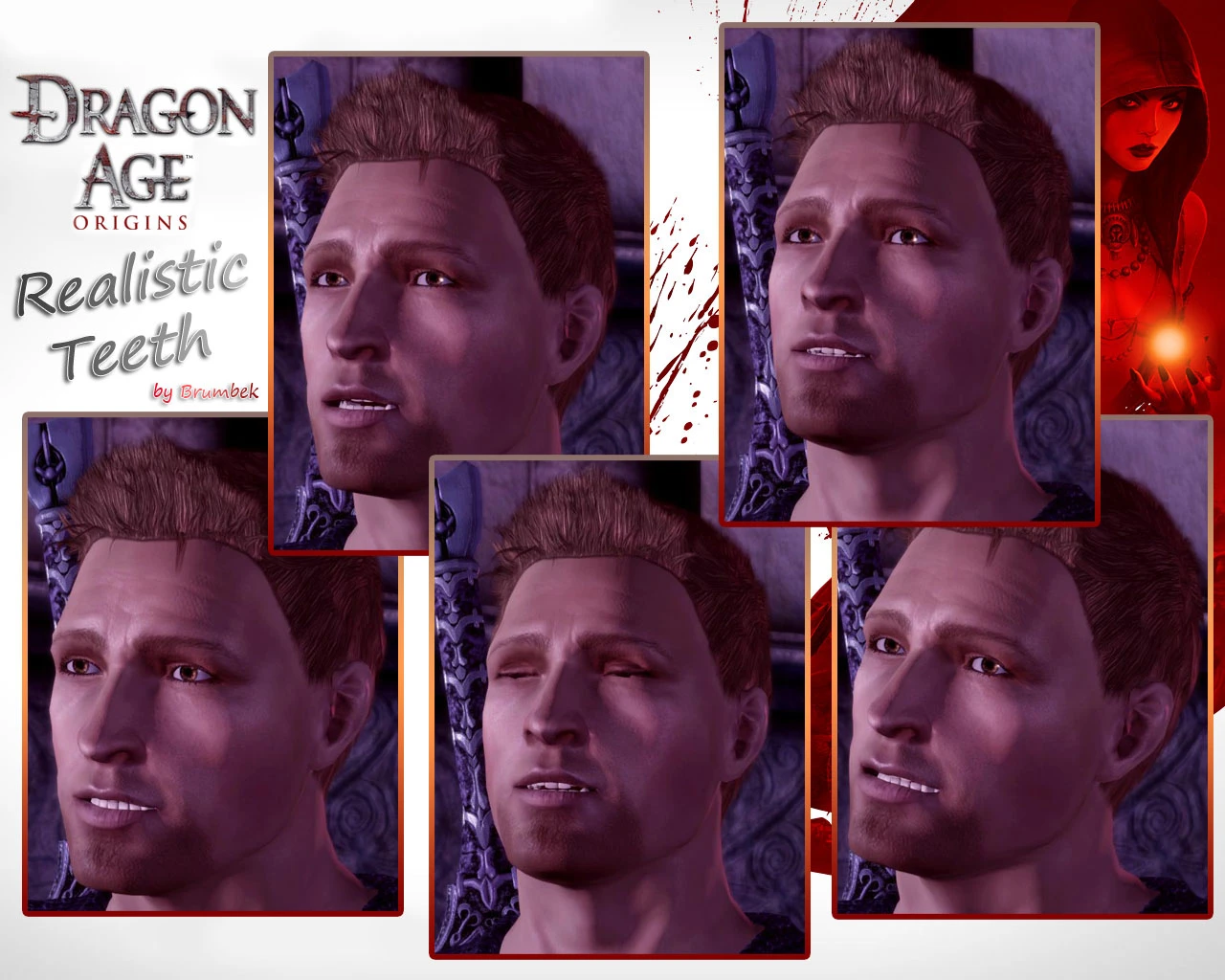
🔍 Analysis
- 👍 3.7% endorsement rate — high engagement, a strong quality signal
- 🏆 #20 of 510 Face and Hair mods in this game by downloads
📋 About This Mod
This mod replaces the default unrealistic teeth \"strips\" with accurate 3D modeled teeth.
Realistic Teeth 1. 2b by Brumbek - September 3, 2010 Mods Released with Realistic Teeth Versions: Marlboro Man\'s MM\'s Faces 2 Endeavour1934\'s Morrigan and Leliana Sacred Ashes Face Mod AT\'s Leliana Face of Sacred Ashes Trailer Mod READ THIS: This mod works 100% perfectly with the original Dragon Age: Origins Campaign. However, faces (.mor files) not specifically created for my mod will NOT retain all their unique appearances while using my mod! All the facial structure settings will revert back to the default appearance. However, all hair, colors, tints, and materials settings will work. The end result is decent looking NPC faces that do seem just a bit generic upon closer inspection. This does not break the game at all and is merely aesthetic! You must decide if this trade-off is acceptable to you. I recommend if you\'re going to play the official DA: Origins campaign, use my mod and only other face replacers made to work with my mod. If you\'re going to play a stand-alone DLC like Leliana\'s Song, large new quest mod, or Awakening, disable my mod if my mod hasn\'t spoiled you. JB\'s Textures users: After completely installing JB\'s mod and the patches, you must delete all _hed_ files (59 files altogether). The two sets of filenames are \"uh_hed_\" and \"cn_hed_\". So just scroll through the installed files and delete both sets. Huge thanks to Muzzow for the information! Dracomies\' Dragon Age Redesigned users: Dracomies has chosen not to make a compatible version of his mod. So you\'ll have to use either my mod or his mod but not both. Note that your player character\'s face will revert to the default look when using my mod on an existing character. To fix this you can create a new face in the toolset and replace your face or start a new game and create a look-a-like face then copy it over to your existing character. There are several tutorials online explaining how to do all this. Note that mods that change .mop files (character creation presets) work 100% perfectly with this mod. The DLC called \"The Stone Prisoner\" that adds Shale as a companion is 100% compatible with my mod, despite prior reports. Please refer to the Readme for all the details. MESSAGE TO MODDERS: Making your mod compatible with Realistic Teeth is very easy. All you have to do is recompile all .mor files while having my mod installed. Specifically, open the Toolset, do File -> New -> Morph. Then click on \"Batch Export Local\" toward the upper-middle-right of the screen. Then select the folder where you have all your new .mrh files stored. Then package these into an archive and upload it to dragonagenexus.com as an \"Optional\" file. If your mod uses new face textures, you can use my Photoshop textures resource to make yours work with my mod. Please message me if you need more
📊 Mod Details
- Game
- Dragon Age Origins Mods
- Author
- Brumbek
- Version
- 1.2b
- Downloads
- 109,721
- Endorsements
- 4,098
- Category
- Face and Hair
- Created
- 8/1/2010
- Updated
- 9/23/2010
🔧 How to Install DA: Origins Mods
Use DAO Mod Manager.
📖 Full step-by-step install guide for DA: Origins →
Visit the official mod page for specific installation instructions for this mod.
🎮 Need cheat codes or console commands? Check ur gaming wiki for DA: Origins commands, item IDs, and more.
Keep browsing — more DA: Origins mods await