DLC Item Integration
⚪ Last updated 2020Preview
🔍 Analysis
- 👍 2.2% endorsement rate — high engagement, a strong quality signal
- 🏆 #105 of 336 Gameplay mods in this game by downloads
📋 About This Mod
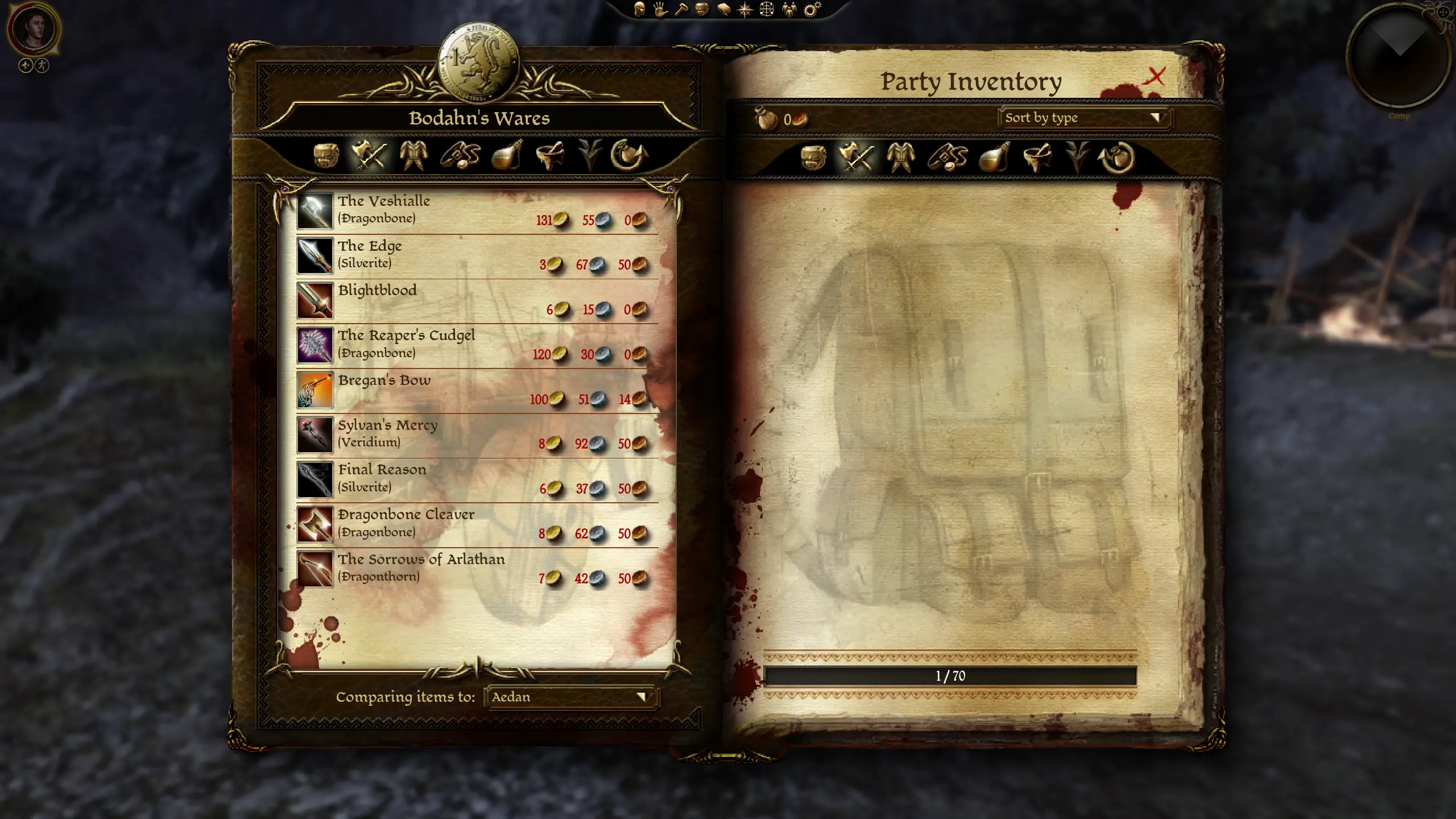
Moves the various promotional and DLC reward items from the player's starting inventory into Bodahn's camp store, Yuriah inventory in Vigil's Keep, and Sandal's store in the Circle Tower.
Summary
When starting a new game, most of us are bombarded by a variety of items, many of which are literally the best of their kind in the game. This destroys game balance and doesn't make any sense in the story.
This mod prevents any of these items from being added into the players inventory at the start of Origins or Awakening, and instead puts all of the items into Bodahn's inventory at the party camp. This effects all of the promotional items, pre-order items, collector's edition, and DLC reward items. When you start the game, you will not have any of these added into your inventory. (You will not see the items in Bodahn's store the first time you are in camp, when you have the Archdemon dream. This is because this is not the actual party camp. When you leave and return to camp, he will have all the items.)
When you import your character into Awakening (or Golems of Amgarrak/Witch Hunt), any items you have with a specific Awakening version will be upgraded to that better version. Any items not in you inventory when you start Awakening, will be available for purchase from Yuriah in the Vigil's Keep throne room. If you bought an item in Origins but sold it, or left it on one your companions, you will be able to buy a new one from Yuriah. New Awakening characters will be able to buy all of the promo items from Yuriah. In the same manner, any items not in you inventory when you start Witch Hunt, will be available for purchase from Sandal in the Circle Tower.
The Formari Tome and Grimoire of the Frozen Wastes can only be used once each by the main player character. If they are used by the Warden during the Origins campaign they cannot be bought from Yuriah in Awakening. If they are used by another character in the player's party, are not bought at all, or are bought and then sold, you will be able to purchase copies from Yuriah. If you have them in your inventory when Awakening starts, you will not be able to buy a copy from Yuriah. In the same manner, you will be able to buy the tomes from Sandal in Witch Hunt, if you haven't used them already.
This mod also includes fixes for a few bugs, found in the "1. Fixes" folder.
-
[]The Awakening version of Blightblood is set to Volcanic. The original version was Dragonbone, despite all of the other reward items being Volcanic[/]
[]The Origins version of Blightblood and the Blood Dragon Helm had misspelled tags, which resulted in errors when referencing them with scripts.[/]
[]Cailan's Helm and Starfang have assets that conflict with the resources from the Awakening expansion.[/]
[]The Warden Commander Gloves had the icon for the heavy gloves assigned, when it should have had the massive gloves icon.[/]
The Memory Band and Grimoire of the Frozen Wastes previously had no sell value, so they could be bought for nothing. The "2. Value Adjustments" folder inclu
📊 Mod Details
- Game
- Dragon Age Origins Mods
- Author
- darthbdaman
- Version
- 1.2.0
- Downloads
- 16,719
- Endorsements
- 361
- Category
- Gameplay
- Created
- 2/21/2020
- Updated
- 12/4/2020
🔧 How to Install DA: Origins Mods
Use DAO Mod Manager.
📖 Full step-by-step install guide for DA: Origins →
Visit the official mod page for specific installation instructions for this mod.
🎮 Need cheat codes or console commands? Check ur gaming wiki for DA: Origins commands, item IDs, and more.
Keep browsing — more DA: Origins mods await