Simple Realistic Reshade for Doom Eternal
⚪ Last updated 2020Preview
🔍 Analysis
- 👍 4.0% endorsement rate — high engagement, a strong quality signal
- 🏆 #10 of 229 Visuals and Graphics mods in this game by downloads
📋 About This Mod
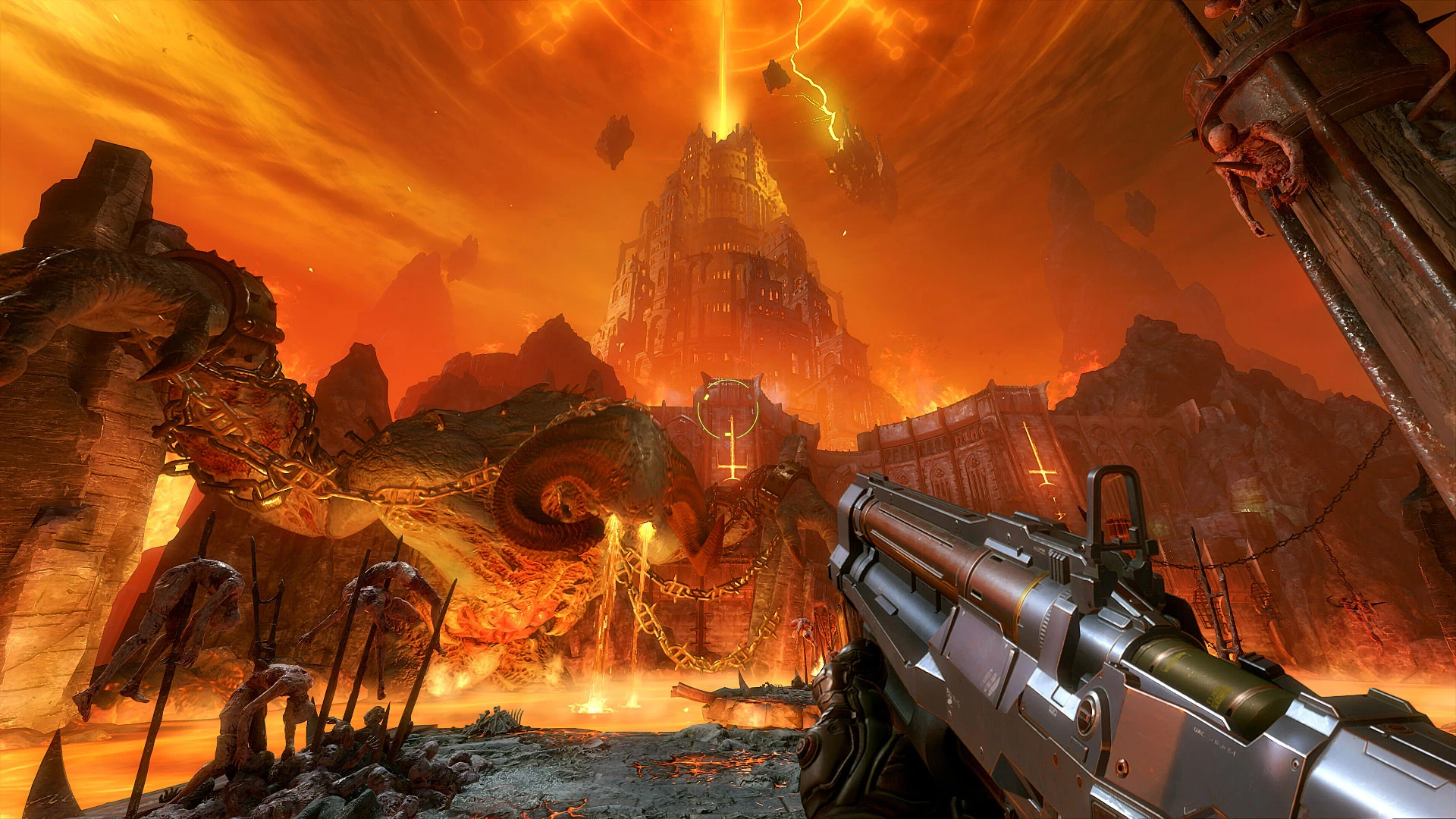
A simple Reshade shaders pack for Doom Eternal with VULKAN API!This simple mod would give you beyond ultra mimic even with high-medium in-game graphic settings!
CREDITS:
ID Software (for created this great game)
Timothy Lottes (EPIC)
Reshade Team (Crosire, CeeJay, Marty McFly, Thalixte, Ganossa/Hawk, Bacondither, Ioxa, Otis, Jose Negrete, et al. ~ https://reshade.me)
What is this?
A simple Reshade preset and shaders pack for DOOM ETERNAL (Vulkan API)
This preset would give you beyond ultra mimic even with medium-high in-game graphic settings .
It's NOT using heavy or complex shaders (e.g AO, HDR, Ambient Light, etc); just simple shaders and JUST MIMIC!
* Slightly improved lighting and shading
How to install (Read it carefully!)
-
[] Make sure you already installed the proper Vulkan driver that bundled with your graphic card driver.
[] Clean-up or move your previous Reshade (dxgi.dll, reshade.ini, reshade-shaders folder, also my previous version of Reshade preset and shaders pack)
from your game folder before install this mod.
[] Download and install Reshade 4. 5. 4 (or newer) from Reshade Official Page (https://Reshade.me)
[]In Reshade installer Welcome windows DO NOT select any-game, just straight choose and click on "Enable/Disable Reshade Vulkan globally (affects all Vulkan games)"
[]After that, put a check mark on ""Enable Reshade Vulkan globally (affects all Vulkan games)" , this is very important or Reshade Vulkan won't run properly . Check out this screenshot below:
[]After Enable Reshade Vulkan global, close Reshade Installer by click on X icon at the top right corner to close Reshade installer.
[]Open Windows Explorer. Go to Folder Option and then unhide System Folder (C:\ProgramData) by choose "Show hidden files, folders and drives")
[]Extract zipped Simple Realistic files into the folder: C:\ProgramData\ReShade as shown below:
[] Take a deep breath. Pray for a while, then run the game. I hope this works for you! :)
- Enjoy it! :)
How to uninstall:
- Close any Vulkan game
- Re-run Reshade installer, and then un-checked on ""Enable Reshade Vulkan globally (affects all Vulkan games)" . That's it!
Command Keys:
INSERT: Toggle Effects ON/OFF (default is ON)
PAUSE : Toggle real-time side by side comparison (left = vanilla; right = with Mod)
END: open Reshade UI overlay menu/editor (you may adjust Color Saturation, Dark Levels, Light Intensity from here)
I hope you like this!
Happy gaming and stay safe, mate!! :)
Chris Rubino
📊 Mod Details
- Game
- Doom Eternal Mods
- Author
- Chris Rubino
- Version
- 1.0
- Downloads
- 4,973
- Endorsements
- 198
- Category
- Visuals and Graphics
- Created
- 3/29/2020
- Updated
- 4/3/2020
🔧 How to Install Doometernal Mods
Download from Nexus Mods.
📖 Full step-by-step install guide for Doometernal →
Visit the official mod page for specific installation instructions for this mod.
🎮 Need cheat codes or console commands? Check ur gaming wiki for Doometernal commands, item IDs, and more.
Keep browsing — more Doometernal mods await