ProdeusDoom Colourful Reshade
⚪ Last updated 2022Preview
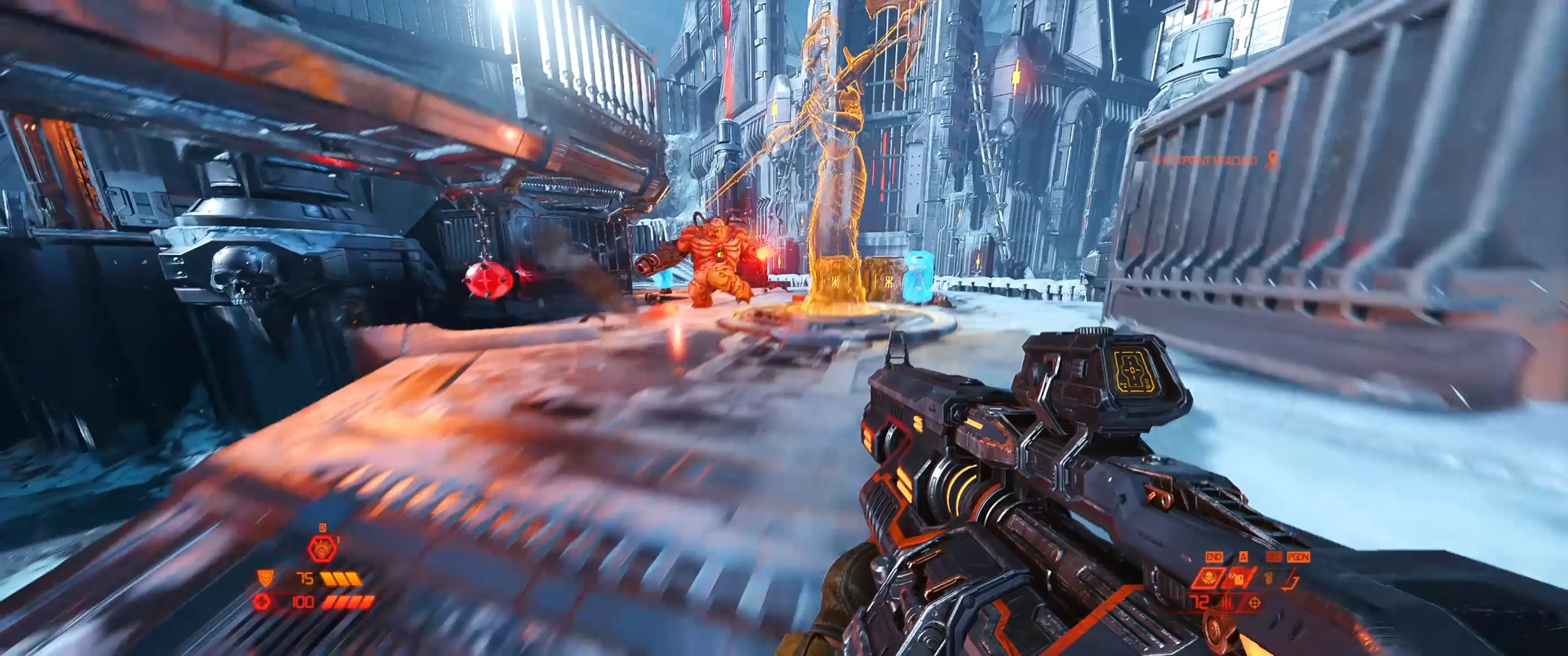
🔍 Analysis
- 👍 4.3% endorsement rate — high engagement, a strong quality signal
- 🏆 #81 of 229 Visuals and Graphics mods in this game by downloads
📋 About This Mod
High contrast, high saturation reshade.ini.
A few people have asked about the visuals in my videos and I think this plays a big part in that.
With this reshade, I aimed to make the darks darker, lights brighter and colours more colourful - without sacrificing any details!
LZoOjBw-br0
Update
This reshade ini now works with the latest version of reshade - so you can use that one
If, however, it doesn't work, try this older version:
https://www.mediafire.com/file/5x4k1hm4vsegxk0/ReShade_Setup_5. 4. 2.exe/file
Installation instructions
1) Install reshade for Doom Eternal with all the options selected.
See here for help with installing reshade for Doom Eternal : https://www.youtube.com/watch?v=EeQXnVrVBQQ&list=PLou9VZJY9Qzk_-N04sk9Z_LQfb982IWvm&index=2
2) Copy the ini file in this download and put it in your Doom Eternal root directory, e.g. C:\Program Files (x86)\Steam\steamapps\common\DOOMEternal
3) Load the game, select DE Colourful.ini in the reshade options
I've never shared a reshade mod before and so I am not sure which reshade options you need to install to allow my settings, so I recommend you just install them all.
📊 Mod Details
- Game
- Doom Eternal Mods
- Author
- ProdeusDoom
- Version
- 1.1
- Downloads
- 564
- Endorsements
- 24
- Category
- Visuals and Graphics
- Created
- 6/26/2022
- Updated
- 7/9/2022
🔧 How to Install Doometernal Mods
Download from Nexus Mods.
📖 Full step-by-step install guide for Doometernal →
Visit the official mod page for specific installation instructions for this mod.
🎮 Need cheat codes or console commands? Check ur gaming wiki for Doometernal commands, item IDs, and more.
Keep browsing — more Doometernal mods await