Hellish Preset for Reshade
⚪ Last updated 2020Preview
🔍 Analysis
- 🏆 #159 of 229 Visuals and Graphics mods in this game by downloads
📋 About This Mod
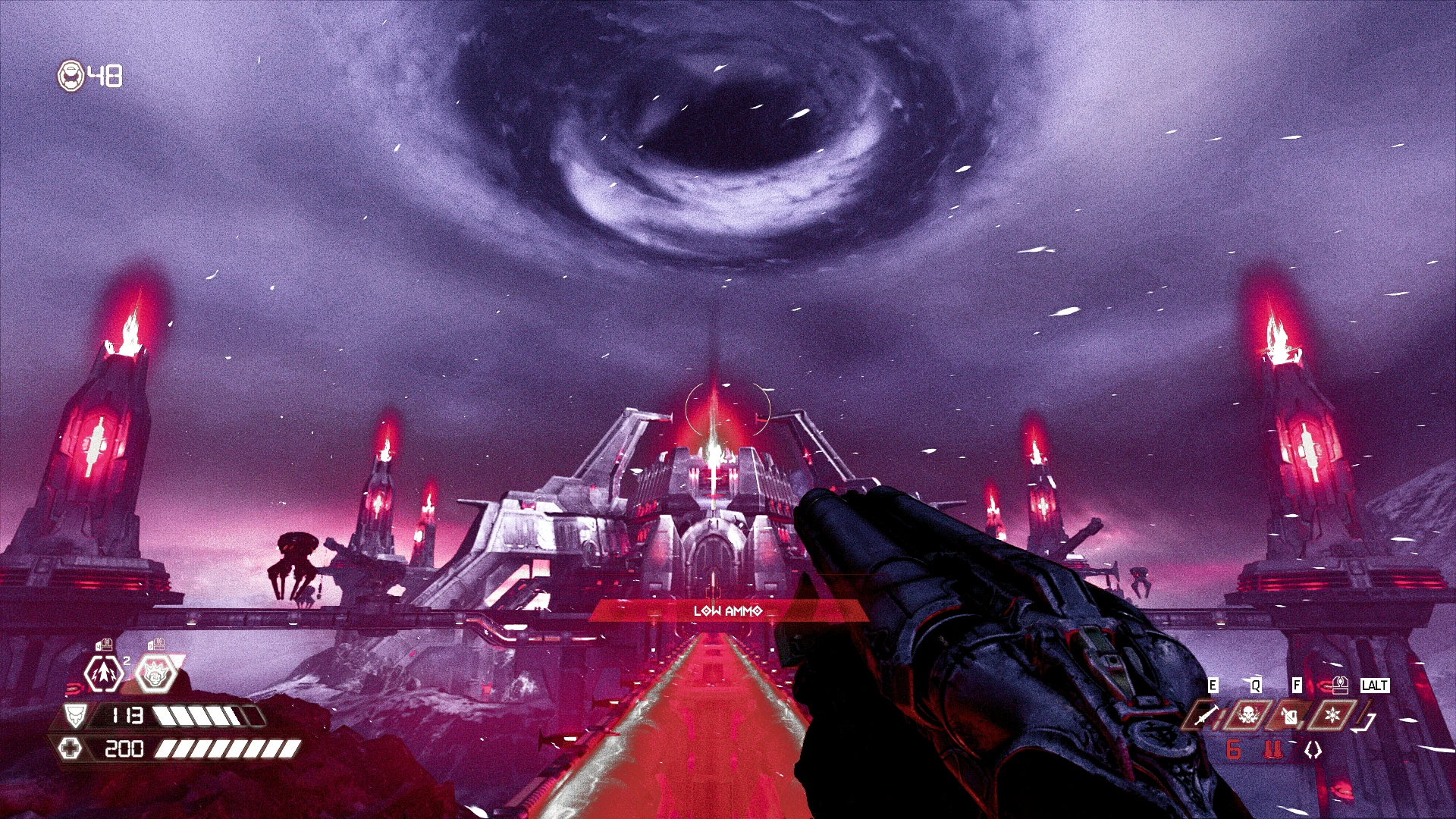
This reshade preset gives Doom Eternal an even darker and more hellish look.
This reshade reset attempts to give Doom Eternal an even more hellish and demonic presentation. It's very dark and very red and most other colors have had their saturation either toned down or modified to red. Be warned! The increased darkness will lower the visibility of some areas. This preset was originally meant as more of a novelty, but I was surprised at how much I was enjoying playing the game with it. It's brutal af. Works best with the Amber or UAC settings for the UI.
Installation
This mod requires the reshade program. You can get it here: https://reshade.me/. This rar archive contains only the one preset ini file. Simply extract the file (Hellish.ini) into your game directory. That directory should look something like this: \Steam\steamapps\common\DOOMEternal.
When I installed Reshade for Doom Eternal (and for every game tbh), I installed every shader option available. I'm not sure how this preset will display if you're missing some of the shaders. Fortunately this can be easily resolved by running the reshade installation program again. Here are the steps:
1. Run the ReShade Setup program
2. Enable ReShade in Vulkan globally and make sure the Vulkan box is now checked
3. Click the Select Game button
4. Choose Doom Eternal from the games list or browse and find it yourself if it doesn't show up on the list
5. Select Vulkan if it isn't already selected
6. Check every package
7. Check every shader on the next series of screens
📊 Mod Details
- Game
- Doom Eternal Mods
- Author
- AuricomNights
- Version
- 1.0
- Downloads
- 183
- Endorsements
- 8
- Category
- Visuals and Graphics
- Created
- 8/16/2020
- Updated
- 8/16/2020
🔧 How to Install Doometernal Mods
Download from Nexus Mods.
📖 Full step-by-step install guide for Doometernal →
Visit the official mod page for specific installation instructions for this mod.
🎮 Need cheat codes or console commands? Check ur gaming wiki for Doometernal commands, item IDs, and more.
Keep browsing — more Doometernal mods await