Base Projection (基地投影)
🟡 Updated this yearPreview
🔍 Analysis
- 👍 0.0% endorsement rate
- ✅ Updated 30 days after the latest game patch — actively maintained
📋 About This Mod
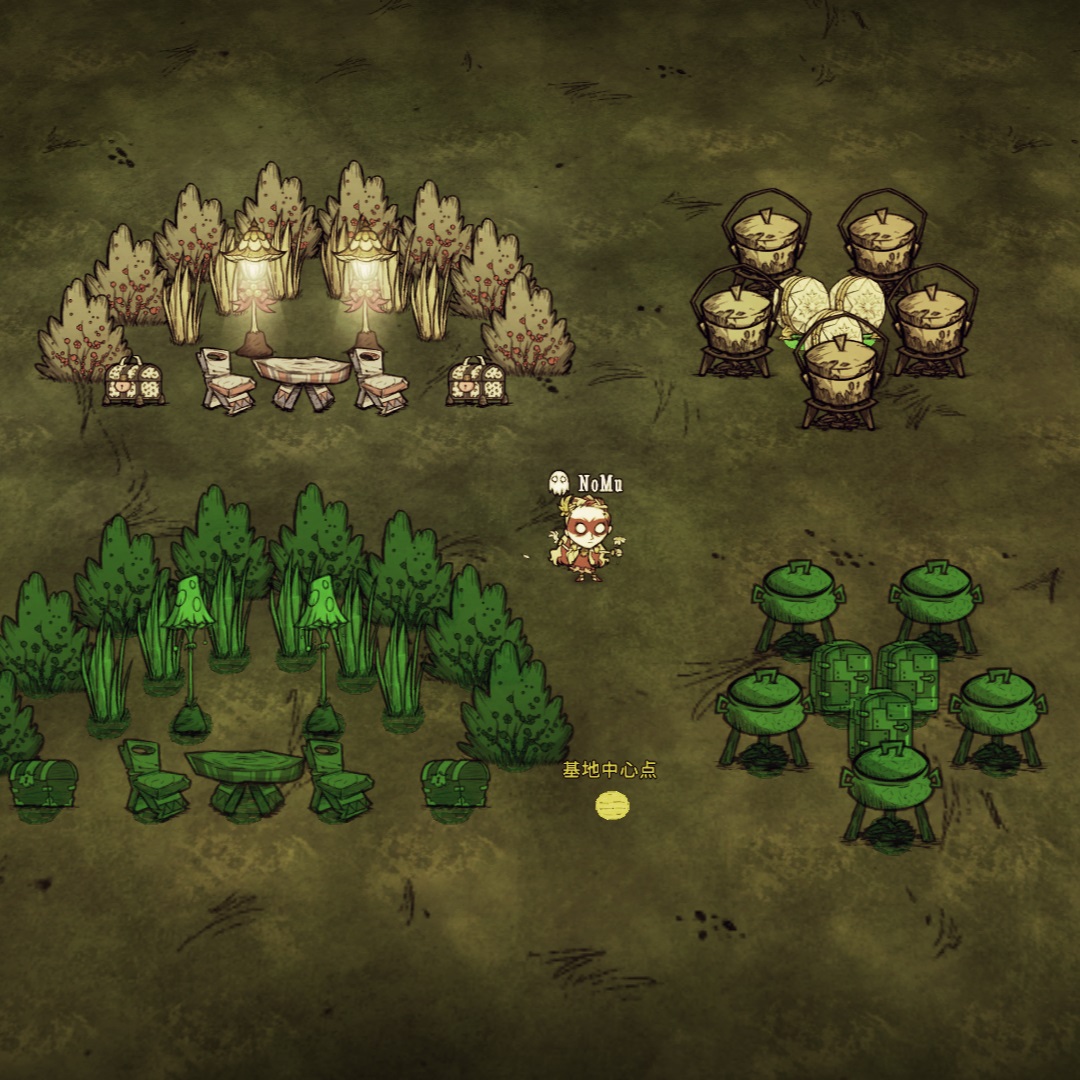
介绍视频:https://www.bilibili.com/video/BV1ae4y1A7Ek/ 基地口令可以从基地大厅获得:https://wu-c.cn/bspj/pc.html 基地大厅介绍视频:https://www.bilibili.com/video/BV1Fv4y1t7e3/ - 在游戏中按F1开始基地录入,录入时通过鼠标左键选定基地中心后,左键单击可以添加或删除实体,双击添加同类实体,按住拖拽添加一个区域内的实体; - 选完实体后,点击面板中的“保存”按钮即可保存数据; - 按F2开始基地投影,选定中心后,点击面板中的“打开列表”按钮,选择要投影的数据即可; - 摆放时鼠标会自动吸附到投影点上,可以轻松的复原基地。 本模组的更新日志请查看改动说明 You can change the languages and shortcuts in the mod configuration page. - Press 'F1' to start recording base data. When recording, left click to select the base center first. Then, you can left click on entity to select or unselect, double click to select the same kinds of entities. Also, you can drag to select multiple entities. - After selecting, click 'Save' to save the data. - Press 'F2' to start projection. You should select the base center too. Then, click 'open list', select the data you want to project. - When building and planting, the projected entities will capture the mouse for convenience. - You can also press 'shift' and click the projected entity to preview, and click agin to auto build and plant. Github:https://github.com/NoMultiply/base_projection
📊 Mod Details
- Game
- Dont Starve Together Mods
- Author
- 76561199022368235
- Version
- N/A
- Downloads
- 296,390
- Endorsements
- 0
- Category
- client_only_mod, version:2.0.6.4
- Created
- 2/5/2023
- Updated
- 8/5/2026
🔧 How to Install Don't Starve Together Mods
Subscribe on Steam Workshop. Mods auto-download and install. Launch the game to activate.
📖 Full step-by-step install guide for Don't Starve Together →
Visit the official mod page for specific installation instructions for this mod.
🎮 Need cheat codes or console commands? Check ur gaming wiki for Don't Starve Together commands, item IDs, and more.
Keep browsing — more Don't Starve Together mods await