Reduce Item Clutter Loot Filter for D2RMM
🟡 Updated this year⚠️ Install Order · 1 step
Install in this order, then this mod last — most mods fail to load without their framework and dependencies in place.
Preview
🔍 Analysis
- 👍 2.1% endorsement rate — high engagement, a strong quality signal
- 🏆 #29 of 164 Miscellaneous mods in this game by downloads
📋 About This Mod
Installation:
- Download and install D2RMM, then run it.
- Download and extract the ReduceItemClutter mod folder to /D2RMM/mods/
- Set strictness level and configure Gems/Runes with the Reduce Item Clutter 'settings' button
- Set option to display strictness level at the bottom right corner of the screen in-game, if desired
- Click 'install mods'
- Read the README.txt file for a detailed description of what each strictness level covers
- WARNING: The "Remove Lesser Gold Piles" option has been proven to change drop rolls from vanilla. Although this does not
mean that drop rates are changed necessarily, it can not be proven.
- It has been mentioned that Find Item is no longer filtered in version 1. 6. With version 1. 7 I hacked together a solution that replaces filtered items
with small amounts of gold when Find Item is used. You will see gold piles as low as 0 gold when Find Item is used.
- It has been shown that Countess will drop more runes than Vanilla when higher player counts are used.
This is due to her special rune drop mechanics.
The more junk/weapons/armors that are being filtered, the more likely Countess will replace those items with a rune (up to a max of 3 runes).
Since vanilla does not have so many items with NoDrop on higher player counts, she often drops only 1 rune in vanilla for higher player counts.
Other Mods:
Light Pillars Expanded for D2RMM: Adds a light pillar effect to selected items to make them easier to see on the ground.
Move Deckard Cain for D2RMM: Makes Deckard Cain spawn near the Stash, Malah, or Larzuk in act 5.
Breakpoint and Recipe UI Panels: Adds UI Panels with Breakpoint and Cube Recipe information.
Runewords Info UI Panel for D2RMM: Replaces original Help screen with Runewords info panel.
Carry Multiple Unique Charms: Allows you to carry more than one Hellfire Torch, Annihilus, and Gheed's Fortune.
Make Rares Great Again for D2RMM: Improves Rare Weapons, Body Armor, Helmets, and Shields without top-end power creep.
Class Rebalancer for D2RMM: Buff underpowered skills to create more competitive builds.
Holy Grail Item Tracker for D2RMM: Track your Holy Grail progress with a new UI panel.
Act 3 Mercenary Overhaul for D2RMM: Makes Act 3 Mercenaries more competitive.
Reroll Unique Items for D2RMM: Reroll Uniques with a customizable recipe.
Torch + All Skills & D Clone Recipe: Change Hellfire Torch to +3 All Skills and Add Diablo Clone recipe.
Player Count Drop Rates: Increase drop rates to Players 3, Players 5, or Players 7, without increasing monster HP.
Crafting Overhaul for D2RMM: Streamline crafting and add various recipes to improve item progression.
Recall Allies
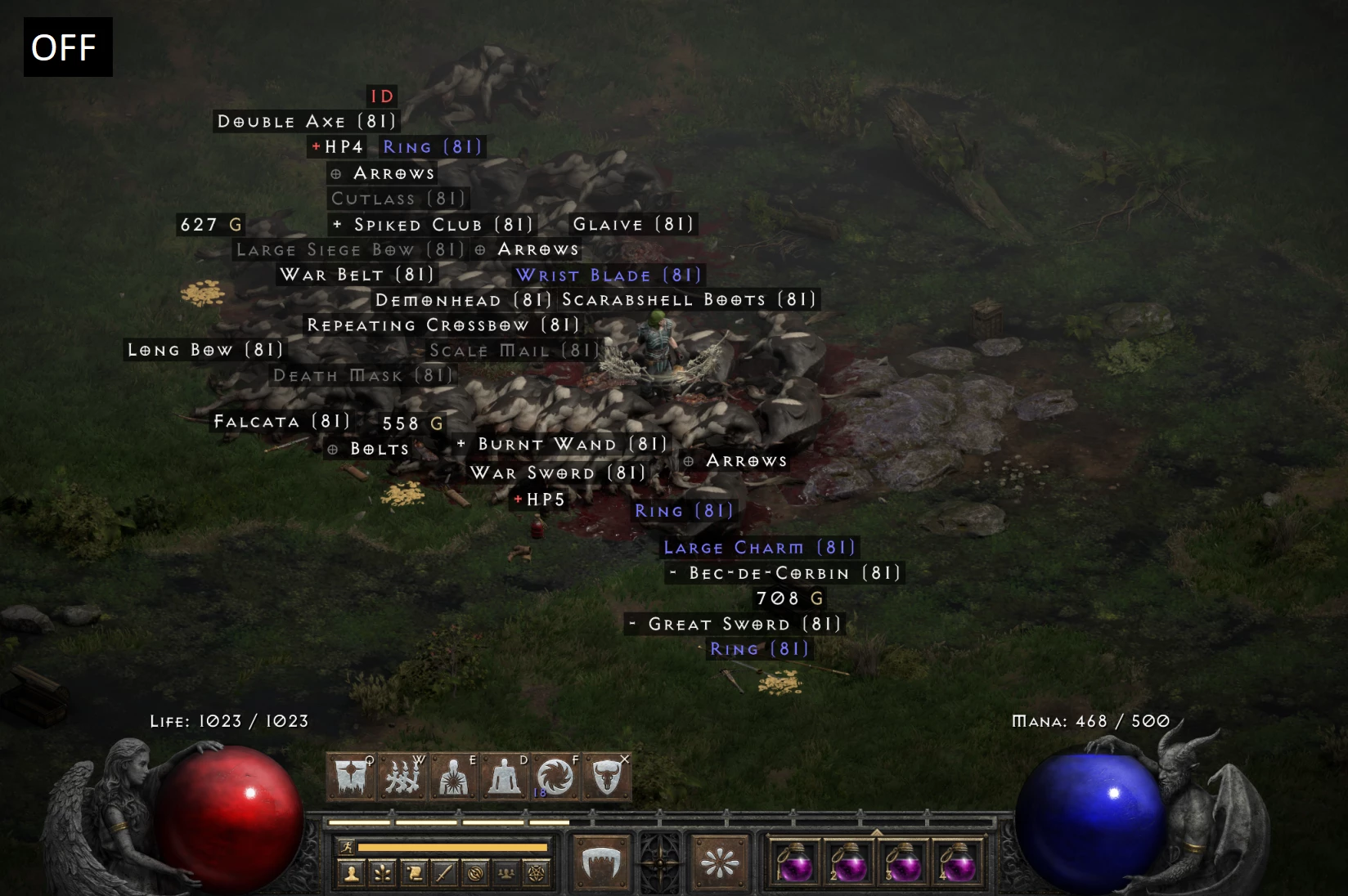
This D2RMM mod replaces unwanted item drops with NoDrop, letting you filter loot in Diablo 2 Resurrected. It offers multiple strictness levels and configurable Gems/Runes, so you can tune how much clutter gets removed. With 143 endorsements and frequent updates, it's a solid quality-of-life tool for loot-focused players.
✨ Key Features
📊 Pros & Cons
✅ Pros
- Community-tested with 143 endorsements and nearly 7k downloads.
- Flexible filtering with strictness levels and gem/rune toggles.
- Actively maintained, last updated March 2026.
⚠️ Cons
- Requires D2RMM, so you need to set up the mod manager first.
- Over-filtering might accidentally remove items you want—tune carefully.
- Compatibility with other loot-changing mods could be a risk; test with your load order.
For Diablo 2 Resurrected players who are tired of sifting through piles of junk loot and want a cleaner drop experience. Perfect for those who already use D2RMM and want a customizable filter. Skip if you prefer the original drop rates or don't use mod managers.
💡 Beginner Tips
- Start with the lowest strictness level to see how it feels before cranking it up.
- Use D2RMM's mod list to enable/disable this mod easily when testing different settings.
- If you play online, remember that mods may not be allowed—this is for single-player or modded lobbies.
📊 Mod Details
- Game
- Diablo2resurrected Mods
- Author
- Finkster
- Version
- 1.8
- Downloads
- 6,970
- Endorsements
- 143
- Category
- Miscellaneous
- Created
- 10/14/2023
- Updated
- 3/7/2026
🔧 How to Install Diablo II: Resurrected Mods
Download from Nexus Mods.
📖 Full step-by-step install guide for Diablo II: Resurrected →
Visit the official mod page for specific installation instructions for this mod.
🎮 Need cheat codes or console commands? Check ur gaming wiki for Diablo II: Resurrected commands, item IDs, and more.
Keep browsing — more Diablo II: Resurrected mods await