Barbarian as Kratos
⚪ Last updated 2021Preview
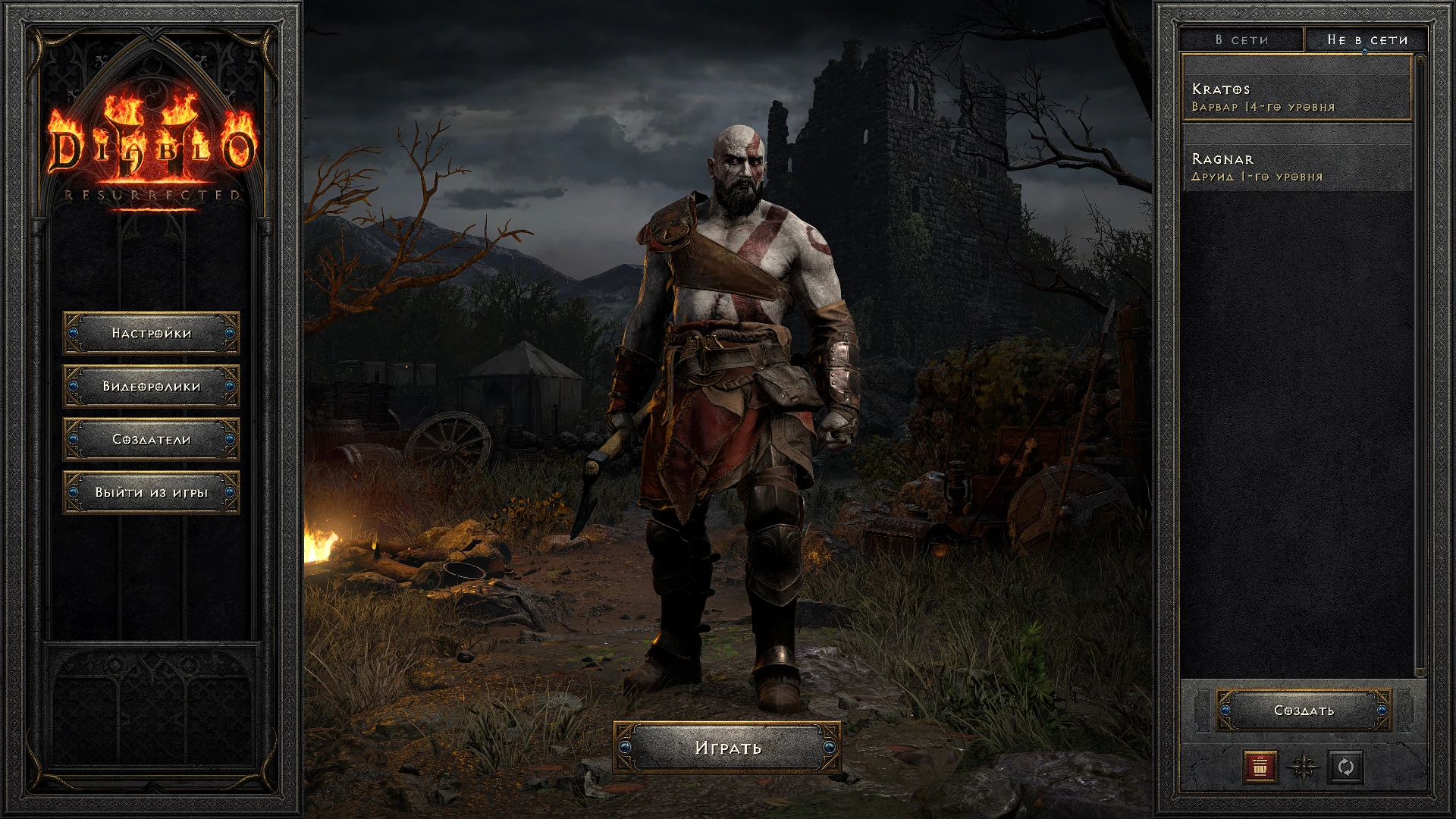
🔍 Analysis
- 👍 2.3% endorsement rate — high engagement, a strong quality signal
- 🏆 #90 of 164 Miscellaneous mods in this game by downloads
📋 About This Mod
Barbarian as Kratos
Now with actual PS3 textures of Kratos adapted to barbariand and with some advanced tweaks:
1) Hide hair-tail of barbarian
2) Added sounds for being hit from GoW3, with 3 seconds silence, so Kratos will not screamin constantly
while being hit
3) Added beard but it acts as a helmet, that invisible for every other classes
4) Replaced all barb voicelines with pitched down version, so it a bit similar to Kratos's voice from GoW2018
5) If you use my other mod for melee splash damage, install kratos mod after it and get rename and reskin for item
that grant you splash skill
6) Armor mash up to create something similar to GoW2018 outfit. Body and shoulder textures now matches (to form spiral,
that can be seen now because of naked left shoulder)
7) Armor visual now persistant
8) New animation for two handed axes and replacement for all normal two-handed axes
(note: since 1. 6 mod include file excel/weapons.txt, it required for new animation, if you want to merge my
mod with any other mod that uses weapons.txt you need to do this:
1. Open another's mod weapons file in excel and add filter for first row
2. Filter rows by this conditions:
2handedwclass=stf and 2handed=1
3. For all selected rows make filed wclass empty
Diablo is cool but have you seen THIS?!
https://store.steampowered.com/app/1593500/God_of_War/
INSTALL METHOD:
it's not required unpacking whole game, but you need to manually move your save files into new modded save folder:
1) Locate D2R install folder and create new folder named "MODS"
2) Inside create table named for example "dj_allinone"
3) Inside create table named like in previous paragraph with ". MPQ" in the end, like this
4) Inside you need to create file name modinfo.json and put this inside:
"name": "dj_allinone",
"savepath": "dj_allinone/"
5) Put mod data folder (that you download from that page) near this modinfo.json file
6) Add launch option "-mod dj_allinone -txt"
7) Move your save files from
"C:\Users\YOURUSERNAME\Saved Games\Diablo II Resurrected"
"C:\Users\YOURUSERNAME\Saved Games\Diablo II Resurrected\mods\dj_allinone"
!WARNING! I don't know if Blizzard ban for this, i played with this mod in beta and it was fine
📊 Mod Details
- Game
- Diablo2resurrected Mods
- Author
- deadjack
- Version
- 1.6
- Downloads
- 1,316
- Endorsements
- 30
- Category
- Miscellaneous
- Created
- 10/11/2021
- Updated
- 10/30/2021
🔧 How to Install Diablo II: Resurrected Mods
Download from Nexus Mods.
📖 Full step-by-step install guide for Diablo II: Resurrected →
Visit the official mod page for specific installation instructions for this mod.
🎮 Need cheat codes or console commands? Check ur gaming wiki for Diablo II: Resurrected commands, item IDs, and more.
Keep browsing — more Diablo II: Resurrected mods await