The Malorian 3516
⚪ Last updated 2021Preview
🔍 Analysis
- 👍 4.0% endorsement rate — high engagement, a strong quality signal
- 🏆 #52 of 335 Weapons and items mods in this game by downloads
📋 About This Mod
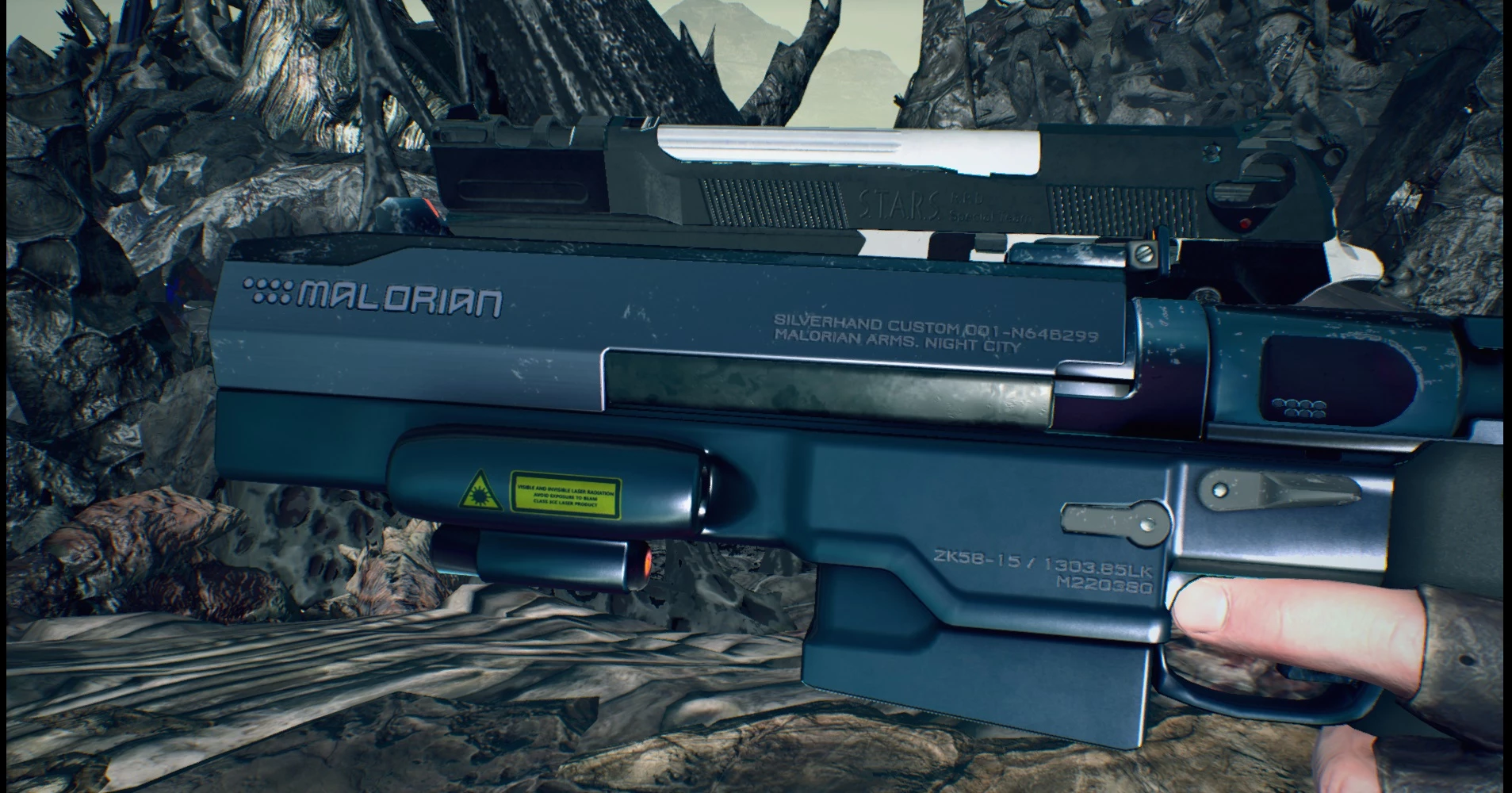
Replaces Blue Rose or Ebony/Ivory with Silverhand's gun from Cyberpunk 2077. Time to party like it's 2023.Now with custom sounds and animation!
Update
v2. 0: Added custom sounds to both Dante and Nero versions. Nero's gun now has some animations (the slide moves back and the cylinder rotates).
Swaps out Blue Rose, Ebony or Ivory with Johnny's gun. It uses 4k textures
I used 4k textures because otherwise, the text on the laser sticker and on the body would get too pixelated.
The textures, UVs, and animations are created by me.
Sounds are directly from Cyberpunk 2077 (with slight edits made to some of them to blend with DMC sounds)
Sound preview: Nero | Dante
Goes well with the John Wick mod by Darknessvaltier
Check out my other Cyberpunk (and Cyberpunk-inspired) mods!
For modders
You're welcome to use this for other games (just put me in your credits :P).
The UV pieces are resized and rearranged, so this model won't work with the ripped textures (they're really low res anyway)
Also, I've deleted the inside of the grip to reduce the polycount (since I couldn't figure out how to replicate the transparent grip for DMC5). If you want it back, you could resize the UV of the grip to fit the rest of that stuff in (the outside is going to be transparent anyway, and the whole freaking thing is packed already).
Fluffy Manager
1. Download and install the most recent version of Fluffy's mod manager.
- This can be found here: www.fluffyquack.com/tools/modmanager.rar (right click, save link as)
SSSiyan's Collaborative Cheat Trainer
Mods must be added in Fluffy Manager\Games\DMC5\Mods\(Collab Trainer Folder)\natives\x64\Mods\ before installing or
Devil May Cry 5\natives\x64\Mods\ after installing. From there, they will appear in the asset loader list & can be activated/deactivated.
General
- []In some lighting angles, you might notice weird shading on the body. This is a common problem that can occur with custom gun models. I've done what I could to minimize this, but it's still there. You'll only encounter this issue in photo mode.
[]Single gun versions (Ebony only, or Ivory only) will still use the vanilla gunshot sounds for the non-gunslinger shots, as both guns share the same sound file for that action.
📊 Mod Details
- Game
- Devil May Cry 5 Mods
- Author
- NCKonchu
- Version
- 1.0
- Downloads
- 3,813
- Endorsements
- 152
- Category
- Weapons and items
- Created
- 1/19/2021
- Updated
- 5/24/2021
🔧 How to Install DMC5 Mods
Use Fluffy Mod Manager.
📖 Full step-by-step install guide for DMC5 →
Visit the official mod page for specific installation instructions for this mod.
🎮 Need cheat codes or console commands? Check ur gaming wiki for DMC5 commands, item IDs, and more.
Keep browsing — more DMC5 mods await