Cargo Texture Swap Continued
⚪ Last updated 2024Preview
🔍 Analysis
- 👍 2.3% endorsement rate — high engagement, a strong quality signal
- 🏆 #16 of 52 Utilities mods in this game by downloads
📋 About This Mod
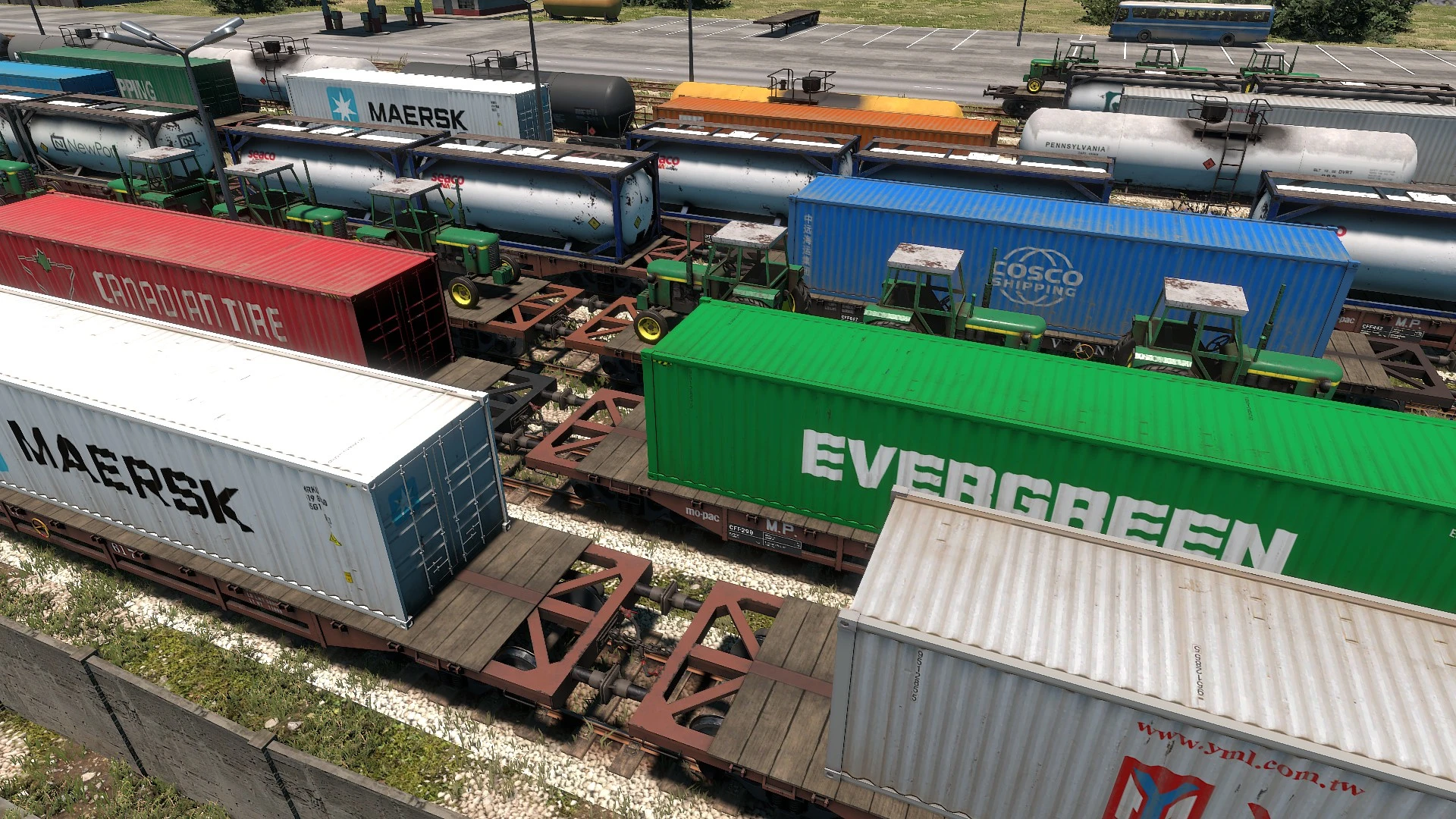
Now you can swap out the cargo skins (like Skin Manager, but for the cargo models). This is an updated version of Cappycot's Cargo Swap mod.
Compatible with most of the old Cargo Swap skins, but not the 20ft container skins. Altfuture changed the model of the 20ft container to match the military 20ft container, so none of those skins work anymore.
Installation
Drag the downloaded zip file into Unity Mod Manager like you would any other mod. You do not need Skin Manager installed, although it is compatible with Skin Manager.
Installing the old cargo skins
Unzip into the mod directory, so that the file path is as follows:
<game install folder>\Derail Valley\Mods\CargoSwapMod\Skins\<cargo-type>\<skin-name>\<skin-files>
For example:
C:\Program Files (x86)\Steam\steamapps\common\Derail Valley\Mods\CargoSwapMod\Skins\C_FlatcarContainerAny\Maersk\ContainersAltas_01d.jpg
Installing the new cargo skin packs
Drag the downloaded zip file into Unity Mod Manager like you would any other mod.
Don't the 40 foot container textures take up a lot of VRAM?
They did with the old version of this mod. The 40ft container textures are 8K textures, but only the top left corner is used (the reason why is complicated). This mod now crops the textures at runtime so that we're not having to keep 63 million white pixels in VRAM for each texture.
TLDR: you should be able to use more 40ft container textures now, especially if your graphics card has a good amount of VRAM.
The zip file should contain two items:
-
[]a "Skins" folder (structured like the old cargo skins: Skins\<cargo-type>\<skin-name>\<skin-files>)
[
] Just like normal Derail Valley mods, it needs an info.json file that contains the following:
"Id": "SkinPackName",
"DisplayName": "Skin Pack Name",
"Author": "Username",
"Version": "1. 0. 0",
"HomePage": "https://www.nexusmods.com/derailvalley/mods/1034",
"Requirements": [ "CargoSwapMod" ]
Of course you can change the fields to whatever you want. The Id should be unique, and the HomePage should link to the nexusmods page for your skin pack. The important thing is to keep "CargoSwapMod" listed as one of the requirements.
Here's a list of all the possible cargo types:
Cargo Texture Swap Continued replaces container and solid cargo textures, updated for the Simulator update. A niche utility mod with 47 endorsements and 2,003 downloads, last updated August 2024. For players wanting visual variety in cargo containers.
✨ Key Features
📊 Pros & Cons
✅ Pros
- Simple texture swap that gives cargo containers a fresh look.
- Updated for the Simulator update, so it should work with current game version.
- Decent download count (2,003) shows some interest.
⚠️ Cons
- Low endorsement count (47) suggests limited community validation.
- Texture swaps can be hit-or-miss; without previews, you might not like the result.
For players who want to change the look of cargo containers without altering gameplay. If you're into visual tweaks and don't mind a bit of uncertainty, this could be for you. Skip if you want more substantial content or need detailed documentation.
💡 Beginner Tips
- Check the mod's file structure to ensure you place textures in the correct folder.
- If the game has a mod manager, use it to avoid manual file conflicts.
- Back up your original textures if you want to revert easily.
📊 Mod Details
- Game
- Derailvalley Mods
- Author
- Cappycot SatiricRug
- Version
- 1.0.1
- Downloads
- 2,003
- Endorsements
- 47
- Category
- Utilities
- Created
- 8/23/2024
- Updated
- 8/23/2024
🔧 How to Install Derail Valley Mods
Download from Nexus Mods.
📖 Full step-by-step install guide for Derail Valley →
Visit the official mod page for specific installation instructions for this mod.
🎮 Need cheat codes or console commands? Check ur gaming wiki for Derail Valley commands, item IDs, and more.
Keep browsing — more Derail Valley mods await