Toggle HUD
⚪ Last updated 2021Preview
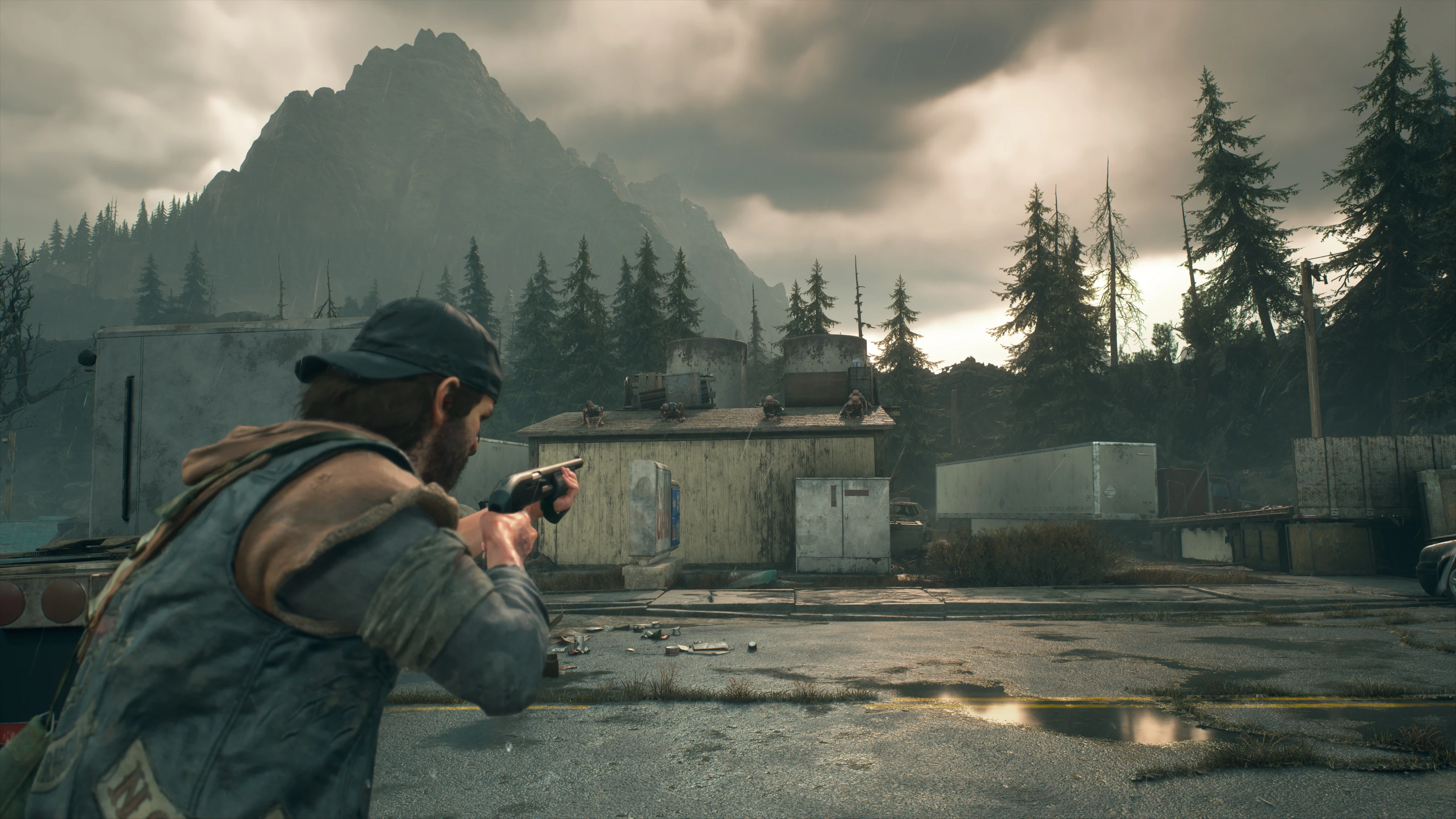
🔍 Analysis
- 👍 2.6% endorsement rate — high engagement, a strong quality signal
- 🏆 #2 of 22 User Interface mods in this game by downloads
📋 About This Mod
Disclaimer: currently this mod doesn't work with HDR, I'm trying to find a solution.
Installation:
Simply drop all the files in:
Days Gone\BendGame\Binaries\Win64
Once in game, press caps lock to toggle the HUD on or off.
Caps lock is already used by the game so I would recommend re-binding this key in the menu or just change toggle key (how to change key is explained below)
Press the guide button to toggle the HUD if you're using an Xbox controller.
In order to make the weapon wheel usable with the HUD off, I have bound Q and the left shoulder button to show the HUD when holding.
These bindings can also be changed.
Be aware that the menu, button prompts and subtitles will also disappear when the HUD is toggled off.
Changing keybinds:
If you want to change the key/button bindings, open d3dx.ini and search for ;Keybinds
Below you will find this section:
; HUD toggle for keyboard
Key = caps <---
Change this for keyboard HUD toggle binding
type = toggle
; HUD toggle for Xbox controller:
Key = XB_GUIDE <---
Change this for xbox controller HUD toggle binding
type = toggle
; Hold to show weapon wheel for Xbox controller:
Key = XB_LEFT_SHOULDER <---
Change this for Xbox controller weapon wheel binding
type = hold
Delay = 100
; Hold to show weapon wheel for keyboard:
Key = Q <---
Change this for keyboard weapon wheel binding
type = hold
Delay = 100
A list of all available Xbox binds can be found here
Reshade compatibility:
Make sure your Reshade file is called dxgi.dll and not d3d11.dll. This should happen automatically if you install this mod before Reshade.
I can't guarantee this will work for every system and configuration out there, certain laptops may be incompatible with dxgi.dll files.
Toggle HUD is a simple utility mod that lets you toggle the entire HUD on and off in-game with a hotkey or Xbox button. It has 556 endorsements and over 21,000 downloads, last updated in May 2021. Ideal for players who want a clean screen for screenshots or immersive play.
✨ Key Features
📊 Pros & Cons
✅ Pros
- Community favorite with 556 endorsements and over 21k downloads.
- Perfect for taking clean screenshots or recording without HUD clutter.
- Works with both keyboard hotkey and Xbox controller button.
⚠️ Cons
- Last updated in May 2021 — may be outdated for current game versions.
- Limited to toggling the entire HUD; no options for individual HUD elements.
For players who want to quickly hide the HUD for immersive screenshots or cinematic gameplay. Also great for content creators who need clean footage. Skip if you need granular control over individual HUD elements.
💡 Beginner Tips
- Check if the mod requires a script extender or other dependencies for your game version.
- Test the hotkey in a safe area to ensure it doesn't conflict with other keybinds.
- If using a controller, make sure the Xbox button mapping doesn't interfere with default game functions.
📊 Mod Details
- Game
- Daysgone Mods
- Author
- TheJanitor
- Version
- 1.0
- Downloads
- 21,188
- Endorsements
- 556
- Category
- User Interface
- Created
- 5/20/2021
- Updated
- 5/20/2021
🧩 Commonly Used Together
Users add these mods to the same collections — a real compatibility signal, not an AI guess.
🔧 How to Install Daysgone Mods
Download from Nexus Mods.
📖 Full step-by-step install guide for Daysgone →
Visit the official mod page for specific installation instructions for this mod.
🎮 Need cheat codes or console commands? Check ur gaming wiki for Daysgone commands, item IDs, and more.
Keep browsing — more Daysgone mods await