TextVessel - Text Data Editor
⚪ Last updated 2017Preview
🔍 Analysis
- 👍 4.4% endorsement rate — high engagement, a strong quality signal
- 🏆 #22 of 43 Utilities mods in this game by downloads
📋 About This Mod
Edits any and all text in the game's data.
This tool edits the . FMG text string package files that are packed within the . MSGBND files.
Requires your game to be unpacked with UnpackDarkSoulsForModding
You may be wondering "why would I use TextVessel instead of Wulf's FmgEdit?".
-
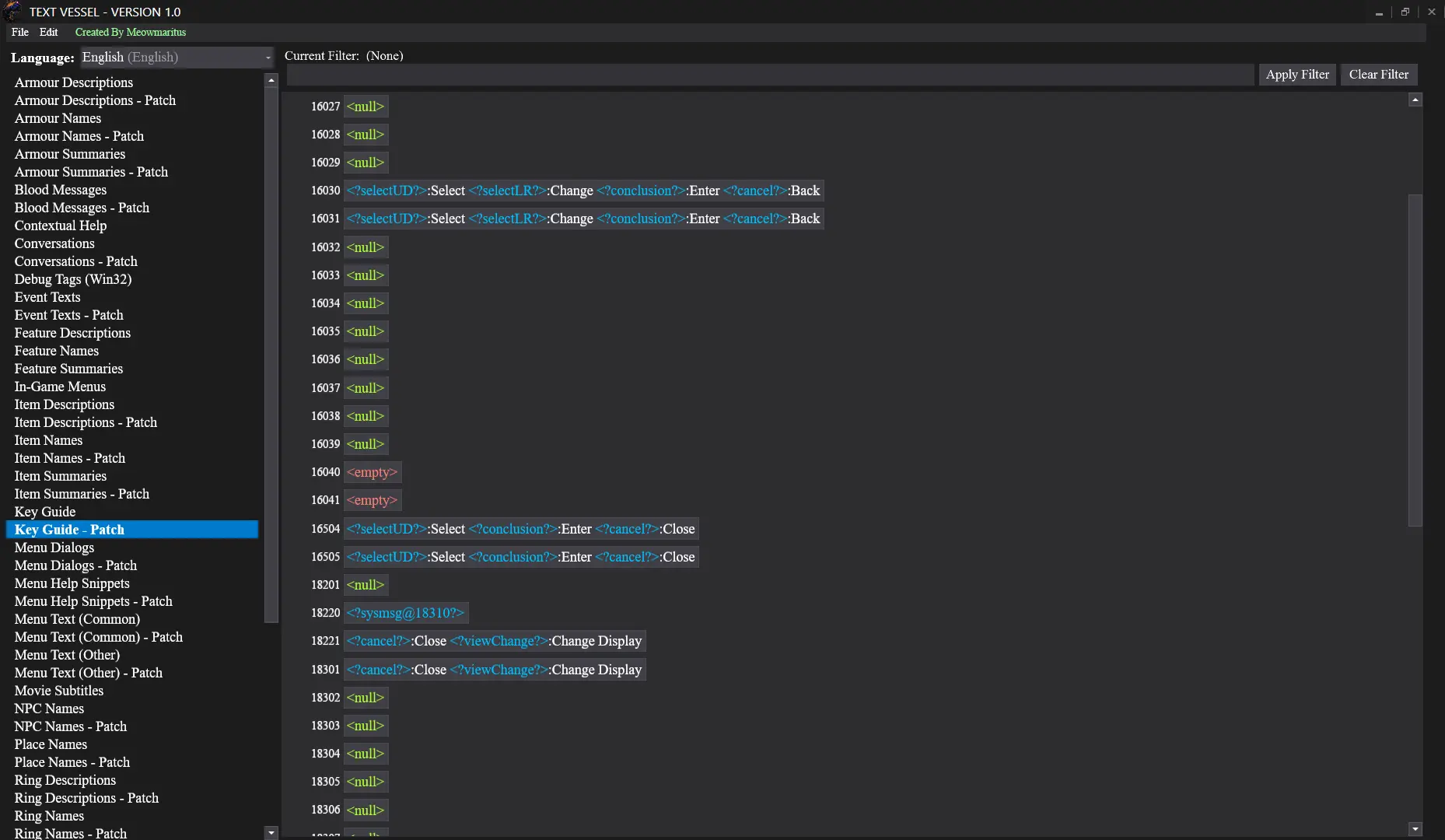
[]TextVessel lets you view/edit/save all 590 FMG files in the game's data (59 for each of the 10 languages) in one instance of the program, all without unpacking/repacking any binder files (aside from the initial unpacking done by UnpackDarkSoulsForModding, of course)
[
]TextVessel has English translations of the Japanese text package file names so you know what's up.[]TextVessel saves/loads the files so much faster that it is honestly pretty ridiculous; Wulf's tool takes upwards of 10 seconds to load/save one FMG file, whereas TextVessel takes a quarter of a second to load/save all 59 FMG files for any given language
[]TextVessel allows you to view/edit line breaks as actual line breaks whereas Wulf's tool has /n/ to represent a line break. In TextVessel, multi-line entries such as inventory descriptions actually appear as long paragraphs.
[]TextVessel highlights the game's special parameter value tokens in blue so they are more obvious. Special tokens include things like <?goodsNameId@108?>,<?pcPlayTime?>, <?mapName?>, etc. It achieves the highlighting by utilizing the AvalonEdit code editor control (using a modified version of the standard XML syntax highlighting definition)
[]TextVessel displays the game's text in what appears to be the original font that the ingame font textures were created with: Times New Roman, 24-pixel size, bitmap-scaled down to 75% scale.
[]TextVessel allows you to jump to a specific entry ID number with Ctrl+G.
[]TextVessel lets you filter which entries appear in the list using the controls on the top right (e.g. searching all entries with "catarina" in them)
[]TextVessel allows you to batch export text data to Json files as well as batch import text data from Json files (these options are under "File" in the menu bar)
Installation
-
[]Unzip anywhere you want.
[]Run program.
[]Browse to your DARKSOULS.exe file when prompted (this step is only done on first run).
[]Edit stuff.
[]Press Ctrl+S to save.
Requirements
-
[]Game unpacked using UnpackDarkSoulsForModding by HotPocketRemix
[
]Either the 32-bit or 64-bit version ofWindows 7 or later
(does not work on Windows Vista/XP/etc) - . NET Framework 4. 7
-
[]Game unpacked using UnpackDarkSoulsForModding by HotPocketRemix
-
[]Unzip anywhere you want.
📊 Mod Details
- Game
- Darksouls Mods
- Author
- Meowmaritus
- Version
- V1.12
- Downloads
- 2,381
- Endorsements
- 105
- Category
- Utilities
- Created
- 12/13/2017
- Updated
- 12/19/2017
🔧 How to Install Dark Souls Mods
Download from Nexus Mods.
📖 Full step-by-step install guide for Dark Souls →
Visit the official mod page for specific installation instructions for this mod.
🎮 Need cheat codes or console commands? Check ur gaming wiki for Dark Souls commands, item IDs, and more.
Keep browsing — more Dark Souls mods await