HQ Painted World Art
⚪ Last updated 2012Preview
🔍 Analysis
- 👍 5.5% endorsement rate — high engagement, a strong quality signal
- 🏆 #12 of 231 Models and Textures mods in this game by downloads
📋 About This Mod
The 2k version of this mod has now been integrated into my HD texture pack, found here: http://darksouls.nexusmods.com/mods/268
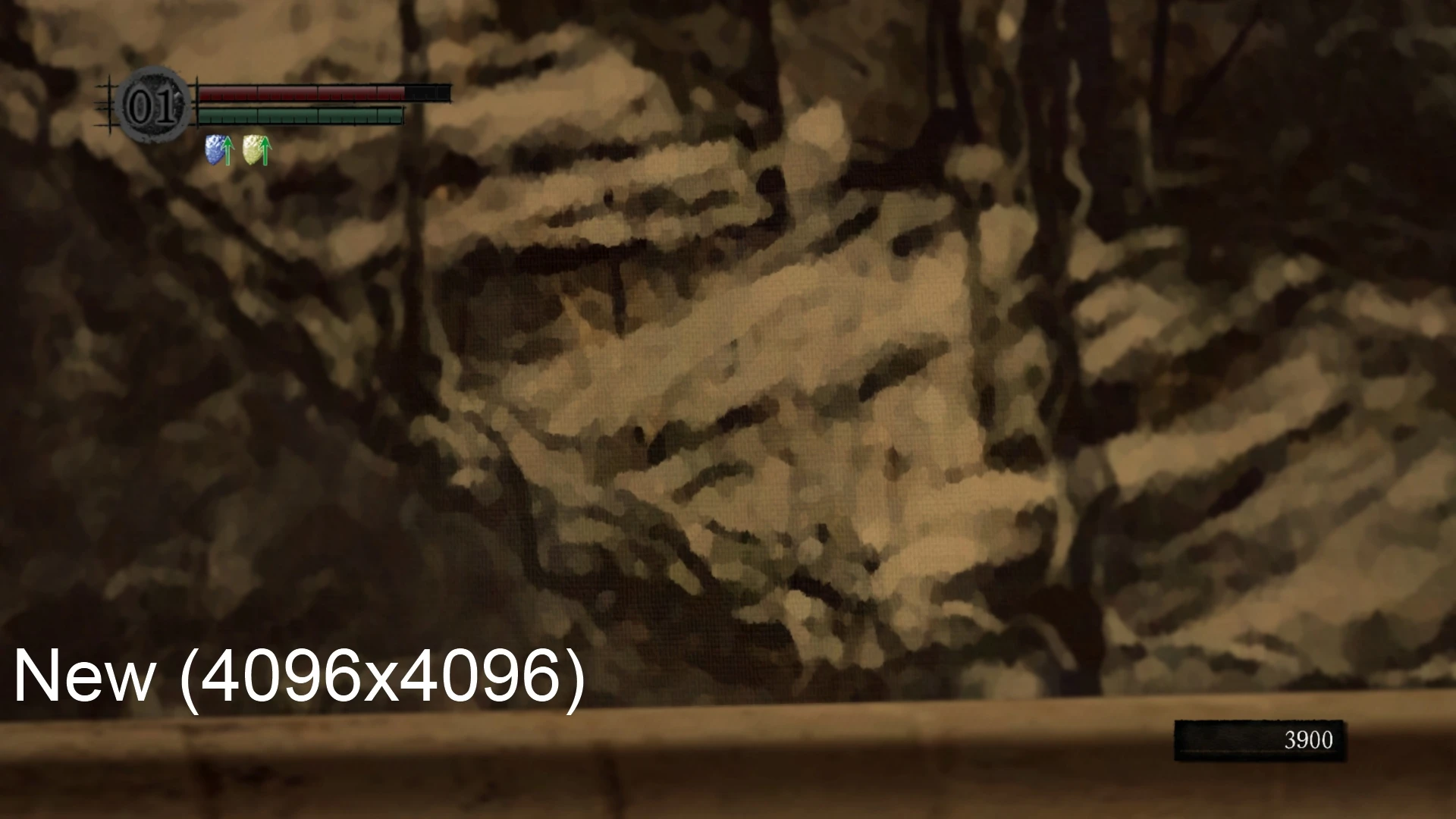
For the most accurate comparison, open the images above in a new tab and view the full sized versions. Otherwise it's not possible to see the quality difference as it'll be in-game when the painting is massive.
The painting entrance to the Painted World is actually quite low-res despite being huge and important. This mod upscales that painting to 2k and 4k, and adds high resolution oil paint and canvas filters to hide the blur. As a result, the painting looks more like a painting and is higher quality up close.
This HD replacer may cause a single consistent framerate hiccup when you approach Anor Londo. This can be considered an engine limitation, and the only way I can see to avoid it would be to use a supercomputer that's above petty limitations like cpu bottlenecking or vram shortages. Most users will likely prefer the 2k (2048) version, to minimize this hiccup.
If you like a mod, including this one, please return to comment or endorse. This wasn't a hard mod to make so it doesn't matter as much, but generally modders appreciate feedback on their work.
Installation: Within this download there are two folders. One is named 2048x2048, while the other is named 4096x4096.
Take the .dds texture from ONE of these folders (not both), and place it inside your dsfix/tex_override folder. Make sure you have texture overrides enabled in your dsfix ini.
Upscales the Painted World entrance painting to 2K and 4K resolutions, adding oil paint and canvas filters to reduce blur. Purely cosmetic texture replacement for Dark Souls players who want a sharper focal point. 1,306 endorsements and 23,634 downloads, last updated 2012.
✨ Key Features
📊 Pros & Cons
✅ Pros
- Community favorite with 1,306 endorsements.
- Over 23,600 downloads, widely used.
- Targets a visually prominent area (the Painted World entrance), so the upgrade is noticeable.
⚠️ Cons
- Created in 2012 for the original Dark Souls; not updated for Remastered, so compatibility is uncertain.
- 4K texture can be a VRAM hit on older hardware.
- Only affects a single painting, so overall visual impact is limited.
For Dark Souls purists who want every texture clean, especially the iconic Painted World painting.,For players who notice blurry textures in key locations and want a quick cosmetic upgrade without changing gameplay.,Skip if you run the Remastered version or prefer larger texture overhauls.
💡 Beginner Tips
- If using DSFix, enable texture override and drop the files into the override folder.
- Choose the 2K version if you're on a weak GPU; pick 4K only if your system can handle it.
- This mod replaces a single texture, so it won't conflict with most other mods except those editing the same painting.
📊 Mod Details
- Game
- Darksouls Mods
- Author
- Rennn
- Version
- 1.0
- Downloads
- 23,634
- Endorsements
- 1,306
- Category
- Models and Textures
- Created
- 10/8/2012
- Updated
- 10/27/2012
🔧 How to Install Dark Souls Mods
Download from Nexus Mods.
📖 Full step-by-step install guide for Dark Souls →
Visit the official mod page for specific installation instructions for this mod.
🎮 Need cheat codes or console commands? Check ur gaming wiki for Dark Souls commands, item IDs, and more.
Keep browsing — more Dark Souls mods await