Dualshock 4 Controller Interface
⚪ Last updated 2014Preview
🔍 Analysis
- 👍 3.7% endorsement rate — high engagement, a strong quality signal
- 🏆 #49 of 269 User Interface mods in this game by downloads
📋 About This Mod
Enjoy this mod? Please endorse it and let others know about it! :D
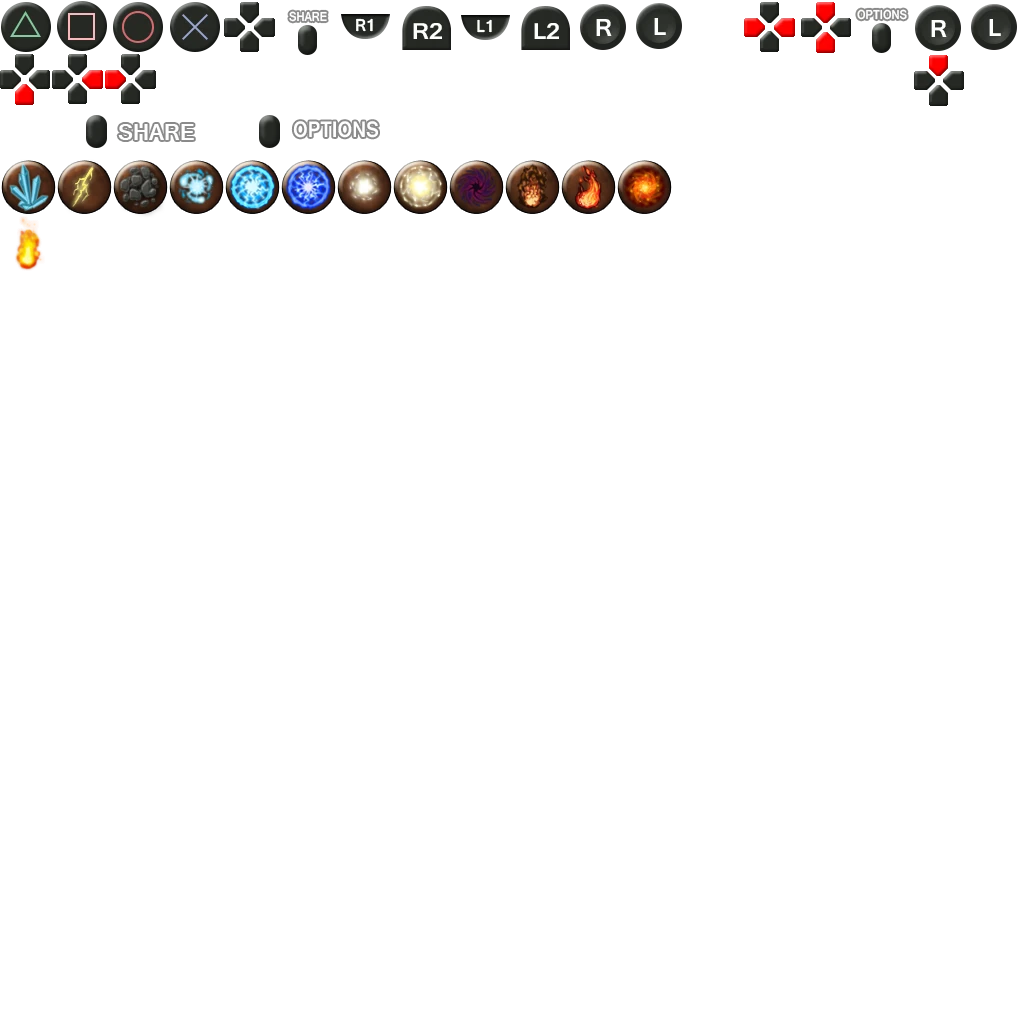
Dualshock 4 Dark Souls Interface
What it is - - This replaces the game's default Button Icons with those based on the Dualshock 4 (PS4) Controller, allowing easy navigation of menus and such within the game when using said controller.
Requirements - - Requires DSFix installed. Find it here: http://darksouls.nexusmods.com/mods/19 - You will need an XInput Wrapper for DS4 support. I recommend this tool: http://forums.pcsx2.net/Thread-DS4-To-XInput-Wrapper
Installation - - Copy PNG files to folder "/DATA/dsfix/tex_override" inside your dark souls game directory
Credits - - All DS4 Icons were custom created by me. - Other Interface icons in the '43a2b23a' file are defaults. - Elemental icons are modified versions of DS HD Interface Icons by Mordhar.
If you have any issues or suggestions, let me know. :)
Adds DualShock 4 UI icons for Dark Souls, replacing the default button prompts with PS4 controller glyphs. For PC players using a DualShock 4 who want matching on-screen controls. Compact cosmetic mod with 215 endorsements and 5,851 downloads, last updated February 2014.
✨ Key Features
📊 Pros & Cons
✅ Pros
- Decent community backing with 215 endorsements for a niche UI tweak.
- 5,851 downloads shows it was a popular choice for DualShock 4 users.
- Simple cosmetic change — swaps icons without adding unnecessary features.
⚠️ Cons
- Last updated 2014 — no updates for Dark Souls Remastered or later patches.
- Only useful for DualShock 4 players — Xbox and keyboard users get nothing.
- Could conflict with other UI mods that alter on-screen button prompts.
For Dark Souls PC players using a DualShock 4 who are tired of seeing Xbox button prompts. For those who want a clean, matching on-screen controller layout. Skip if you use a different controller or want gameplay changes — this is purely cosmetic.
💡 Beginner Tips
- If icons don't show, enable texture override in DSfix.ini (if you use DSfix).
- Drop the icon files into Dark Souls' DATA folder, not the save directory.
- After installing, open the in-game menu to verify the DualShock 4 prompts replace the old ones.
📊 Mod Details
- Game
- Darksouls Mods
- Author
- NicolaiB92
- Version
- 1.0
- Downloads
- 5,851
- Endorsements
- 215
- Category
- User Interface
- Created
- 2/9/2014
- Updated
- 2/9/2014
🔧 How to Install Dark Souls Mods
Download from Nexus Mods.
📖 Full step-by-step install guide for Dark Souls →
Visit the official mod page for specific installation instructions for this mod.
🎮 Need cheat codes or console commands? Check ur gaming wiki for Dark Souls commands, item IDs, and more.
Keep browsing — more Dark Souls mods await