A Simple Reshade
⚪ Last updated 2017Preview
🔍 Analysis
- 👍 3.2% endorsement rate — high engagement, a strong quality signal
- 🏆 #9 of 10 ReShade Preset mods in this game by downloads
📋 About This Mod
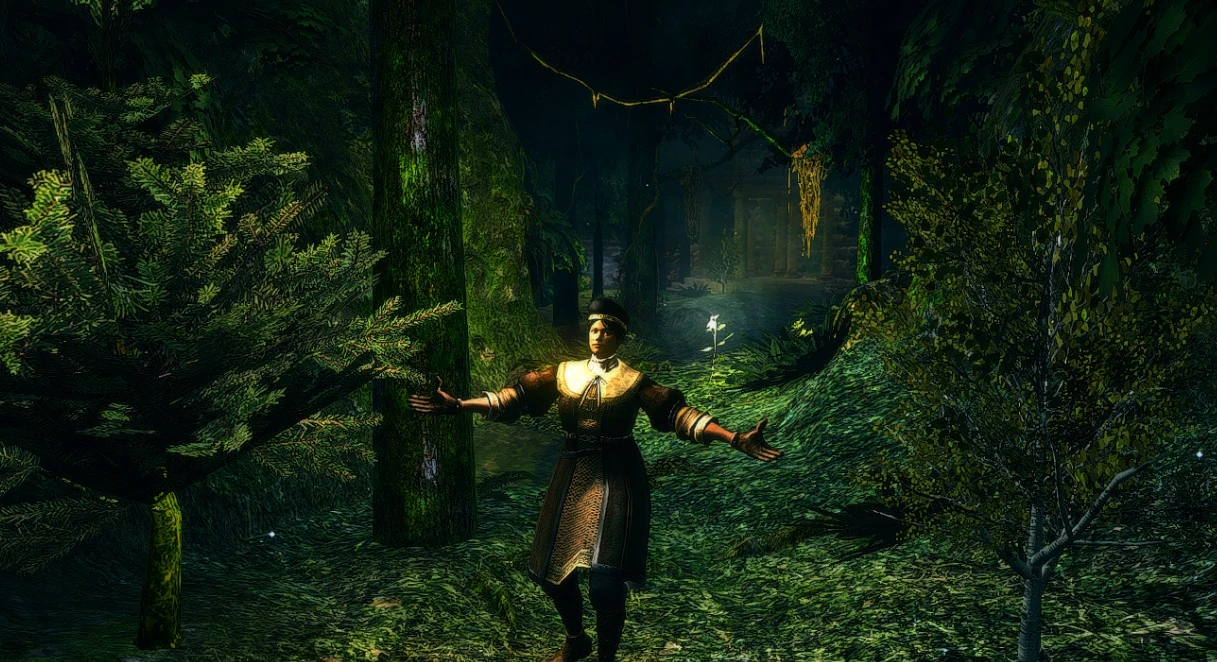
Another reshade for DS1.
But I don't have any experience on this. I don't even know what those terms like SMAA or MXAO actually mean. So I just turn every one of them on and off to see whether it's good for my game performance, and the numerical value are kind of complex for me so I just leave them default. Fortunately I'm quite satisfied with some of the effects with their default numerical values. And these effects are exactly what this preset of mine contains.
- []Download reshade framework from here if you don't have one. []Double-click what you've downloaded and select your DARKSOULS.exe. It's often located in place like"steamapps\common\Dark Souls Prepare to Die Edition\DATA". []Click on "Direct3D 10+", which is in the middle of the three options. []Click "Yes" when it asks you if you wish to do something. []Click "OK". []Download my preset and put "Taoerche's favor.ini" into the folder you just found your DARKSOULS.exe. []Start the game, there should be some English sentences at the top left of the screen. Press "shift+F2" when it counts back to 0. []Follow the tutorial, choose my "Taoerche's favor" when you need to choose a preset, and then reload. []It's done! Finally! Now prepare to die.
📊 Mod Details
- Game
- Darksouls Mods
- Author
- Taoerche
- Version
- 1.0
- Downloads
- 502
- Endorsements
- 16
- Category
- ReShade Preset
- Created
- 8/22/2017
- Updated
- 8/22/2017
🔧 How to Install Dark Souls Mods
Download from Nexus Mods.
📖 Full step-by-step install guide for Dark Souls →
Visit the official mod page for specific installation instructions for this mod.
🎮 Need cheat codes or console commands? Check ur gaming wiki for Dark Souls commands, item IDs, and more.
Keep browsing — more Dark Souls mods await