Telescope
⚪ Last updated 2020Preview
🔍 Analysis
- 👍 4.2% endorsement rate — high engagement, a strong quality signal
- 🏆 #14 of 23 Items mods in this game by downloads
📋 About This Mod
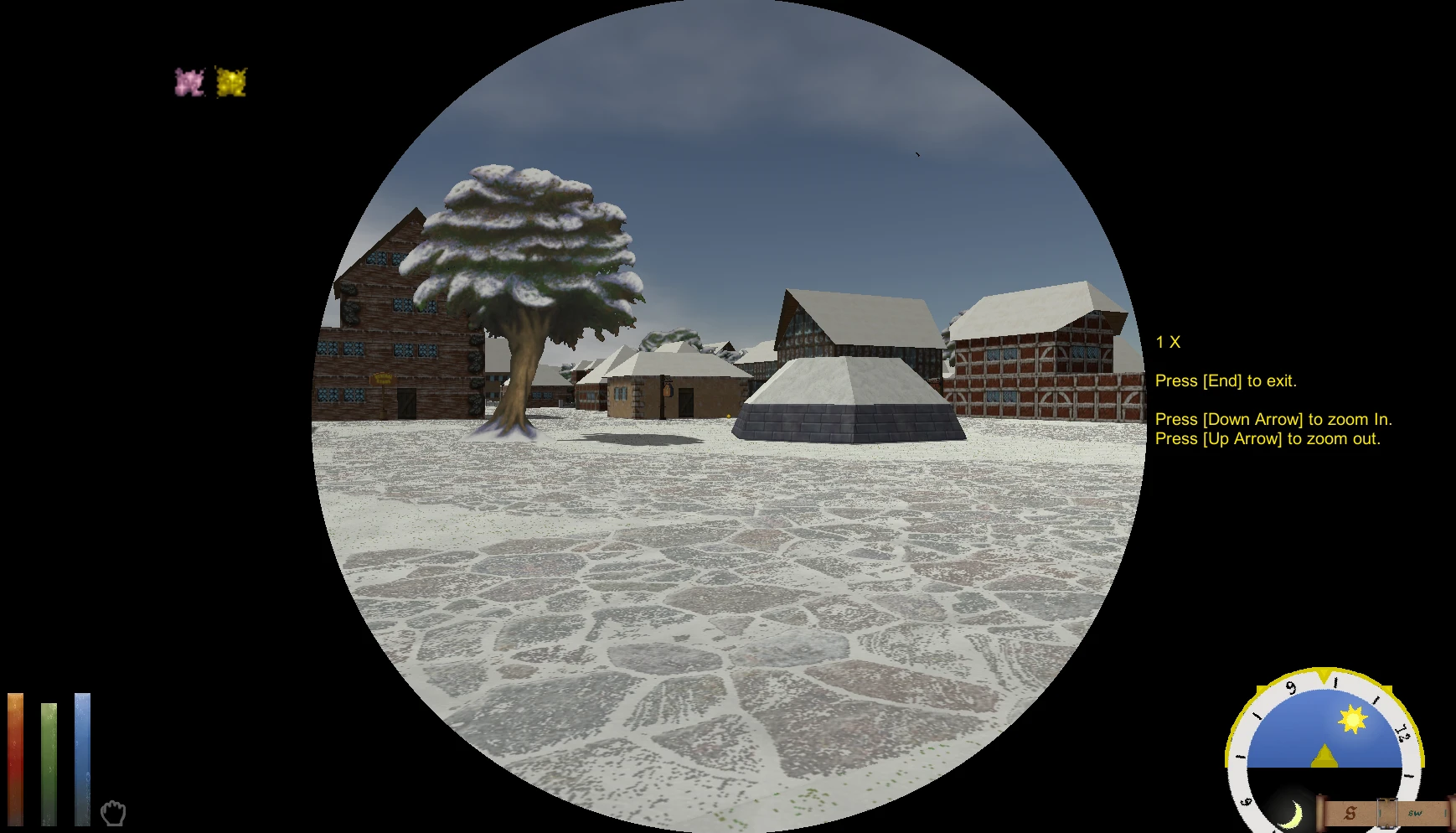
This mod creates a working telescope that you can purchase in good quality alchemy shops. It works indoors and outdoors, but does not work under water.
Description:
This mod creates a working telescope that you can use indoors and outdoors.
Installtion
Download "telescope.dfmod" for your Operating System (windows, OSX, or Linux)
copy "telescope.dfmod" to your daggerfall_Data/StreamingAssets/Mods folder.
Start the game, and click on mods (lower left corner). Find Telescope in the list of mods, and then ensure that it is enabled. Click on Settings, and adjust to your taste. Click on Save to save your settings, and then save and close to exit the mod section. Click on play to play with the new settings.
Uninstallation
Delete "telescope.dfmod" from daggerfall_Data/StreamingAssets/Mods. If you only want to temporarily remove it, you can disable it in the mods section without removing the dfmod.
Exit Telescope Key - Select the key that will be used to exit the telescope. By Default, this is set to the key.
Zoom In Key - Select the Key that will be used to zoom in. By default, this is the key.
Zoom Out Key - Select the key that will be used to zoom out. By default, this is the key.
Telescope Price - Select the base price for the telescope, this defaults to 10,000 gold.
Use Telescope Overlay - If set, you will see a black screen, except for a circle in the center. If not set, the full screen is visible during zooming.
Show Telescope Directions on Screen - If set, a message appears on the screen reminding you which keys zoom in, zoom out, and exit the telescope.
Where to buy:
The telescope is sold in high quality Alchemy shops. For example, you can purchase a telescope at "The Emperor's Potions" in Daggerfall.
How to use the Telescope:
Open up your inventory; the telescope is in the Clothing and Misc tab. Select "USE" and click on the telescope.
You can look around, as you normally would by moving around the mouse.
To zoom in, either use the mouse scroll wheel, or press the zoom in button that was selected in the mod settings page. (default = )
To zoom out, either use the mouse scroll wheel, or press the zoom out button that was selected in the mod settings page. (default = )
To exit the telescope, press the exit key that was selected in the mod settings page. (default = )
📊 Mod Details
- Game
- Daggerfallunity Mods
- Author
- Asesino
- Version
- 1.0
- Downloads
- 4,117
- Endorsements
- 173
- Category
- Items
- Created
- 2/12/2020
- Updated
- 2/13/2020
🔧 How to Install Daggerfall Unity Mods
Download from Nexus Mods.
📖 Full step-by-step install guide for Daggerfall Unity →
Visit the official mod page for specific installation instructions for this mod.
🎮 Need cheat codes or console commands? Check ur gaming wiki for Daggerfall Unity commands, item IDs, and more.
Keep browsing — more Daggerfall Unity mods await