Retro-Frame
⚪ Last updated 2024Preview
🔍 Analysis
- 👍 1.8% endorsement rate — high engagement, a strong quality signal
- 🏆 #35 of 142 User Interface mods in this game by downloads
📋 About This Mod
Version 1. 1. 1 Update (April 2024)
Small fix to allow custom modifications.
Version 1. 1. 0 Update (March 2024)
Updated for DREAM 90s.
Updated hi-res panel and border textures (courtesy of King Of Worms).
Added true hi-res and half-res graphics modes in mod settings (replaces existing anti-aliased pseudo-hi-res modes)
Quick Description
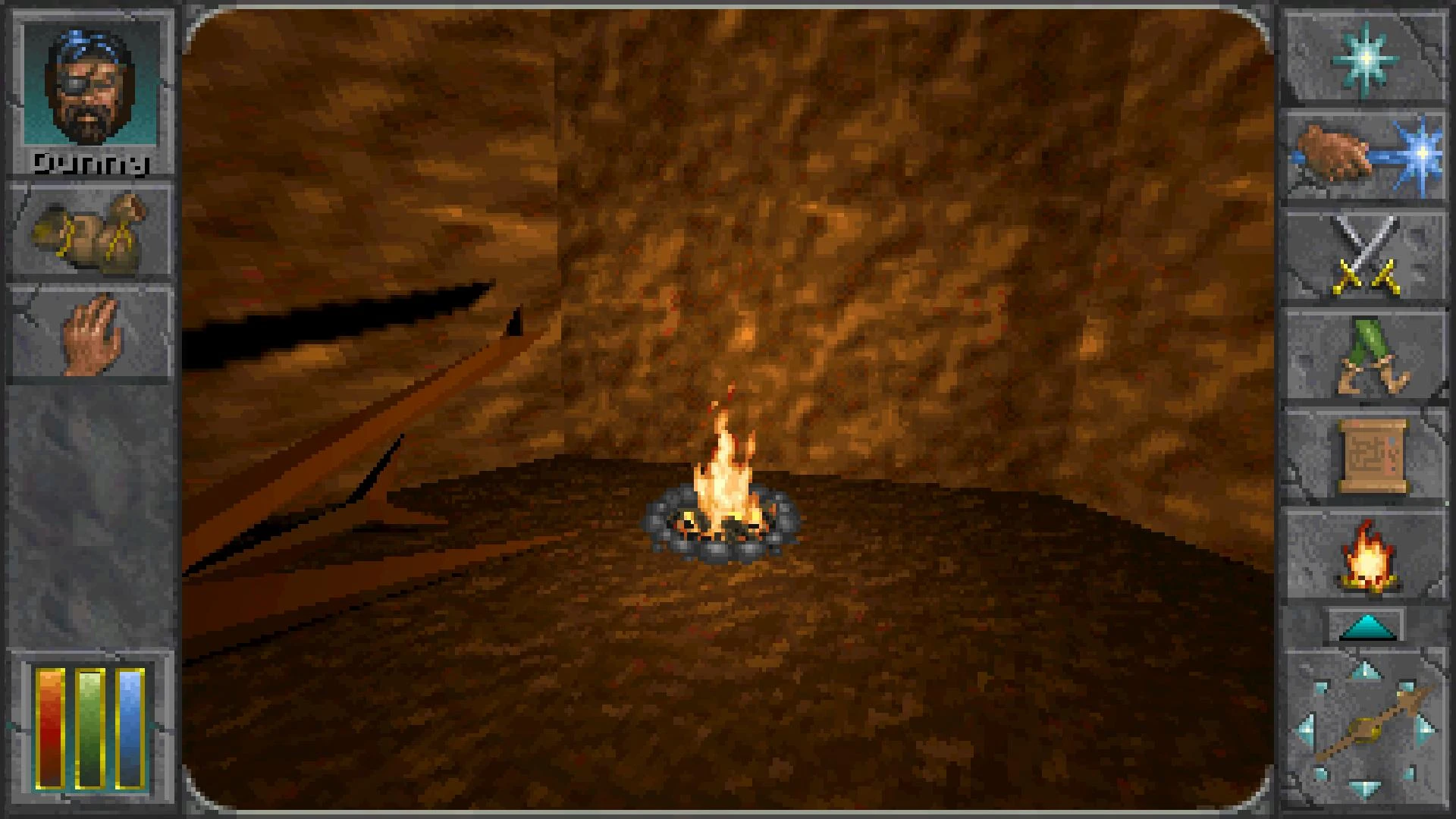
Moves HUD to the unused side areas, decluttering the view area when in 4:3 retro display mode.
(Currently only supports 16:9 displays. 16:10 displays don't offer much side space, but another modder might figure something out.)
Adds hotkeys.
Adds error log indicator.
How to Activate 4:3 Retro Mode
After pausing the game (usually the Esc key), you should see a small box in the upper left corner with 3 white lines.
Click it and select Effect Settings.
In the left panel of the settings window, select Retro Mode.
In the right panel, set Mode to either 320x200 or 640x400, then change Aspect Ratio Correction to 4:3.
(Note: higher resolution modes can be specified in the mod settings page).
Feel free to change any other settings you wish.
Translations
Currently English, Française, Portugues, and Русский.
I translated the best I could, feel free to send corrections my way.
Note To Other Modders
Retro-Frame has a messaging receiver that provides access to the overlay panel content and to register custom hotkey handlers.
See the Readme on the Github page for DunnyOfPenwick/Retro-Frame.
Tested in Windows 1920x1080 mode in English, with limited testing in other locales.
Installation
Unzip the retro-frame.dfmod file into your Mods folder.
Retro-Frame is a UI mod for Skyrim that adds a frame-style HUD with hotkeys to switch to retro 4:3 mode. It has 163 endorsements and was last updated in April 2024. This mod is for players who want a nostalgic, classic aspect ratio experience.
✨ Key Features
📊 Pros & Cons
✅ Pros
- Community-tested with 163 endorsements and over 9,000 downloads
- Simple concept: hotkey to switch to 4:3, perfect for that retro feel
- Lightweight UI mod that doesn't overhaul your whole interface
⚠️ Cons
- Niche appeal: only useful if you actually want to play in 4:3
- May conflict with other UI mods that alter the HUD or aspect ratio
- Last updated in April 2024, so might not be compatible with the latest Skyrim patches
For Skyrim players who want a quick way to switch to a retro 4:3 aspect ratio for screenshots or a classic feel. Also for modders who want a frame-style HUD as a base. Skip if you're happy with widescreen and don't care about retro aesthetics.
💡 Beginner Tips
- Use a mod manager like Vortex or MO2 to install and manage this mod easily.
- Test the hotkeys in a safe save to make sure they don't conflict with other keybinds.
- If you're using other UI mods, load Retro-Frame after them to avoid conflicts.
📊 Mod Details
- Game
- Daggerfallunity Mods
- Author
- Dunny Of Penwick
- Version
- 1.1.1
- Downloads
- 9,135
- Endorsements
- 163
- Category
- User Interface
- Created
- 1/27/2024
- Updated
- 4/22/2024
🔧 How to Install Daggerfall Unity Mods
Download from Nexus Mods.
📖 Full step-by-step install guide for Daggerfall Unity →
Visit the official mod page for specific installation instructions for this mod.
🎮 Need cheat codes or console commands? Check ur gaming wiki for Daggerfall Unity commands, item IDs, and more.
Keep browsing — more Daggerfall Unity mods await