Expanded Info
🟠 Updated over a year agoPreview
🔍 Analysis
- 👍 0.9% endorsement rate
- 🏆 #18 of 142 User Interface mods in this game by downloads
📋 About This Mod
The following addon is highly recommended: Expanded Info - Detailed Descriptions
1. Description
2. Installation
3. Uninstallation
4. Save Games
5. Conflicts
7. For mod developers
===============
1. DESCRIPTION
===============
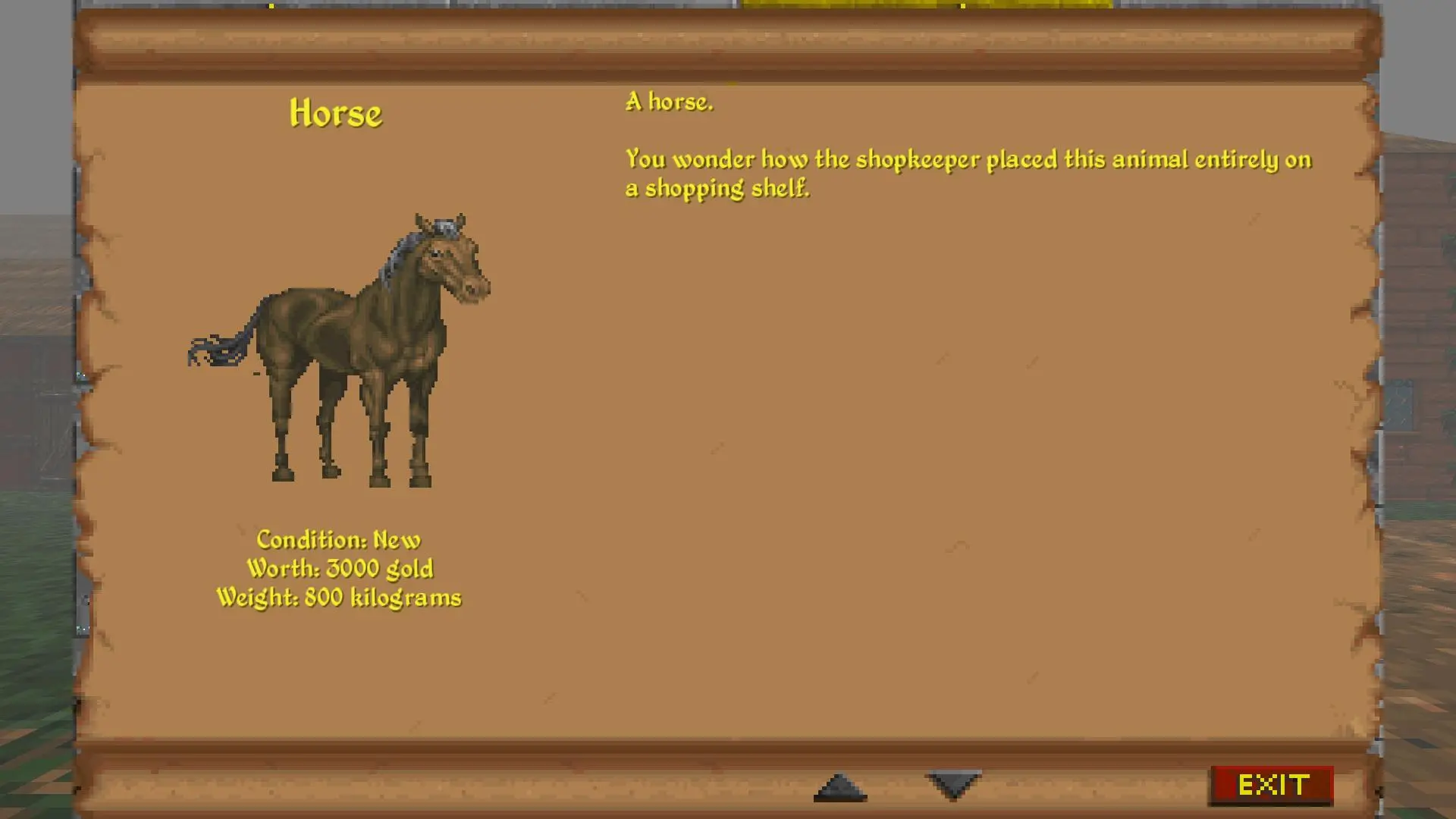
Expanded Info changes the vanilla message box appearing upon clicking any item in the "INFO" mode to a bigger, BG-like pop-up window.
================
2. INSTALLATION
================
Either install using Vortex Mod Manager or install manually.
To install manually, copy the contents of StreamingAssets folder in this archive to the Daggerfall Unity "StreamingAssets" folder.
==================
3. UNINSTALLATION
==================
Remove the following files:
- "expanded info.dfmod" from Mods folder;
- "ExpandedInfo-Base.json" from Text folder;
- this readme file, "Readme - Expanded Info.txt", from Docs folder.
==============
4. SAVE GAMES
==============
Compatible with both new and active save games.
=============
5. CONFLICTS
=============
Compatible with Expanded Inventory by design.
Incompatible with any other mod changing the inventory and/or the trade window.
This is due to the way the current window system is set up. If it changes in the future, it might become compatible with such mods.
I haven't tested the mod on Linux or OSX systems, so if it doesn't work on them, please let me know through the bug system.
If you find any bugs, please let me know through the Nexus bug system.
Please use the bug system in Nexus instead of simply posting the comment in Posts - I might not notice your bug.
======================
7. FOR MOD DEVELOPERS
======================
Refer to the documentation file in Docs
Expanded Info replaces the vanilla message box in INFO mode with a larger, Baldur's Gate-style pop-up window. It's a UI overhaul for players who want more readable item details. With 173 endorsements and recent updates, it's a niche but active mod.
✨ Key Features
📊 Pros & Cons
✅ Pros
- Solid community backing with 173 endorsements and nearly 20k downloads.
- Recently updated (July 2025), so it's likely compatible with current game versions.
- Does exactly what it says—no bloat, just a cleaner info pop-up.
⚠️ Cons
- Only affects the INFO mode pop-up, so if you wanted deeper UI changes, this won't deliver.
- The BG-style might clash with other UI mods you're running.
- No mention of compatibility with other popular UI overhauls, so test before committing.
For players who find the vanilla info box too cramped and want a more readable, classic RPG-style pop-up. If you're into UI polish and don't mind a niche tweak, this is for you. Skip if you're looking for a full UI overhaul—this only touches the INFO mode.
💡 Beginner Tips
- Since it's a UI mod, make sure to load it after other UI mods to avoid conflicts.
- If you're using a mod manager, enable it and check the in-game INFO mode to see the change immediately.
- If the pop-up doesn't appear, verify the mod is active and not overwritten by another UI mod.
📊 Mod Details
- Game
- Daggerfallunity Mods
- Author
- alexFalconson
- Version
- 1.1.0
- Downloads
- 19,597
- Endorsements
- 173
- Category
- User Interface
- Created
- 2/2/2023
- Updated
- 7/5/2025
🔗 Required By 1 Mod
These mods list this mod as a dependency.
🔧 How to Install Daggerfall Unity Mods
Download from Nexus Mods.
📖 Full step-by-step install guide for Daggerfall Unity →
Visit the official mod page for specific installation instructions for this mod.
🎮 Need cheat codes or console commands? Check ur gaming wiki for Daggerfall Unity commands, item IDs, and more.
Keep browsing — more Daggerfall Unity mods await