Better Crosshairs
⚪ Last updated 2020Preview
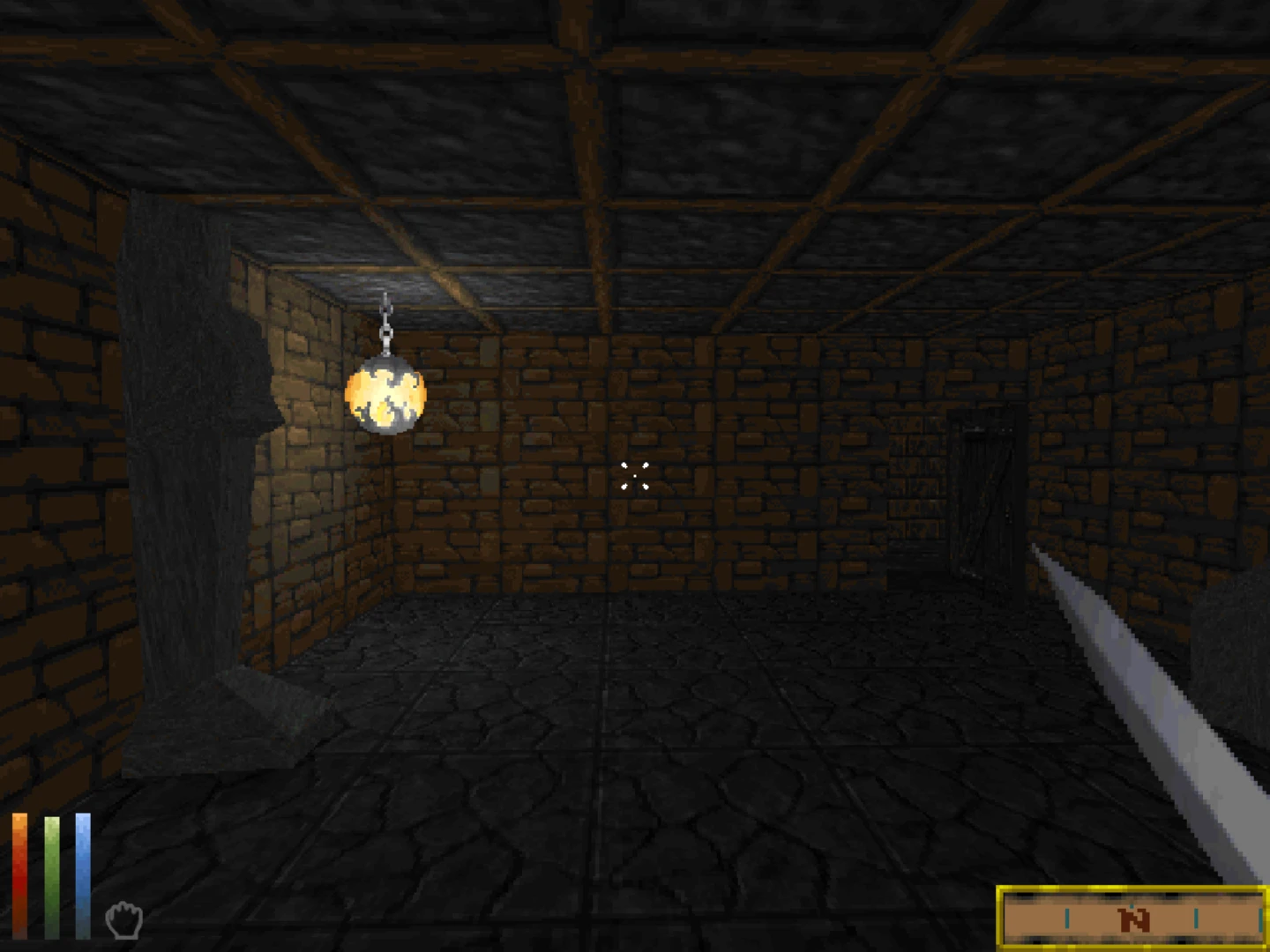
🔍 Analysis
- 👍 4.7% endorsement rate — high engagement, a strong quality signal
- 🏆 #63 of 142 User Interface mods in this game by downloads
📋 About This Mod
This mod overhauls the default crosshair in Daggerfall Unity.
In order to install, rename one of the PNGs of your election to "Crosshair.png" and place it in the folder path, "...\DaggerfallUnity_Data\StreamingAssets\Textures", within the main Daggerfall Unity directory.
"Crosshair Big.png" and "Crosshair Small.png" have no alpha or transparency value, whereas "Crosshair Big Transparency.png" and "Crosshair Small Transparency.png" have an opacity - alpha value of 50/255, and "Crosshair Big Transparency Light.png" and "Crosshair Small Transparency Light.png" have an opacity - alpha value of 25/255.
Credits to StupidDunmer and opiter09 for the idea.
Icon made by Freepik from Flaticon
Created by OnlyBassics
Better Crosshairs is a compact UI mod that replaces the default crosshair with six high-quality PNG alternatives. It offers a simple visual upgrade for players who want more variety in their aiming reticle. With 101 endorsements and over 2,000 downloads, it's a modest but appreciated addition.
✨ Key Features
📊 Pros & Cons
✅ Pros
- Simple and effective – swaps in six crisp PNG crosshairs, no clutter.
- Decent community traction with 101 endorsements and 2,147 downloads.
- Lightweight UI tweak that doesn't mess with gameplay.
⚠️ Cons
- Only six options – might not cover every taste, but it's a start.
- Last updated in December 2020 – could be outdated if the game has changed UI systems since.
- No screenshots or install instructions in the description, so you're flying blind until you try it.
For players who find the default crosshair boring and want a quick visual refresh without diving into complex UI mods. If you're a purist who likes to tweak every pixel, this gives you a handful of choices. Skip if you're looking for gameplay changes – this is purely cosmetic.
💡 Beginner Tips
- Since it's just PNG files, you can preview them in any image viewer before installing to see which one you like.
- If the mod doesn't work, check if your game has a custom crosshair setting that might override it.
- Back up your original crosshair files if you want to revert easily – though the mod likely includes them.
📊 Mod Details
- Game
- Daggerfallunity Mods
- Author
- OnlyBassics
- Version
- 1.0.0
- Downloads
- 2,147
- Endorsements
- 101
- Category
- User Interface
- Created
- 12/9/2020
- Updated
- 12/10/2020
🔧 How to Install Daggerfall Unity Mods
Download from Nexus Mods.
📖 Full step-by-step install guide for Daggerfall Unity →
Visit the official mod page for specific installation instructions for this mod.
🎮 Need cheat codes or console commands? Check ur gaming wiki for Daggerfall Unity commands, item IDs, and more.
Keep browsing — more Daggerfall Unity mods await