Basic Frame
🟠 Updated over a year agoPreview
🔍 Analysis
- 👍 4.3% endorsement rate — high engagement, a strong quality signal
- 🏆 #86 of 142 User Interface mods in this game by downloads
📋 About This Mod
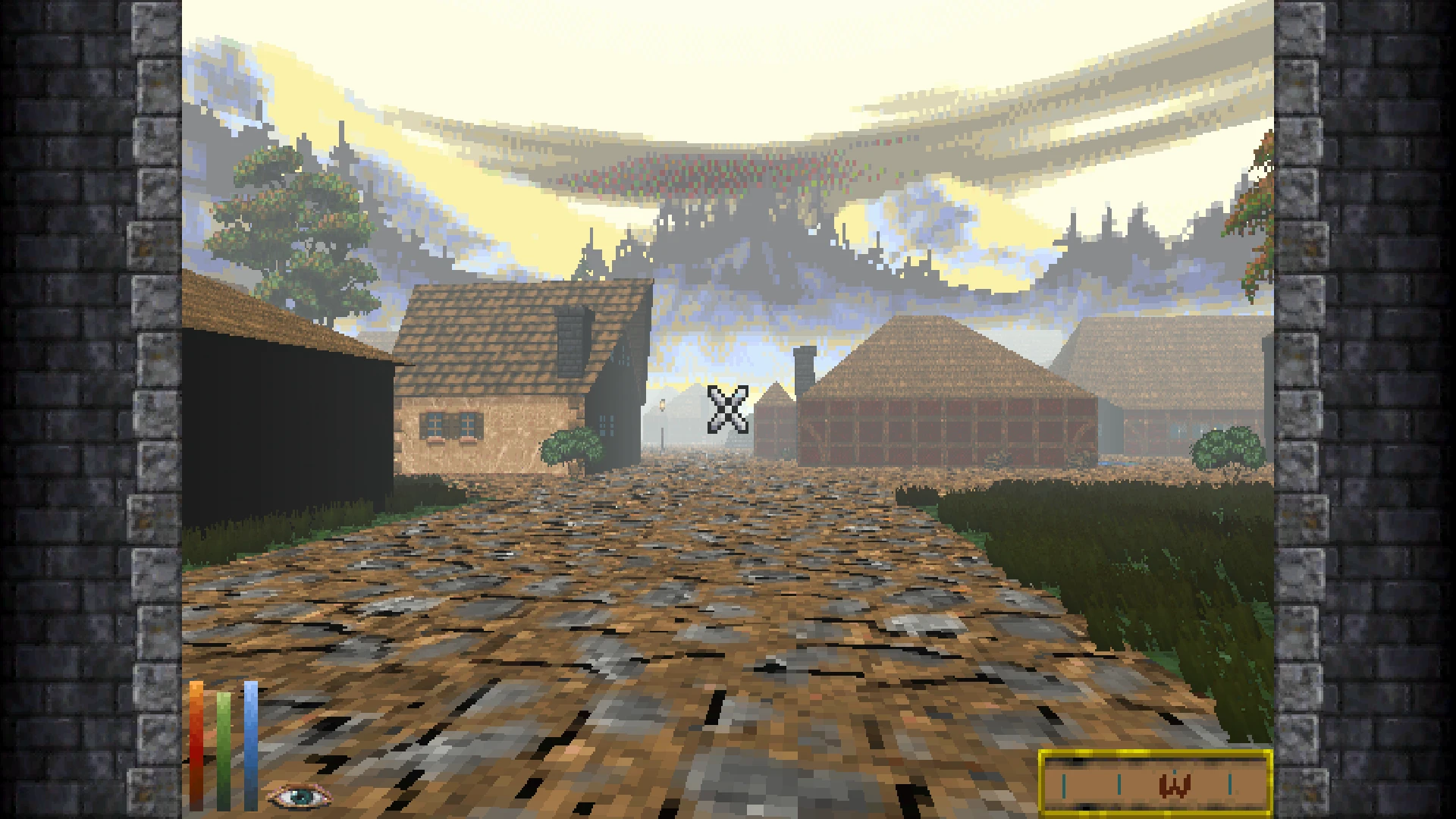
Adds a simple frame overlay in either 4:3 or 16:10 for Retro Mode with Aspect Ratio Correction. Android version also available.
When using Retro Mode with Aspect Ratio Correction enabled, DFU shows these black bars at the left and right edges of the screen where nothing is being rendered. Basic Frame simply paints a large texture over the screen that covers this up for both 4:3 and 16:10 modes. If using my other mods like Weapon Widget, this is especially useful to prevent the new HUD sprites from being visible when they cross the "unrendered" parts of the screen.
Originally made for Android only, I decided to include a desktop build for those who want to play in 16:10 mode since Retro-Frame does not support that. If playing in 4:3 on desktop, I highly recommend using Retro-Frame over this as it utilizes the frame area much more effectively and comes with more useful functions like a hotkey bar and the ability for higher resolutions in Retro Mode.
To enable Retro Mode and Aspect Ratio Correction:
-
[]While in-game, open the PAUSE menu
[
]Click the Three-Line button on the top-left corner of the screen[]Select Effect Settings
[]In the main window, adjust the Mode slider to any option other than Off
[]Choose any option below Aspect Ratio Correction other than Off
For compatibility with other UI mods, it is possible to change the Depth value that the frame is rendered at during gameplay and when paused. Adjust these values to work with any UI mod conflicts (like Loading Screens).
TEXTURE REPLACEMENT
It is possible to replace the frame textures with custom ones. Download the template in the Optional Files for a good base to work from. The textures can be in any resolution as long as they are always in 3:1 aspect ratio.
ANDROID VERSION
-
[]Made for use specifically with Vwing's DFU port. I can't guarantee it will work with different forks or projects. Refer to the github for instructions on installing mods.
[]My access to Android devices is limited, so I'd appreciate any feedback regarding the mod working on other devices. As with the previous point, I can't guarantee it will work perfectly with every device, but with your help, I will try my best to figure out whether it's in my capability to fix.
[]Many thanks to Vwing for their work on porting DFU to Android as well as being extra mindful of modding support.
Much thanks to DunnyOfPenwick for their work on Retro-Frame and for making the code available for study. Their example allowed me to take edge-cases that I didn't think of into consideration.
📊 Mod Details
- Game
- Daggerfallunity Mods
- Author
- RedRoryOTheGlen
- Version
- 1.0.1
- Downloads
- 555
- Endorsements
- 24
- Category
- User Interface
- Created
- 3/27/2025
- Updated
- 6/25/2025
🔧 How to Install Daggerfall Unity Mods
Download from Nexus Mods.
📖 Full step-by-step install guide for Daggerfall Unity →
Visit the official mod page for specific installation instructions for this mod.
🎮 Need cheat codes or console commands? Check ur gaming wiki for Daggerfall Unity commands, item IDs, and more.
Keep browsing — more Daggerfall Unity mods await