Damage Meter
🟡 Updated this yearPreview
🔍 Analysis
- 👍 0.0% endorsement rate
- ✅ Updated 4 days after the latest game patch — actively maintained
- 🏆 #4 of 31 GUI, Utilities mods in this game by downloads
📋 About This Mod
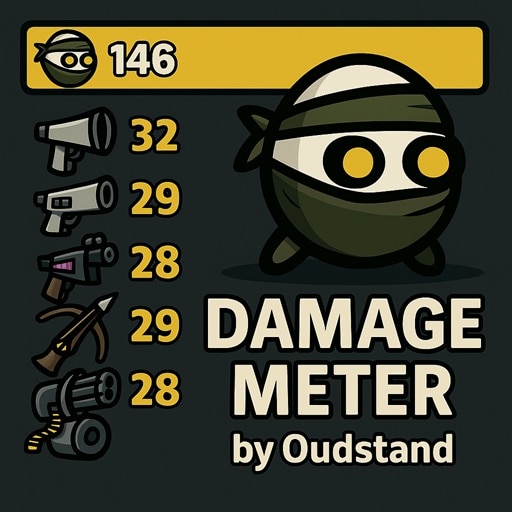
DamageMeter - Real-Time Damage Tracking Track your damage in real-time! DamageMeter displays comprehensive damage statistics during runs, showing total damage dealt and your top damage sources. Perfect for analyzing builds and optimizing strategies. Features Total Damage Display - Progress bars showing each player's damage with percentages Top Damage Sources - See your best weapons, items, and abilities ranked by damage Wave Summary Screen - Open a post-wave popup in the shop with full per-player breakdowns (icon button near reroll or auto-open) Item Grouping - Automatically groups identical items (e.g., multiple turrets) Smart Tracking - Tracks weapons, items, spawned entities (turrets, landmines), and abilities Visual Indicators - Rarity colors, cursed markers, item icons with rounded backgrounds Performance Optimized - Intelligent caching for smooth gameplay Fully Configurable - Customize opacity, number of sources, DPS display, and more What Gets Tracked? All weapons and their damage output Damage-dealing items Spawned entities (Engineering turrets, Screwdriver landmines, Pocket Factory turrets) Character abilities Configuration With ModOptions (Optional): If you have ModOptions installed, configure all settings in-game via Options → Mods → DamageMeter: Opacity - Adjust UI transparency (0. 3-1. 0, default: 1. 0) Number of Sources - Show 1-25 top damage sources (default: 6) Show Item Count - Display count for grouped items (default: on) Show DPS - Display damage per second (default: off) Show Percentage - Show percentage values relative to top player (default: on) Hide Damage Bar (Solo) - Hide total damage bar when playing solo (default: off) Show Wave Summary Button - Show/hide the summary button in the shop (default: on) Auto Open Wave Summary - Automatically open summary after each wave (default: off) All changes apply instantly without restarting! Without ModOptions: The mod works perfectly with default settings (shown above). No configuration needed! Optional E
📊 Mod Details
- Game
- Brotato Mods
- Author
- 76561198015844732
- Version
- N/A
- Downloads
- 48,905
- Endorsements
- 0
- Category
- GUI, Utilities
- Created
- 10/1/2025
- Updated
- 5/31/2026
🔧 How to Install Brotato Mods
Subscribe on Steam Workshop. Mods auto-download and install. Launch the game to activate.
📖 Full step-by-step install guide for Brotato →
Visit the official mod page for specific installation instructions for this mod.
🎮 Need cheat codes or console commands? Check ur gaming wiki for Brotato commands, item IDs, and more.
Keep browsing — more Brotato mods await