Assassin's Arsenal for 1.1
🟠 Updated over a year agoPreview
🔍 Analysis
- 👍 1.9% endorsement rate — high engagement, a strong quality signal
- 🏆 #15 of 1454 Weapons mods in this game by downloads
📋 About This Mod
PCVR version | Nomad version
Assassin's Arsenal
This mod adds a few wrist-mounted gadgets in the form of armour pieces. Once the armour piece is equipped, you can activate the gadget by first holding trigger double press (underarm) or trigger single press (overarm) and then pressing grip. Letting go of grip will deactivate the gadget. Whilst a spell is loaded in a hand, that hand cannot prime any gadgets. All gadgets occupy the Wrist layer which means you can equip only one gadget at a time. If you want to equip multiple, you will first have to combine them by putting an overarm gadget onto an underarm gadget.
You can swap the controls in the mod settings. NOTE: There is a bug with mod option linkers that prevents them from saving across sessions. You will have to change the settings every time you restart the game. fixed with the latest game patch 1. 0. 4
This mod was heavily inspired by Tools of the Trade and was created without any scripting (partly as a challenge and partly to ensure Nomad support for when 1. 0 drops for Nomad).
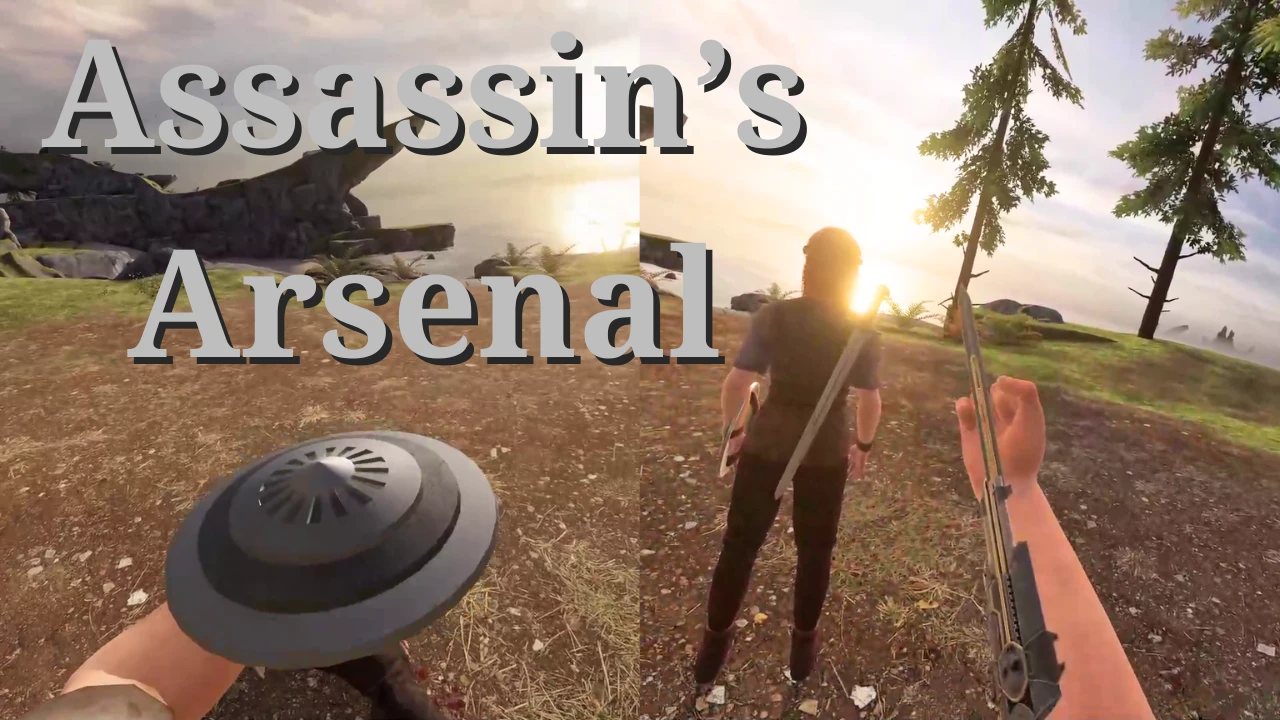
Hidden blade (underarm)
On activation a blade will unfold from your wrist.
Appears in the Shop at T2 on the weapon rack.
Expanding shield (overarm)
On activation a shield will deploy on your wrist.
Appears in the Shop at T2 on the shield rack.
Grapple (overarm)
On activation a grappling hook will be launched in the direction of your hand and if it connects to an object allows you to pull it towards you or you to it. If you keep holding trigger you can press alt-use to fire a second hook to tether two objects together. Once letting go of trigger you can use trigger or alt-use to retract or extend the grapple/tether. Tethering two static objects together (like the environment) will create a zip line between the points. The zip line can be destroyed by damaging it with a weapon. The tether can be destroyed by grabbing one of the hooks and holding alt-use for 1 second.
Appears in the Shop at T1 in the weapon rack.
Flamethrower (overarm):
On activation a flame will blast from your wrist. Letting go of trigger will stop the flamethrower and can be reactivated by pressing trigger again.
Appears in the Shop at T3 on the weapon rack.
Phantom Blade (underarm):
On activation a blade will unfold from your wrist as well as a crossbow. You can load a phantom bolt into it and shoot by pressing trigger.
Appears in the Shop at T3 on the weapon rack.
Assassin's Arsenal for 1.1 adds five wrist-mounted gadgets: hidden blade, expanding shield, grapple, flamethrower, and phantom blade. With over 2,000 endorsements and 100k downloads, it's a popular weapon mod for players seeking assassin-style tools. Simple and focused, it delivers exactly what it promises.
✨ Key Features
📊 Pros & Cons
✅ Pros
- Huge popularity with 2,118 endorsements and 108,961 downloads, so it's proven and trusted.
- Five distinct gadgets offer variety for different playstyles.
- Fits the assassin fantasy perfectly, especially for stealth-focused builds.
⚠️ Cons
- Only updated for version 1.1, so may not work with newer game versions without patches.
- Limited to wrist gadgets, so it won't overhaul combat or add other weapon types.
This is for stealth players who want to feel like an assassin, adding iconic tools like the hidden blade and grapple. It's also great for tinkerers who enjoy experimenting with unique gadgets. If you're a combat purist, you might find it too niche.
💡 Beginner Tips
- Use the grapple to reach high vantage points for stealth kills.
- Combine the hidden blade with silent takedowns for maximum efficiency.
- The flamethrower is great for crowd control but watch your positioning to avoid self-damage.
📊 Mod Details
- Game
- Blade Sorcery Nomad Mods
- Author
- HuJohner
- Version
- 1.4.1
- Downloads
- 108,961
- Endorsements
- 2,118
- Category
- Weapons
- Created
- 10/28/2024
- Updated
- 11/7/2024
🔧 How to Install Bladeandsorcerynomad Mods
Download from Nexus Mods.
📖 Full step-by-step install guide for Bladeandsorcerynomad →
Visit the official mod page for specific installation instructions for this mod.
🎮 Need cheat codes or console commands? Check ur gaming wiki for Bladeandsorcerynomad commands, item IDs, and more.
Keep browsing — more Bladeandsorcerynomad mods await