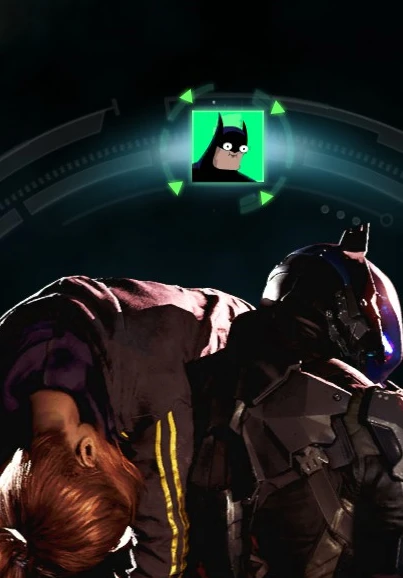
New Main Mission Icon
⚪ Last updated 2024Preview
🔍 Analysis
- 🏆 #23 of 29 User Interface mods in this game by downloads
📋 About This Mod
Changes the main mission icon on the Mission Wheel.
Installation:
Step 1 - Downloading TFC Installer
Download and run TFC Installer
Step 2 - Selecting your game folder
Set your Game Directory. This will be the base installation folder. Eg; Steam\SteamApps\Common\Batman Arkham Knight.
Step 3 - Selecting your Texture Pack/Game Patch
Click "Texture Pack/Game Patch" and navigate to the extracted zip of "Funny Batman icon" folder.
Step 4 - Installing the mod
Now that you have both the game folder and Texture Pack/Game Patch folder inputted, simply press "Update".
If you want to get the original icon back then simply do this same process with the "Backup" folder.
📊 Mod Details
- Game
- Batmanarkhamknight Mods
- Author
- ArkhamXxX
- Version
- 1.0
- Downloads
- 119
- Endorsements
- 2
- Category
- User Interface
- Created
- 3/8/2024
- Updated
- 3/8/2024
🔧 How to Install Batman: Arkham Knight Mods
Download from Nexus Mods.
📖 Full step-by-step install guide for Batman: Arkham Knight →
Visit the official mod page for specific installation instructions for this mod.
🎮 Need cheat codes or console commands? Check ur gaming wiki for Batman: Arkham Knight commands, item IDs, and more.
Keep browsing — more Batman: Arkham Knight mods await