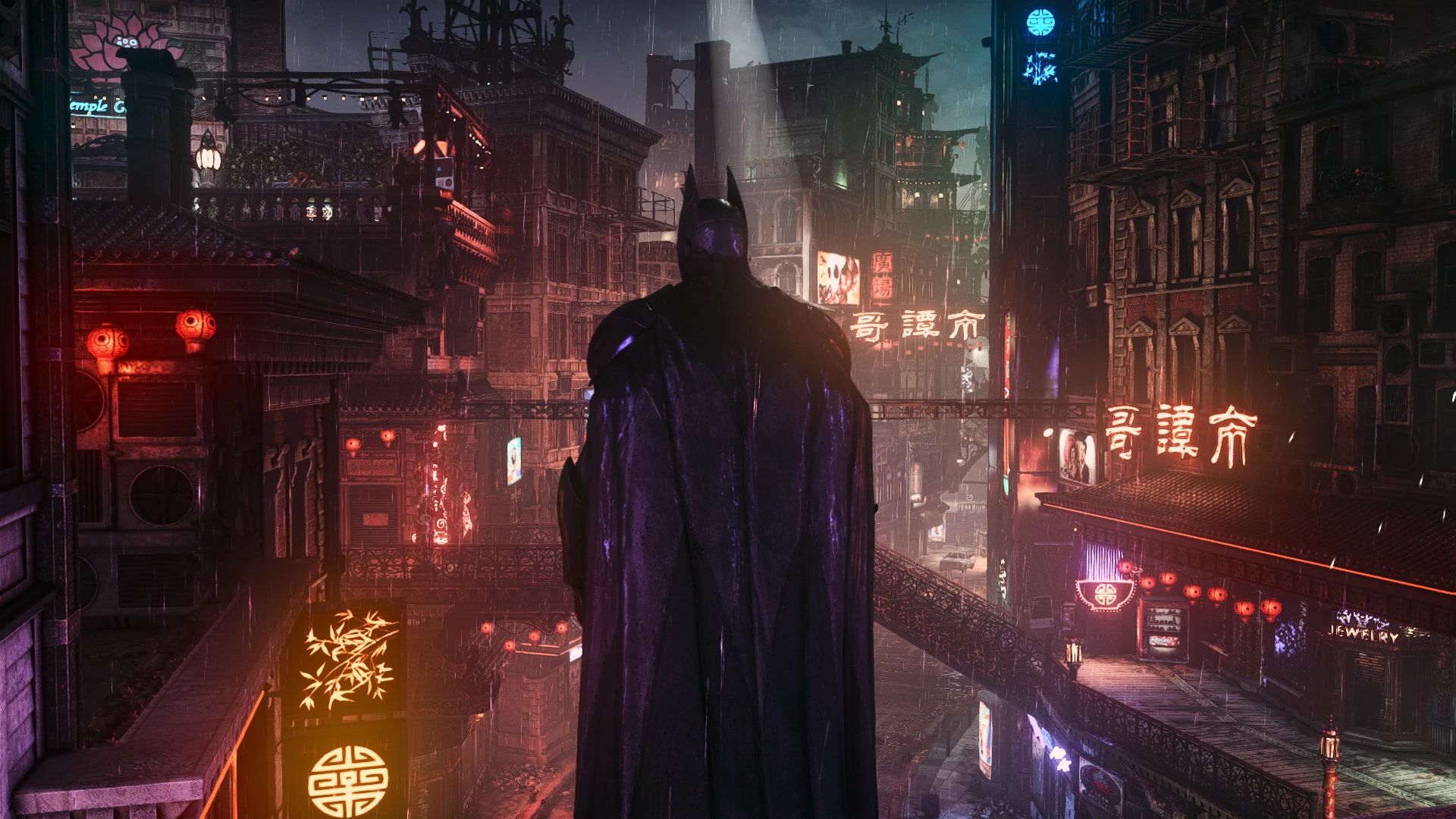
Neon Knight
🟠 Updated over a year ago⚠️ Install Order · 1 step
Install in this order, then this mod last — most mods fail to load without their framework and dependencies in place.
Preview
🔍 Analysis
- 👍 2.0% endorsement rate — high engagement, a strong quality signal
- 🏆 #13 of 222 Visuals mods in this game by downloads
📋 About This Mod
Install instructions:
1) Download Reshade: https://reshade.me/
2) To install Reshade on AK, select BatmanAK.exe, DX10/11/12 as renderer API
3) Download all Shaders by clicking "Uncheck all" on the top right and then clicking it again.
4) Download the RTGI shader file from the "Optional Files" section. (Don't need this anymore, skip to the next step)
5) Download and paste my Reshade preset file "Neon Knight.ini" here: Batman Arkham Knight\Binaries\Win64
6) Start the game and select "Neon Knight.ini" preset in Reshade menu's Home tab
7) Go to the "Add-ons" Tab and enable/tick the "Copy depth buffer before clear operations"(VERY IMPORTANT FOR DEPTH BASED EFFECTS TO WORK
(Please update Reshade with the new preset after each update or the new shaders/effects won't work)
This Reshade was made to use with Full Post-Processing, I don't know how it would look with Partial/Full Post-Processing Removal. You're free to try and see for yourself.
Neon Knight is a ReShade preset for Batman: Arkham Knight that enhances the game's visuals with vibrant colors. With 107 endorsements and over 5,000 downloads, it's a popular choice for players seeking a more colorful look. Last updated in January 2025, it remains relevant for current users.
✨ Key Features
📊 Pros & Cons
✅ Pros
- Community-approved with 107 endorsements and 5,263 downloads
- Easy to install—just drop the preset into your ReShade folder
- Makes Arkham Knight's colors pop without heavy performance hits
⚠️ Cons
- Requires ReShade, which isn't included—you'll need to grab it separately
- No before/after screenshots or detailed settings breakdown in the description
- Last updated January 2025—might not be tuned for the latest ReShade versions
For Arkham Knight players who want a more vibrant, colorful look without messing with complex ENB configs. If you're into screenshots or just want the game to feel fresher, this is a quick win. Skip if you prefer a gritty, realistic tone—this is all about saturation.
💡 Beginner Tips
- Make sure ReShade is installed and working before adding this preset—it won't work without it.
- After applying, tweak the preset's intensity in-game using the ReShade overlay to match your taste.
- If colors look too strong, lower the saturation or vibrance settings in the preset.
📊 Mod Details
- Game
- Batmanarkhamknight Mods
- Author
- DavinAradit28
- Version
- 2.2
- Downloads
- 5,263
- Endorsements
- 107
- Category
- Visuals
- Created
- 2/17/2024
- Updated
- 1/31/2025
🔧 How to Install Batman: Arkham Knight Mods
Download from Nexus Mods.
📖 Full step-by-step install guide for Batman: Arkham Knight →
Visit the official mod page for specific installation instructions for this mod.
🎮 Need cheat codes or console commands? Check ur gaming wiki for Batman: Arkham Knight commands, item IDs, and more.
Keep browsing — more Batman: Arkham Knight mods await