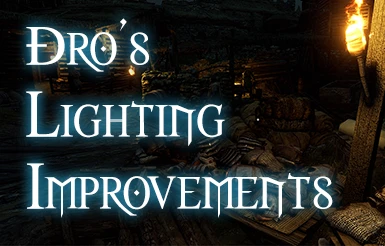
Dro's Lighting Improvements
⚪ Last updated 2024Preview
🔍 Analysis
- 👍 2.8% endorsement rate — high engagement, a strong quality signal
- 🏆 #7 of 31 Visuals and Graphics mods in this game by downloads
📋 About This Mod
Update: Working in latest version 1. 29, outdoor lighting only!
THIS MOD IS NO LONGER BEING UPDATED
Individually hand tuned custom lighting for environments.
Update: Working in latest version 1. 29, outdoor lighting only!
THIS MOD IS NO LONGER BEING UPDATED
Fixes the game's lighting, contrast, and tone mapping effects
Covers outdoors, and for all times of day for every region, town, and battlefield.
Compatible with main and beta branch game versions
Progress Updates:
Check out the sticky for current progress and updates
Scroll down and read the FAQ belowfor troubleshooting before posting
To Install
- Remove ALL prior reshade files you probably installed before this mod- Just unzip to: \Steamapps\Common\Mount & Blade II Bannerlord\ (Vortex support removed because its terrible)
- Over-write if prompted
- Start the Game
- If there are no errors its probably working, you can take a screenshot before and after to compare
- NOTE: This mod will NOT show up on the launcher
To Uninstall / Emergency Removal
Delete the following files in \bin\Win64_Shipping_Client\ : d3d11.dll, dllsettings.ini, and the TextureMods folder
If you have a dxgi.dll in your folder, you had a previous install of Reshade you did not remove
Recommended Settings
- In-game Brightness sliders both set to 0
- Exposure Slider at 50%
F. A. Q AND TROUBLESHOOTING
Its not working/My Game Crashes
- []Use MOD LAUNCHER
Extract it to your steamapps\common\Mount & Blade II Bannerlord folder and make a desktop shortcut - launch the game using this and nothing else.
If you need to get it working with Steam in order to get the mod working check out my guide here
- []Download the required Windows support files
- []Copy your own computer's d3d11.dll
2. Go to C:\Windows\System32
3. Create a copy of d3d11.dll and rename it to ori_d3d11.dll
4. Copy the new ori_d3d11.dll file to: SteamApps\Common\Mount & Blade II Bannerlord\bin\Win64_Shipping_Client\
-
[]Try running your launcher or bannerlord.exe as admin
- []Unblock the DLL Files on Windows 10
1. After downloading the .zip file, right click it and choose Properties
2. Look for the "Unblock" checkbox at the bottom if you have it and check it
3. Press OK and proceed to install normally
- []Remove the Mod
Compatibility Issues
Can I use it with Reshade?
This mod uses ResoRep texture injection - not compatible with other mods that use d3d11.dll or dxgi.dll files like Reshade unless you are able to chain load external .dll files
Can I use it for multiplayer?
No, single-player only
It's too bright/dark
- Some patches reset your brightness and exposure settings, re-calibrate them both ingame and hit save
- Before complaining on the forums make sure to Calibrate your Monitor Here
- Make sure you are on the LATEST mod version
- Post a link to a screenshot with the town/area affected and time of
Dro's Lighting Improvements is a hand-tuned lighting overhaul for Mount & Blade II: Bannerlord that fixes the game's lighting, contrast, and tone mapping for all outdoor environments and times of day. It requires manual installation and is no longer updated, but remains compatible with the latest version 1.29.
✨ Key Features
📊 Pros & Cons
✅ Pros
- Community favorite with 2,195 endorsements and 79,579 downloads
- Hand-tuned lighting gives a unique, polished look across all outdoor areas
- Compatible with both main and beta branches, so it works for most players
⚠️ Cons
- No longer being updated — may break with future game patches
- Requires manual installation and removal of any previous Reshade files, which can be finicky
- Outdoor lighting only; interiors are not covered
For Bannerlord players who want a more natural and visually pleasing outdoor lighting without using Reshade presets. If you're tired of the default washed-out look and don't mind manual installation, this is a solid pick. Skip if you want interior lighting changes or prefer mod manager convenience.
💡 Beginner Tips
- Remove any previous Reshade files (like dxgi.dll) before installing to avoid conflicts.
- Use Bannerlord Mod Launcher instead of the default launcher to avoid crashes.
- Set in-game brightness sliders to 0 and exposure to 50% for the intended look.
📊 Mod Details
- Game
- Bannerlord Mods
- Author
- Drogean
- Version
- Retailv1
- Downloads
- 79,579
- Endorsements
- 2,195
- Category
- Visuals and Graphics
- Created
- 3/31/2020
- Updated
- 5/1/2024
🔧 How to Install Bannerlord Mods
Use Vortex or manual. Enable mods in launcher. Harmony required.
📖 Full step-by-step install guide for Bannerlord →
Visit the official mod page for specific installation instructions for this mod.
🎮 Need cheat codes or console commands? Check ur gaming wiki for Bannerlord commands, item IDs, and more.
Keep browsing — more Bannerlord mods await