High Quality Dice Skins
⚪ Last updated 2023Preview
🔍 Analysis
- 👍 2.6% endorsement rate — high engagement, a strong quality signal
- 🏆 #82 of 86 Dice mods in this game by downloads
📋 About This Mod
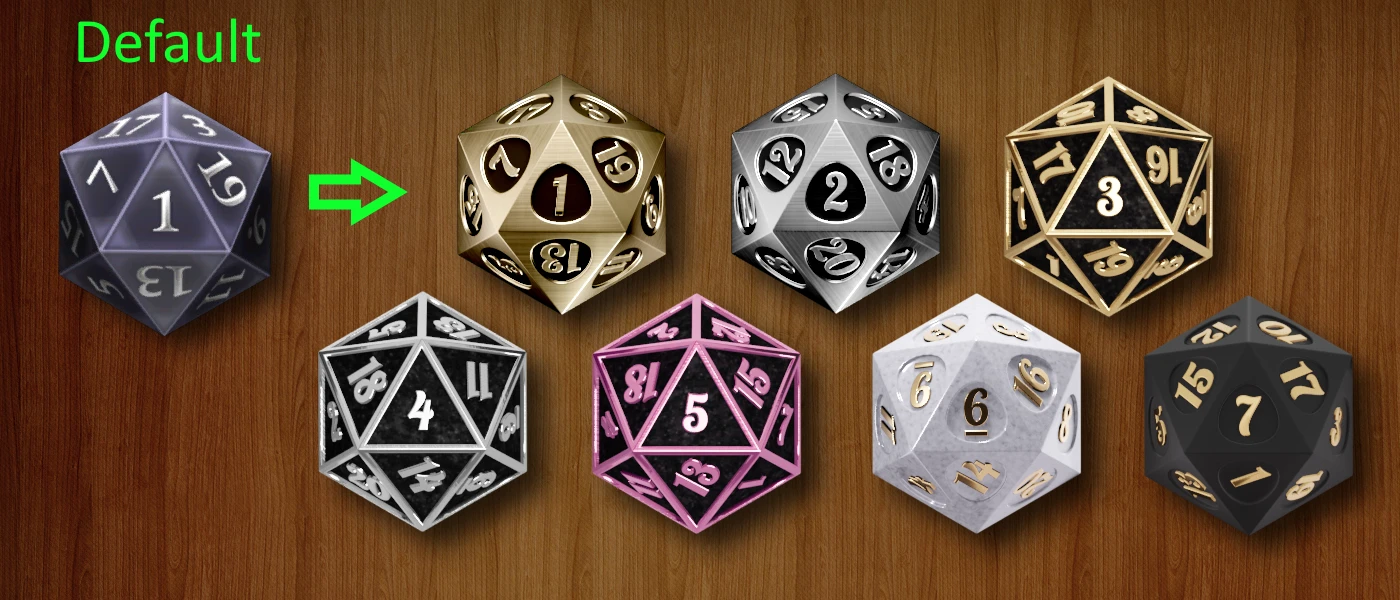
New high quality dice skins for the game.With a seamless transition so you don't always see 15 on top just before the roll ends.
Set of dice skins with simple 2 tone colour themes.
-
[]Seamless transition so you don't always see 15 on top just before the roll ends.
- [
-
[]All dice have the same name to be localization friendly.
My Other Skin Mods:
Themed Dice Skins
BG3 Mod Manager install method:
Place the .pak in your mods folder. Usually at C:\Users\____\AppData\Local\Larian Studios\Baldur's Gate 3\Mods\
Start BG3 Mod Manager, or if it's already open click the refresh button. The mod should now appear in the list on the right
Drag the file from the right panel into the left.
Click file menu -> export order to game. Or click the icon in the toolbar after the word export.
Load the game and it should be in the dice list.
Notes:
I was unable to get dice to appear by using the same directory structure as the DLC dice, so I had to use another method. This causes a warning in BG3 MM but it's totally safe. All my files are unique so nothing is getting overwritten. As far as I've seen all dice mods have this warning, so it seems nobody has figured it out yet.
Bugs:
1 bug where the animation randomly stops a few frames before the end. Sometimes works sometimes doesn't. Haven't been able to figure it out. Could be a low resource issue on my end. Let me know if you find a fix.
Troubleshooting:
Dice don't show up in the list:
Try deleting modsettings.lsx from the following locations
- [
- C:\Users\Username\AppData\Local\Larian Studios\Baldur's Gate 3\PlayerProfiles\Public
I can't start conversations:
You probably don't have mod 'Baldur's Gate 3 Mod fixer' installed.
I get a warning message about not being able to create a story:
It's safe to click ok and ignore this warning. There used to be a version of 'Full release mod fixer' that could remove the message, but that mod has been removed.
Modding notes:
You are free to upload recolours or other edits of these skins.
Software used:
Blender for modelling / materials / animations. Eevee renderer.
ImageMagick for stitching images to make the sprite sheets
Nvidia texture tools to convert to . DDS
📊 Mod Details
- Game
- Baldursgate3 Mods
- Author
- Sir William Snugglepuff
- Version
- 1.0
- Downloads
- 28,672
- Endorsements
- 742
- Category
- Dice
- Created
- 8/20/2023
- Updated
- 8/20/2023
🔧 How to Install Baldur's Gate 3 Mods
Download from Nexus Mods.
📖 Full step-by-step install guide for Baldur's Gate 3 →
Visit the official mod page for specific installation instructions for this mod.
🎮 Need cheat codes or console commands? Check ur gaming wiki for Baldur's Gate 3 commands, item IDs, and more.
Keep browsing — more Baldur's Gate 3 mods await