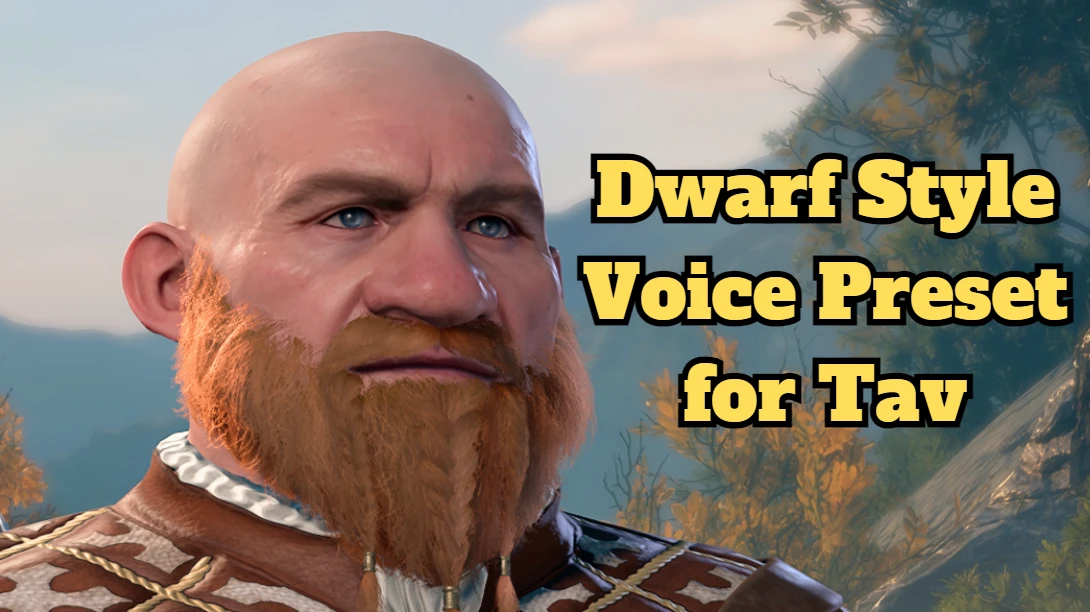
Dwarf Style Voice Preset for Tav (AI)
⚪ Last updated 2023Preview
🔍 Analysis
- 👍 2.6% endorsement rate — high engagement, a strong quality signal
- 🏆 #2 of 53 Audio mods in this game by downloads
📋 About This Mod
Replaces voice preset 5 to a Dwarven voice, made with a dwarven rifleman(from warcraft 3) themed RVC AI Voice model---------------将塔夫的5号声音替换为较为公鸭嗓(误)的矮人声线,声音文件使用魔兽争霸3火枪手主题的RVC AI语音模型制作
OAFIttPvcks
How to use:
At character creation, pick voice 5 for your Tav, with any race of your choice, works with all races, not just dwarf.
Installation:
Place Dwarf_Voice5.pak in ...\AppData\Local\Larian Studios\Baldur's Gate 3\Mods
Alternatively install with BG3 mod manager, no need to activate.
Recommended setting:
Navigate to Audio settings and drag ”Point-and-Click Voice Frequency” all the way to the left (Never)
----------------------------------------
使用方式:
创建人物界面选择声音5,所有种族可用
建议设定:
进入选项→音频设置,将“点击语音频率”调至最左边(从不)
将Dwarf_Voice5.pak 放入 ...\AppData\Local\Larian Studios\Baldur's Gate 3\Mods 路径下
或者使用BG3 mod manager 进行安装,导入即可,无需激活
----------------------------------------
Known Issues:
1. Point-and-Click voice lines aren't changed, these are the lines that your character would say when you select them, or when you click on its portrait. Lines such as "Still alive, so that's progress", "People back home will never believe this", etc. A temporary solution for now is to change the frequency to "Never" in audio settings. These will likely never be fixed, I just don't know how, unless I get help from others.
2. Some moaning and humming sounds aren't changed, for example when you get hit in combat, your "ouch" is still from the original voice.
3. Spellcasting shouts (for example, "IGNIS!") aren't changed, however it does work with Vicious Mockery.
4. Some short sentences or laughters sound like mumbling giberish, this is due to AI not recognizing original sound very well. This also won't be fixed. I use AI voice conversion as a tool, but I don't know how to fine tune them.
Modders, I need your help!
I am by no means an advanced modder, I just use a few tools that I found to create these voice mods, and they are not perfect. With these published I hope they will inspire some of you to dig deeper and make better voice mods for the community.
If you decide to make a voice mod of your own, see credit section below for tutorials and resources, they are handy. And if you ever find out how to change Point-and-Click voice lines, please let me know, I will never be able to do this on my own.
Prefixes of Tav voice presets:
Male voices
v24247531c4324f0f8f356c90c4844aa8
v4df6dba085744704a9fba500da38e1e1
vf5b335b29cd94b38a4c1458b846ab499
v2d206fda0d4f457fb4ea0fc18866f5dd
Female voices
📊 Mod Details
- Game
- Baldursgate3 Mods
- Author
- Xiaokuii
- Version
- 1.0
- Downloads
- 3,146
- Endorsements
- 82
- Category
- Audio
- Created
- 9/11/2023
- Updated
- 9/11/2023
🔧 How to Install Baldur's Gate 3 Mods
Download from Nexus Mods.
📖 Full step-by-step install guide for Baldur's Gate 3 →
Visit the official mod page for specific installation instructions for this mod.
🎮 Need cheat codes or console commands? Check ur gaming wiki for Baldur's Gate 3 commands, item IDs, and more.
Keep browsing — more Baldur's Gate 3 mods await