Companions AI
⚪ Last updated 2023Preview
🔍 Analysis
- 👍 1.3% endorsement rate — high engagement, a strong quality signal
- 🏆 #199 of 515 Gameplay mods in this game by downloads
📋 About This Mod
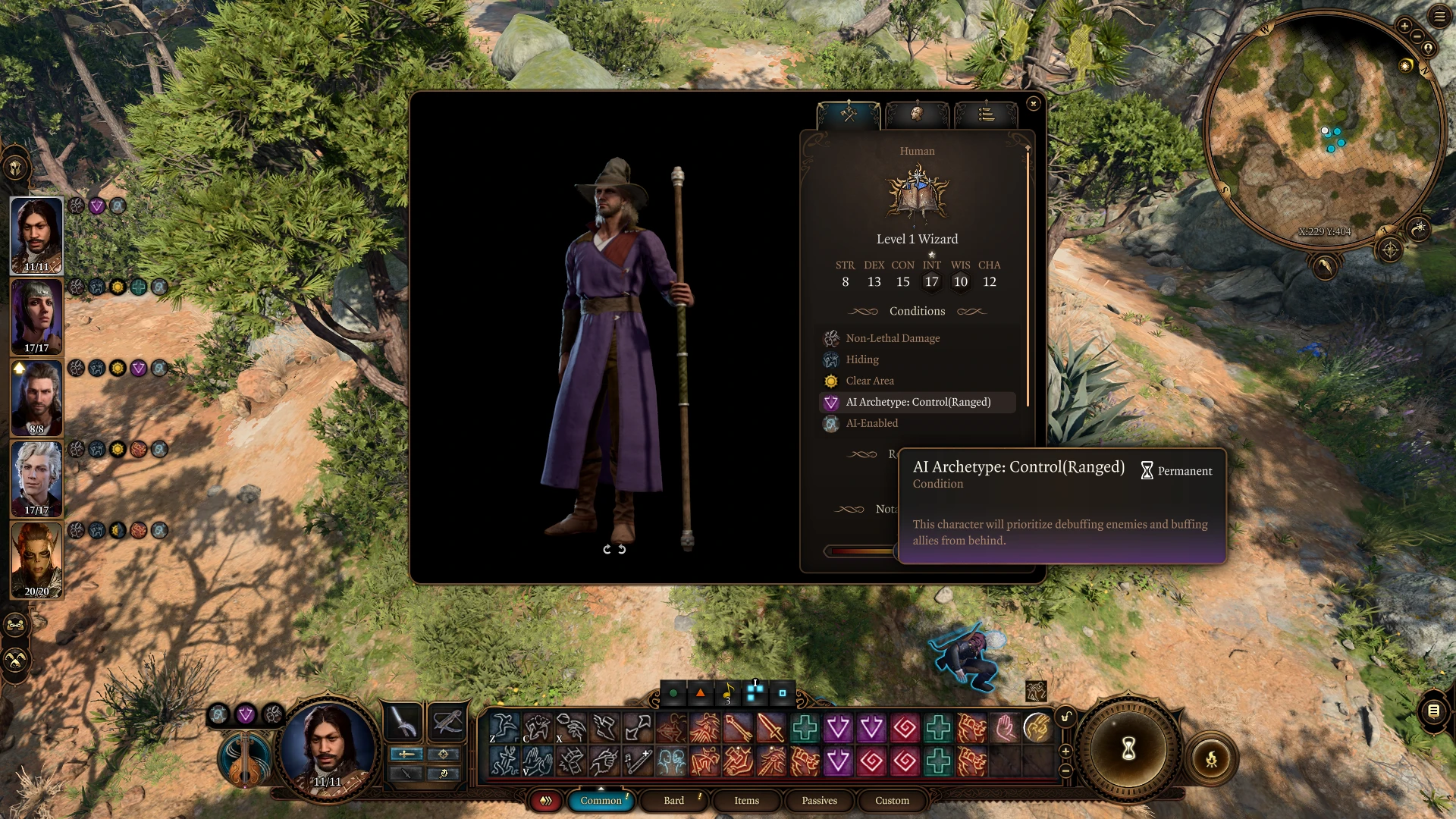
This mod will give you 10 AI for you to choose from for any class or any role your companions may have. there are also 3 blank customizable AI for you to edit it yourself, just like in Baldur's Gate 1&2 in case you want to.
ELRnvsLGrU4
the AI only takes effect when you are in battle, so you don't have to worry about it taking over your game.
the spell to Enable/disable AI also doesn't cost anything, so you can change AI roles or disable them mid-battle anytime you want. it also works on animal/summon and friendly NPC, too (just don't forget to disable it if used on NPCs after the battle ends.) (NEW!) if you use it on NPCs, it will only last for 10 turns, so you don't have to worry about forgetting to disable it and breaking the game as much as before.
the 10 AI that come with this mod are:
Attacker(Melee) for Fighter/Babarian/Monk
Controller(Melee) for Warlock/Paladin
Supporter(Melee) for Cleric/Paladin
Attacker(Ranged) for Ranger/Wizard/Sorcerer
Controller(Ranged for Bard/Wizard/Sorcerer
Supporter(Ranged) for Bard/Druid
Attacker(Hybrid) for Rogue/Warlock/Sorcerer
Controller(Hybrid) for Warlock/Sorcerer/Bard
Supporter(Hybrid) for Druid/Bard
(NEW!) Just Stay Alive! for delicate healer or important NPC that you want to keep alive
How to install:
1. drop the .pak file into "%LOCALAPPDATA%\Larian Studios\Baldur's Gate 3\Mods"
2. drop the 'Data' folder into your Baldur's Gate 3 main folder. (opnional: only if you want to try make an AI for yourself.)
3. enable it in BG3 Mod Manager.
How to enable AI:
1. go to the 'common' Tab in your 'spellbook' menu.
2. drag 'Show AI Command' passive icon into hotbar then click on it.
3. cast the AI spell on any character you want.
How to disable AI:
there are 2 way for this.
1. you can cast the 'Disable AI' spell if you want to disable AI for a specific character.
2. you can also toggle 'Disable AI(All)' if you want to disable AI for all characters in your party at once.
How to uninstall:
1. toggle 'Disable AI(ALL)' passive on and off to disable AI from all of your current party members.
2. go find everything that you cast an AI spell on (even in camp) and cast the "Disable AI" spell on all of them.
3. toggle 'Show AI Command' passive off.
📊 Mod Details
- Game
- Baldursgate3 Mods
- Author
- TPadvance
- Version
- 1.55
- Downloads
- 102,837
- Endorsements
- 1,330
- Category
- Gameplay
- Created
- 8/10/2023
- Updated
- 10/6/2023
🔧 How to Install Baldur's Gate 3 Mods
Download from Nexus Mods.
📖 Full step-by-step install guide for Baldur's Gate 3 →
Visit the official mod page for specific installation instructions for this mod.
🎮 Need cheat codes or console commands? Check ur gaming wiki for Baldur's Gate 3 commands, item IDs, and more.
Keep browsing — more Baldur's Gate 3 mods await