Add All Items
⚪ Last updated 2020Preview
🔍 Analysis
- 👍 2.3% endorsement rate — high engagement, a strong quality signal
- 🏆 #58 of 82 User Interface mods in this game by downloads
📋 About This Mod
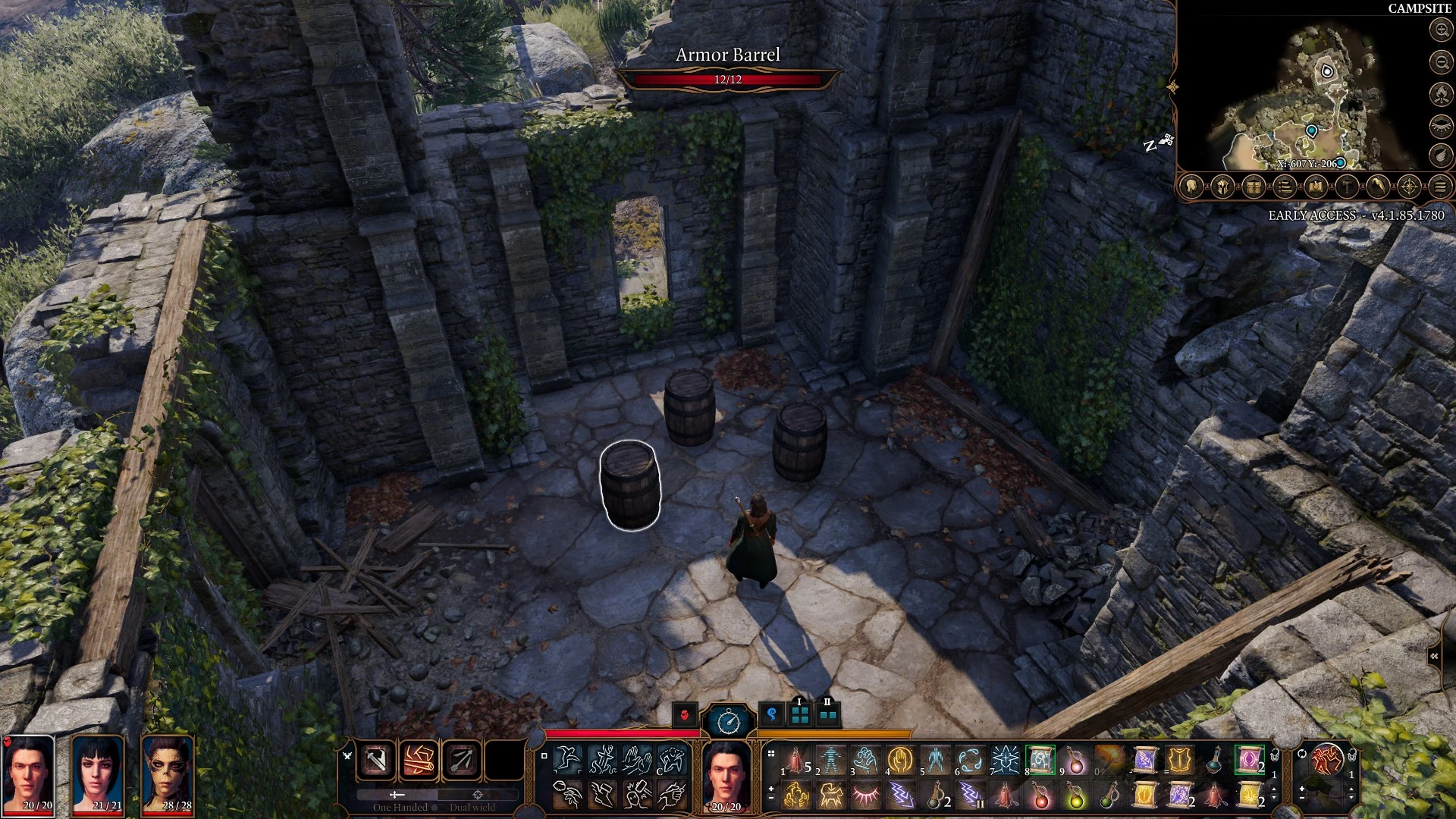
Adds all the game items to barrels at the camp.
This mod will add mostly all items into barrels at your camp. They are in the small ruins room across the log past the waterfall. There is one for weapons, armor, and items.
If you can't get some items out from the barrels it's because your strength is too low to pick it up, use another party member or drink a strength potion from the items barrel :)
I have not been able to get this to work with Candor mod manager, so I recommend handling it manually.
KNOWN ISSUES:
-The cape is reported to break the game. After equipping it even once, all future NPC interactions will crash.
-If you equip more than one hand crossbow on the same character the game will crash upon subsequent saves.
I will not remove bugged items, but I will do my best to note them here.
This mod supports the Mudcrab Merchant mod. To add items from this to the mudcrab's inventory, first install and set up the merchant mod.
Then, look in Treasure.txt for all available entries. Search for what you want to add to the merchant, and copy it at the bottom of the
TreasureTable.txt file. Each entry must be started with new subtable "1,1"
Example: To add Shortsword of First Blood, Doom Axe, and Plate armor, append the following
//ADD MOD TREASURE BELOW
new subtable "1,1"
object category "I_MOD_UNI_UND_Duergar_ShortswordOfFirstBlood",1,0,0,0,0,0,0,0
new subtable "1,1"
object category "I_MOD_UNI_DoomAxe",1,0,0,0,0,0,0,0
new subtable "1,1"
object category "I_MOD_ARM_Plate",1,0,0,0,0,0,0,0
Installation
-------------
Move AllItems.zip into Documents\LarianStudios\BaldursGate3\Mods
Edit modsettings.lsx at Documents\LarianStudios\BaldursGate3\PlayerProfiles\{YourProfile}\modsettings.lsx (You can open it with notepad or any text editor)
You must follow this format
<?xml version="1. 0" encoding="UTF-8"?>
<save>
<version major="4" minor="0" revision="0" build="52" />
<region id="ModuleSettings">
<node id="root">
<children>
<node id="ModOrder">
<children>
<node id="Module">
<attribute id="UUID" type="FixedString" value="44c1adf4-9b2e-47e9-b20b-c090d837b98a" />
</node>
<!--other mods here-->
</children>
</node>
<node id="Mods">
<children>
<node id="ModuleShortDesc">
<attribute id="Folder" type="LSWString" value="Gustav" />
<attribute id="MD5" type="LSString" value="" />
<attribute id="Name" type="FixedSt
📊 Mod Details
- Game
- Baldursgate3 Mods
- Author
- Synyster328
- Version
- 1.1.0
- Downloads
- 68,991
- Endorsements
- 1,582
- Category
- User Interface
- Created
- 10/25/2020
- Updated
- 12/11/2020
🔧 How to Install Baldur's Gate 3 Mods
Download from Nexus Mods.
📖 Full step-by-step install guide for Baldur's Gate 3 →
Visit the official mod page for specific installation instructions for this mod.
🎮 Need cheat codes or console commands? Check ur gaming wiki for Baldur's Gate 3 commands, item IDs, and more.
Keep browsing — more Baldur's Gate 3 mods await