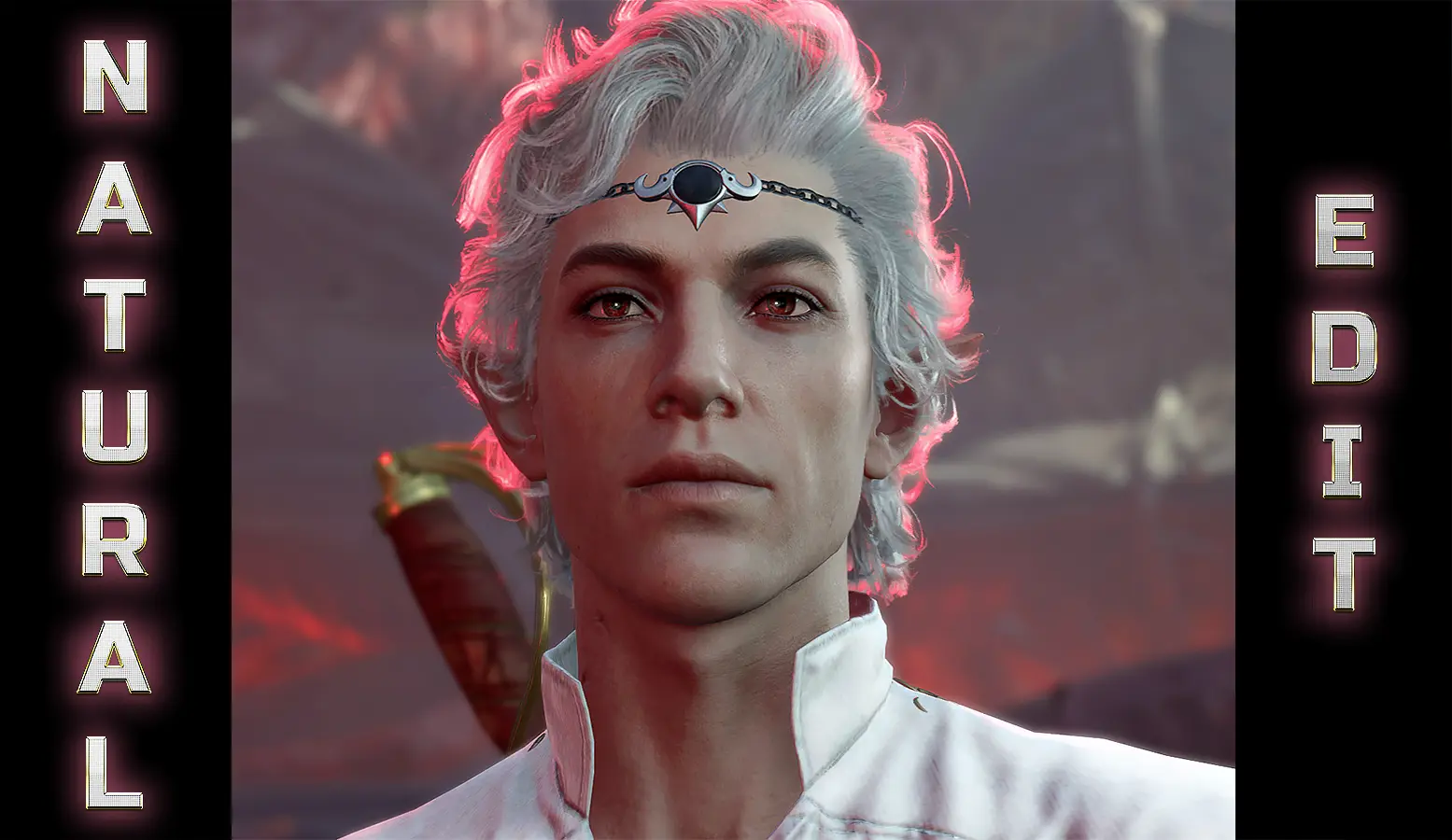
A natural Astarion edit
⚪ Last updated 2023Preview
🔍 Analysis
- 👍 3.7% endorsement rate — high engagement, a strong quality signal
- 🏆 #26 of 537 Character Customisation mods in this game by downloads
📋 About This Mod
Slightly smoother skin texture and darker brows for our favourite pale elf. Natural looking edit.
!! Please don't repost or share my mod anywhere else, thanx !!
I was looking for a mod for Astarion that only slightly smooths out his skin surface, and slightly darkens his eyebrows, without changing him too much.
I couldn't find one so I created my mod which is meant to be very subtle. Skin still looks natural and detailed.
For those who love his more mature look, my first intention was not to "de-age" but to remove some rough skin texture.
(This is specifically visible on PC with ultra settings and really high sharpening settings)
This mod edits only his vanilla textures, no swaps. Most edits are on his normal map because I feel they made the texture was too rugged in the game,
I also made sure to still leave enough lines and texture in his face still has character and he doesn't feel "airbrushed"
Darker brows inspired by official Larian art from PC Gamer magazine so yes... they can still be considered lore-friendly :)
This mod has two separate files. You can use either of these files individually if you so wish, or you can use both at the same time.
Face texture file:
smooths out his skin surface slightly, and tones down some of the skin discolouration
Eyebrows - toning file:
Makes his eyebrows darker gray obviously (but not black like previous versions because I felt it was too harsh)
Eyebrow file is an asset file that also has an added benefit of toning down blue veins around his eyes, face and neck (but not removing them
completely because VAMP :), and it also brightens his eye sclera one shade
You don't get these effect with textures alone so for best results use both files together
Eyebrows - no toning file:
I made this file additionally, it only makes his eyebrows darker gray, but does no other additional toning down of veins on the face/area around the eyes.
So if you want just darker brows but everything else left vanilla, don't use the Eyebrow file from the main section,
use this file, it's in the "Optional files" section.
Do not put .rar archive that you download directly in your Data.
You have to unpack the .rar folders first with WinRar, 7zip or WinZip apps to extract "Generated" and "Public" folders.
This is not a .pak mod and it' can't be installed with BG3 mod manager. These are just textures installed manually with copy/paste
For face textures:
unpack Face textures file and drop the whole "Generated" folder that is inside into your Game installation location/Baldur's Gate 3/Data folder
For eyebrows/toning:
📊 Mod Details
- Game
- Baldursgate3 Mods
- Author
- ThedasWolves
- Version
- 1.0
- Downloads
- 21,133
- Endorsements
- 781
- Category
- Character Customisation
- Created
- 8/18/2023
- Updated
- 10/1/2023
🔧 How to Install Baldur's Gate 3 Mods
Download from Nexus Mods.
📖 Full step-by-step install guide for Baldur's Gate 3 →
Visit the official mod page for specific installation instructions for this mod.
🎮 Need cheat codes or console commands? Check ur gaming wiki for Baldur's Gate 3 commands, item IDs, and more.
Keep browsing — more Baldur's Gate 3 mods await