Twilight Reverie Reshade
⚪ Last updated 2023⚠️ Install Order · 2 steps
Install in this order, then this mod last — most mods fail to load without their framework and dependencies in place.
Preview
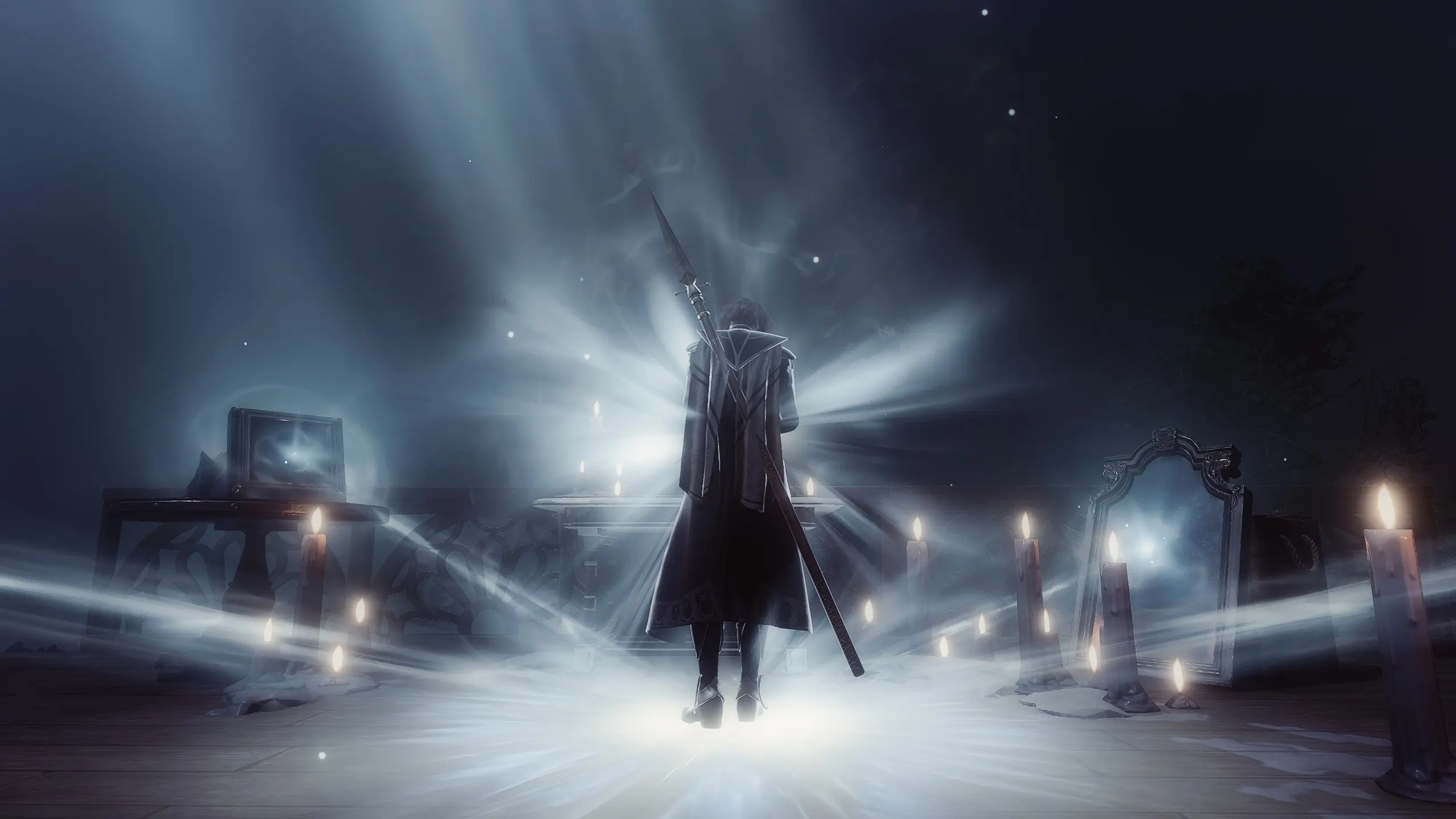
🔍 Analysis
- 👍 4.6% endorsement rate — high engagement, a strong quality signal
- 🏆 #2 of 161 Visuals mods in this game by downloads
📋 About This Mod
a darker dreamy and mystical reshade preset ♡
>>>
reshade installation
1. go to reshade.me and press download
2. start setup and navigate to the game's bin folder and select bg3.exe if you run the game with vulkan, bg3_dx11 if you run with directx 11.
steam path: C:>Program Files (x86)>Steam>steamapps>common>Baldurs Gate 3>bin
3. select rendering api. vulkan or directX 11
4. finish installation, i recommend downloading all shaders and textures
preset installation
1. download rar file
2. open rar file and drag the .ini file into the bin folder (the same folder you downloaded reshade to)
3. open game, wait for shaders to load and then press HOME on your keyboard to open reshade; from the dropdown menu select twilight reverie
<<<
effect list:
ambientlight
gaussianblur
pd80 bonus lut pack
pd80 contrastbrightnesssaturation
adaptivesharpen
📊 Mod Details
- Game
- Baldurs Gate 3 Mods
- Author
- snippis
- Version
- 1.0
- Downloads
- 3,258
- Endorsements
- 151
- Category
- Visuals
- Created
- 11/24/2023
- Updated
- 11/24/2023
🔧 How to Install Baldurs Gate 3 Mods
Download from Nexus.
📖 Full step-by-step install guide for Baldurs Gate 3 →
Visit the official mod page for specific installation instructions for this mod.
🎮 Need cheat codes or console commands? Check ur gaming wiki for Baldurs Gate 3 commands, item IDs, and more.
Keep browsing — more Baldurs Gate 3 mods await