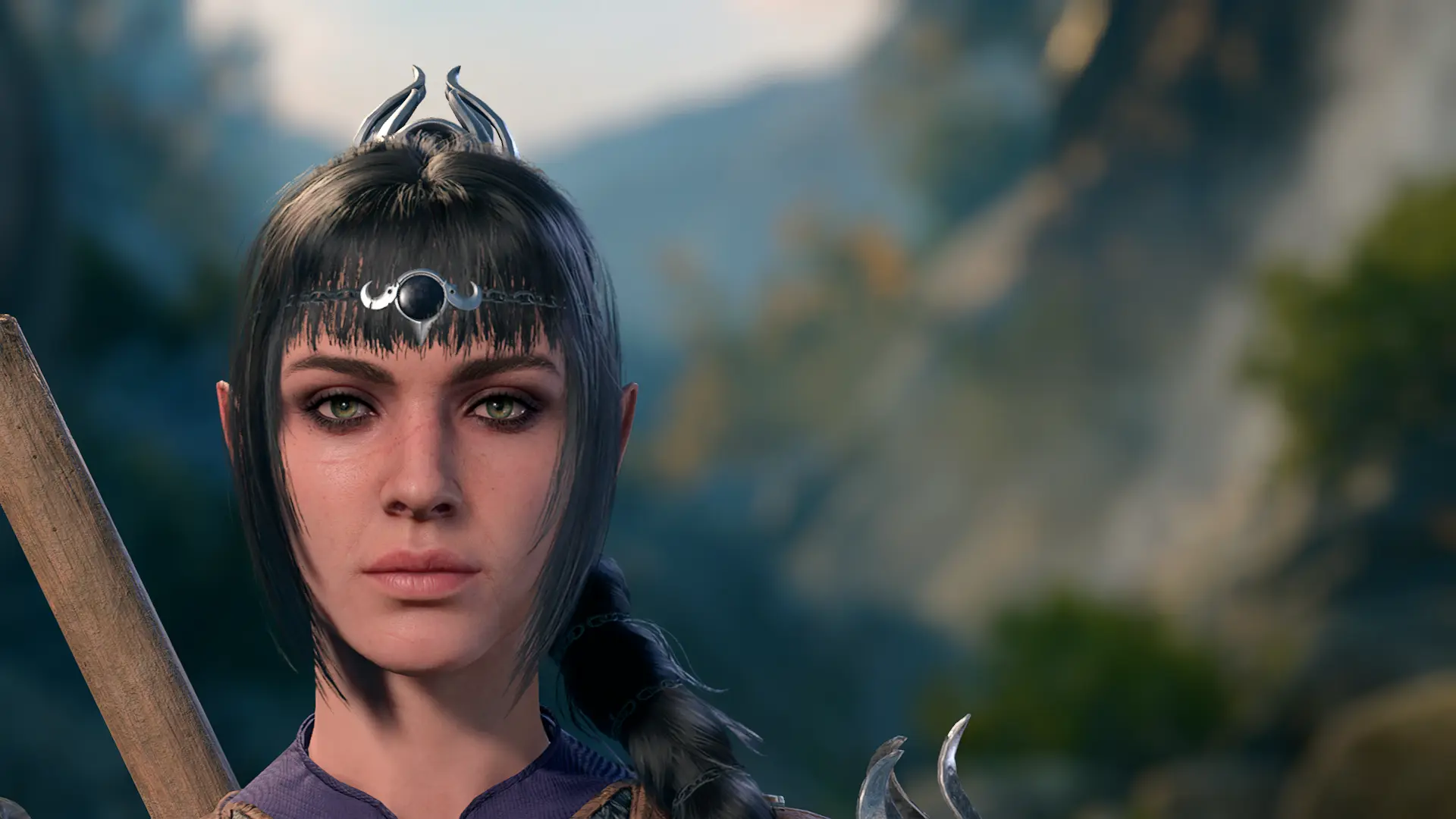
Slightly Older Shadowheart
⚪ Last updated 2023⚠️ Install Order · 2 steps
Install in this order, then this mod last — most mods fail to load without their framework and dependencies in place.
Preview
🔍 Analysis
- 👍 12.3% endorsement rate — high engagement, a strong quality signal
- 🏆 #210 of 334 Character Customisation mods in this game by downloads
📋 About This Mod
basically what the blurb says, texture edits that make shadowheart look a little bit older. this was made in 1h 30min out of pure spite because i'm tired of the constant smooth facetune yassification of all the characters so why not make them all look middle-aged instead. might do more companions in the future, who knows (definitely planning on doing astarion at least).
please don't send me requests.
how 2 install (and uninstall)
drop the "Generated" folder into C:/Program Files (x86)/Baldurs Gate 3/Data, or if your game is installed with Steam, C:\Program Files
(x86)\Steam\steamapps\common\Baldurs Gate 3\Data. to uninstall, simply delete the folder. this is a texture replacer, so it should only affect shadowheart because she has unique head textures.
very special thx
norbyte for their lslib tools and fnord for their dds photoshop plugin
A minimal texture tweak mod for Baldur's Gate 3 that ages Shadowheart's appearance slightly. With 75 endorsements and 610 downloads, it's a niche cosmetic option for players who want a more mature look for the character. Last updated in October 2023.
✨ Key Features
📊 Pros & Cons
✅ Pros
- Lightweight and easy to install—just drop the files in.
- Gives Shadowheart a more mature look for players who want that.
- Decent community support (75 endorsements) for a niche cosmetic mod.
⚠️ Cons
- No screenshots or detailed previews in the description—you're flying blind.
- Only affects Shadowheart's face textures; no other changes.
- Last updated in 2023—may not be compatible with the latest game patches.
For Baldur's Gate 3 players who want a subtle visual change to Shadowheart, making her appear older. If you're after a more dramatic overhaul or gameplay tweaks, this isn't it—it's purely cosmetic and very focused.
💡 Beginner Tips
- Make sure to place the mod files in the correct 'Mods' folder under your Baldur's Gate 3 installation directory.
- Since it's a texture mod, it should work with most other mods, but always check for conflicts if you use other Shadowheart appearance mods.
- If the mod doesn't seem to work, verify that you've enabled mods in the game's launcher settings.
📊 Mod Details
- Game
- Baldurs Gate 3 Mods
- Author
- neonbutchery
- Version
- 1.0
- Downloads
- 610
- Endorsements
- 75
- Category
- Character Customisation
- Created
- 10/22/2023
- Updated
- 10/22/2023
🔧 How to Install Baldurs Gate 3 Mods
Download from Nexus.
📖 Full step-by-step install guide for Baldurs Gate 3 →
Visit the official mod page for specific installation instructions for this mod.
🎮 Need cheat codes or console commands? Check ur gaming wiki for Baldurs Gate 3 commands, item IDs, and more.
Keep browsing — more Baldurs Gate 3 mods await