Flatter Vampire Teeth
⚪ Last updated 2024⚠️ Install Order · 2 steps
Install in this order, then this mod last — most mods fail to load without their framework and dependencies in place.
Preview
🔍 Analysis
- 👍 1.8% endorsement rate — high engagement, a strong quality signal
- 🏆 #199 of 537 Character Customisation mods in this game by downloads
📋 About This Mod
Description
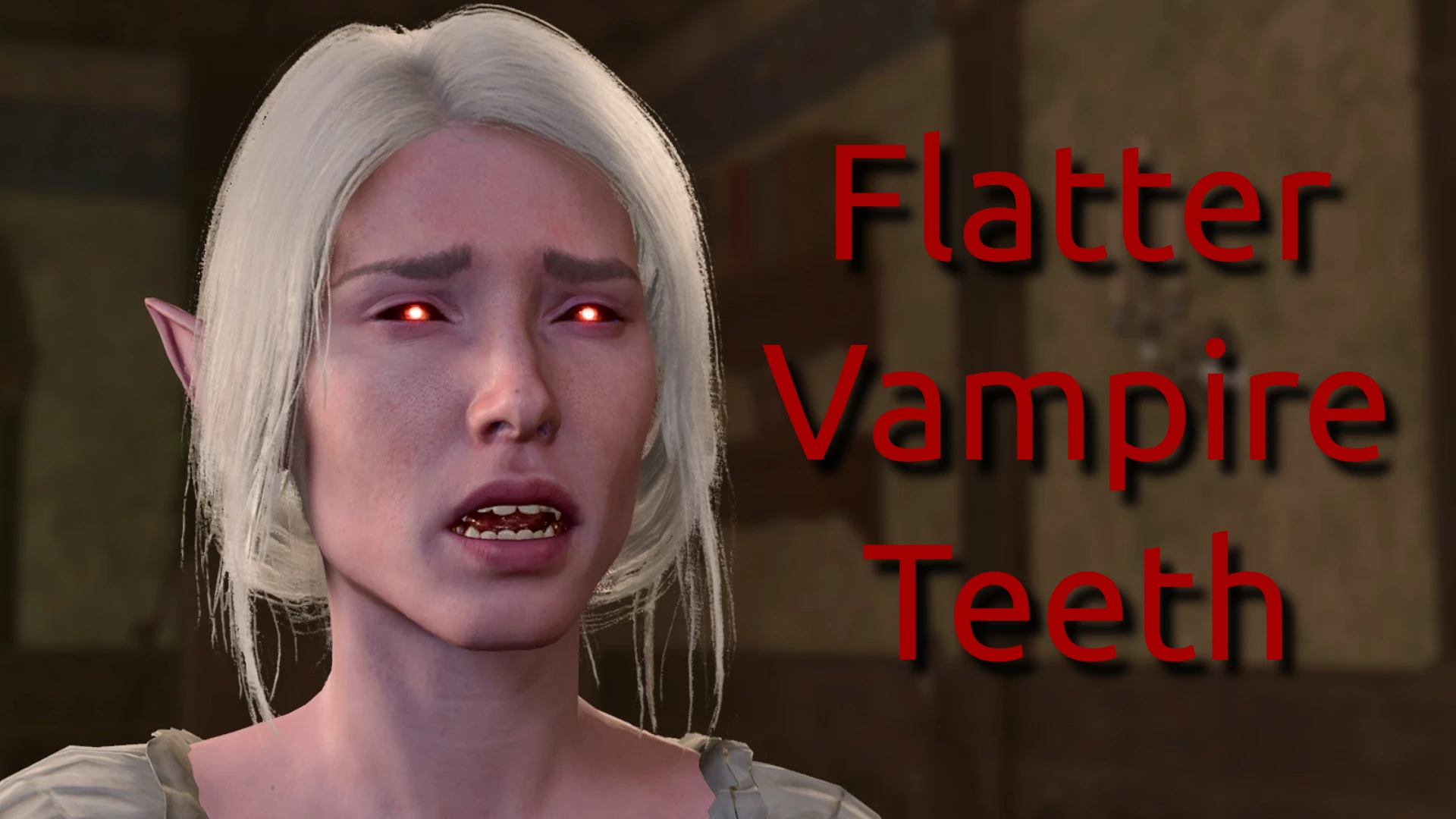
Changes the vampire fang mesh for all vampire spawn in the game to look more like Astarion's and Cazador's teeth instead of piranha teeth.
Applies to all vampire spawn (minus Astarion, but his teeth are already fine), but I only included pictures of Dalyria and Petras since they're the only ones who don't have their teeth covered in blood. It's a bit difficult to get a good picture of any of the other spawns' teeth :(
Looking to remove the eye glow from vampire spawn? Check out my other mod :)
Vampire Eyes - No Glow
Installation
Use the BG3 Mod Manager to import the zip file, or extract the .pak file and move it to your mods folder.
Make sure to move this mod to the "Active Mods" table.
Click on "Save Load Order to File"
Click on "Export Order to Game"
ShinyHobo for the Modder's Multitool
Norbyte for the Blender gr2 import tool and lslib tool
A simple cosmetic mod that reshapes vampire teeth to be less exaggerated, replacing the default piranha-like appearance with a flatter design. Ideal for players who want a more subtle vampire look without altering other aspects of the game. With 199 endorsements and over 11,000 downloads, it's a niche but appreciated tweak.
✨ Key Features
📊 Pros & Cons
✅ Pros
- Community-approved (199 endorsements) and widely downloaded (11,033 downloads)
- Does exactly what it says—no more piranha teeth
- Lightweight and easy to install
⚠️ Cons
- Only affects vampire teeth—if you want more vampire customization, this is just one small piece
- No screenshots or detailed previews in the description, so you're flying blind on the exact look
- Last updated June 2024—may not be compatible with future game patches
For players who find the default vampire teeth too exaggerated and want a more natural look. If you're into subtle character tweaks, this is a quick fix. Skip if you're looking for major overhauls or gameplay changes.
💡 Beginner Tips
- Since it's a simple mesh replacement, just drop the files into your mod folder—no need for a mod manager.
- Check the mod's file structure to ensure you're placing it in the correct directory (e.g., Data folder for Bethesda games).
- If you're using other vampire mods, test load order to avoid conflicts—place this mod after any that alter vampire appearance.
📊 Mod Details
- Game
- Baldurs Gate 3 Mods
- Author
- Zelen
- Version
- 1.0.1.0
- Downloads
- 11,033
- Endorsements
- 199
- Category
- Character Customisation
- Created
- 1/15/2024
- Updated
- 6/28/2024
🔧 How to Install Baldurs Gate 3 Mods
Download from Nexus.
📖 Full step-by-step install guide for Baldurs Gate 3 →
Visit the official mod page for specific installation instructions for this mod.
🎮 Need cheat codes or console commands? Check ur gaming wiki for Baldurs Gate 3 commands, item IDs, and more.
Keep browsing — more Baldurs Gate 3 mods await