BG3 ReShades Galore
⚪ Last updated 2023⚠️ Install Order · 3 steps
Install in this order, then this mod last — most mods fail to load without their framework and dependencies in place.
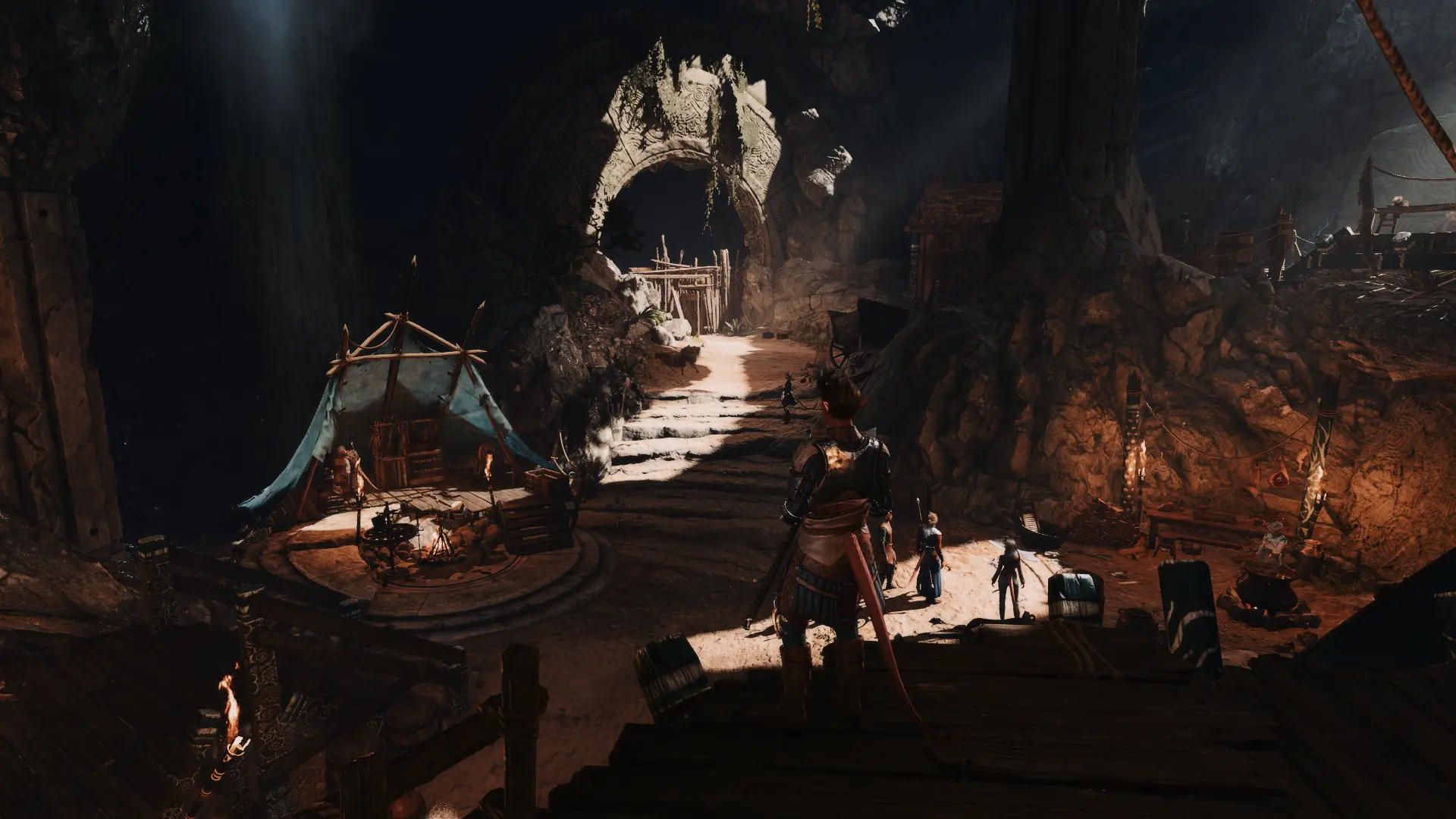
Preview
🔍 Analysis
- 👍 2.9% endorsement rate — high engagement, a strong quality signal
- 🏆 #13 of 156 Visuals mods in this game by downloads
📋 About This Mod
An assortment of ReShade presets for your screenshot and/or gameplay needs! More will probably be added in the future.
Some presets might be very dark for you. I do not have a 4k monitor or anything special, nor do I use HDR. What looks fine on my display
might not on yours, so I highly recommend and encourage you to mess with settings!
If the blurry HUD bugs you: Disable ADOF . I cannot really do anything aside from making UI masks, which won't account for non-static elements (inventory, etc.). If there's a magic UIDetect (like UIHack for FFXIV), I'll gladly incorporate it.
Currently, there is a new(?) effect that unblurs the text — I might update my shaders to include this at some point but it's not fool proof.
If there's actually something I'm missing and I'm just stupid, then I'll update it.
Featured So Far:
-
[]Natural
[
]Natural No HDR[]High Fantasy
[]Dark Fantasy
[]Baldr
[]Freyja
[]Jormungandr
[]Odin
[]Ragnarok
[]Thor
[]Winter
[]Shifter
[]Dreamer
Installation:
1. Download and install the latest ReShade version here.
2. I usually just check all the boxes during the installation process. If you don't want to do this, here is what I use specifically:
-
[]Standard effects (automatically checked)
[]SweetFX by CeeJay.dk
[]qUINT by Marty McFly
[]Color effects by prod80
[]AshtrayFX by BlueSkyDefender
[]fubax-shaders by Fubaxiusz
[]Legacy effects
4. Start your game and open the ReShade menu (default 'Home' key).
5. At the top of the 'Home' tab of the ReShade menu, there is a drop down where you can select the preset you desire!
6. Feel free to adjust them how you like!
All use DoF. Please ensure the proper settings are changed so it works! A guide can be found on Rogue's ReShade here. I have added an article on how to enable DoF.
Otis Camera Tools
BG3 ReShades Galore is a collection of ReShade presets for Baldur's Gate 3, offering visual enhancements. With 513 endorsements and nearly 18,000 downloads, it's a popular choice for players seeking to customize the game's look. The mod was last updated in September 2023.
✨ Key Features
📊 Pros & Cons
✅ Pros
- Solid community backing with 513 endorsements
- Nearly 18k downloads show real demand
- Simple concept – just drop in presets and tweak
⚠️ Cons
- No specific preset list or previews in the description
- Requires ReShade installed separately – not included
- Last updated in 2023 – may not be tested with latest patches
For BG3 players who want to experiment with different visual styles without building presets from scratch. If you're into screenshotting or just want a fresh look, this is a quick way to get variety. Skip if you prefer vanilla graphics or don't want to bother with ReShade setup.
💡 Beginner Tips
- Make sure ReShade is installed and working before adding these presets – the mod doesn't include it.
- Try presets in different areas of the game (e.g., dark dungeons vs. sunny outdoors) to see how they perform.
- Use the ReShade in-game overlay to toggle presets on the fly and compare them.
📊 Mod Details
- Game
- Baldurs Gate 3 Mods
- Author
- Alahria
- Version
- 1.3
- Downloads
- 17,969
- Endorsements
- 513
- Category
- Visuals
- Created
- 9/4/2023
- Updated
- 9/18/2023
🔧 How to Install Baldurs Gate 3 Mods
Download from Nexus.
📖 Full step-by-step install guide for Baldurs Gate 3 →
Visit the official mod page for specific installation instructions for this mod.
🎮 Need cheat codes or console commands? Check ur gaming wiki for Baldurs Gate 3 commands, item IDs, and more.
Keep browsing — more Baldurs Gate 3 mods await