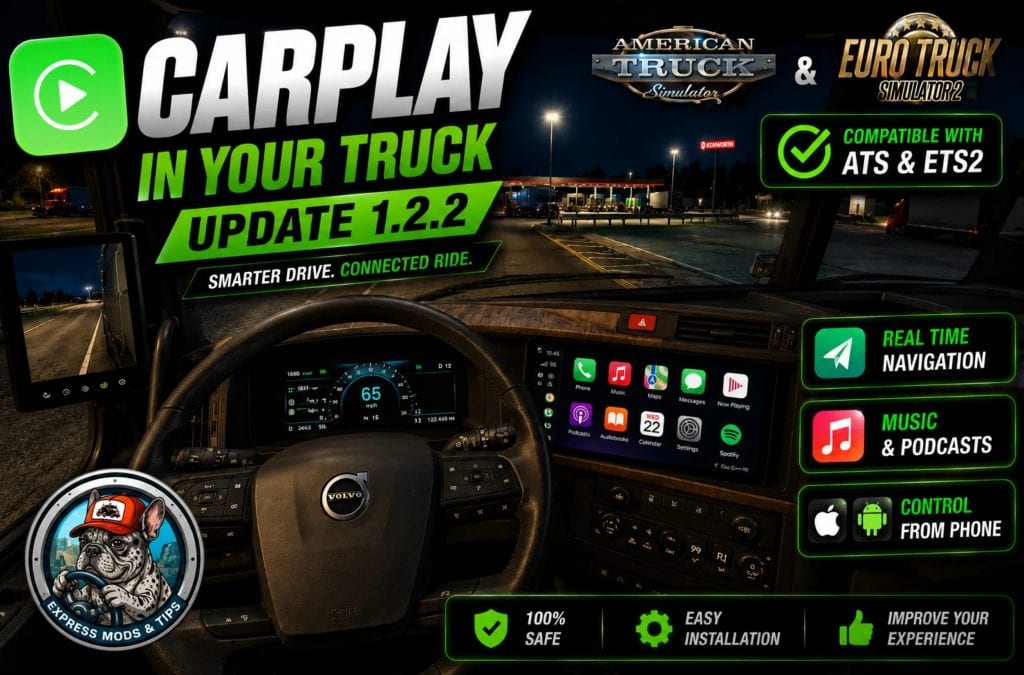
CarPlay Mod – NEW UPDATE 1.2.2
🟡 Updated this yearPreview
🔍 Analysis
- 🏆 #1 of 1740 Other mods in this game by downloads
📋 About This Mod
CarPlay Mod - NEW UPDATE 1. 2. 2 | American Truck Simulator Mod Home Upload Mod Installing Mods Best ATS Mods ATS DLC List Multiplayer Download ATS About ATS News Help Contacts Trucks Trailers Maps Objects Interiors Packs Parts Truck Skins Trailer Skins Sounds Radio Cars Bus Packs Vehicles Weather Traffic ... --> ATS Other CarPlay Mod – NEW UPDATE 1. 2. 2 American Truck Simulator Mods | 11 Aug, 2026 11:21 CarPlay Mod – NEW UPDATE 1. 2. 2 Fix, game closed. Both DLLs are backed up, so install order no longer matters. Tested with SnowyMoon 10. 2. 02 + ReShade 6. 7. 3. No such mod? That row never appears. The old v1. 2 “reshade subfolder” workaround is gone: it gave no image and no error. AUTOBLINKER FROM THE LAUNCHER. Automatic turn signals, any truck including mods, through the official SCS telemetry SDK. Only the Setup wizard could install it, so portable users had the file and no way to use it. Settings now has Install / Remove; your autoblinker.ini survives both. VIDEO CONTROLS. Its own volume, apart from Windows (arrow up/down, M to mute). It ducks to 15% while Spotify plays, the pause key really pauses now, and a video left paused 20 seconds closes itself and frees the screen. DIAGNOSTICS no longer goes blank and freezes when a row fails (with SnowyMoon that happened every time), it explains the green screen as the add-on’s “no signal” colour and not a broken install, and a new row reads “the add-on is receiving frames” in-game: what tells ReShade LOADED from ReShade WORKING. ALSO: the language follows Windows now, not Chrome (your phone still follows the phone). The game is found even if its folder is renamed or on another drive. One file to run, START.bat. Welcome screen, Changes tab, new icons. REQUIREMENTS Windows 10/11 64-bit. ETS2 or ATS. Chrome or Edge. ReShade 6. 7. 3 WITH ADD-ON SUPPORT – included, the launcher installs it with you. Internet on the first run only (~110 MB). Python NOT needed, it ships portable. INSTALL 1. Unzip. Inside: the installer and the portable version, either is enough. Installer: double click, admin prompt, wizard, tick the guided-step box. Portable: run START.bat – not from inside the ZIP, not in “Program Files”. 2. First launch downloads what it needs: a few minutes, once only. 3. DIAGNOSTICS tab: anything red has a Fix button. All green = done. 4. ReShade, the only manual step: press the guided step, pick the game .exe, DirectX 10/11/12, TICK “add-on support”. Plain ReShade does NOT work. 5. START CARPLAY, then launch the game. The screen appears by itself. Scan the QR to control it from your phone – same WiFi, not mobile data. Keep the launcher open while you play or the video stops. IF SOMETHING FAILS Open DIAGNOSTICS: everything wrong has a button and an explanation. – No screen, or no “TexMod” in the ReShade menu: installed without add-on support. Reinstall with the file in the sdk folder, ticking that box. – Green screen: Diagnostics -> “Video output” -> Retry. – Image on the tachometer: enable “AUTO infotainment by IMAGE”, or LOCK the thumbnail with the orange map. – Everything green but nothing on the dashboard: another mod holds dxgi.dll. – Old trucks (International LT, VNL 2018): in game press HOME -> Add-ons -> CarPlay -> “AUTO detect screen size”, then “Force static GPS texture”. – SmartScreen: expected, it is not signed with a paid certificate. Full guide in 9 languages in the ZIP. – Known: a thin white border around the screen. Cosmetic. – Uninstall: delete the folder or use Windows uninstall. Two files stay in bin/win_x64: texture_overlay.addon64 and plugins/scs-telemetry.dll This content was uploaded by website visitors. If you notice any mistake, please let us know. If you enjoy experiencing real American Truck driver life, but at the same time feel a bit bored of the common road, cargos, and trucks, then American Truck Simulator Mods are for you! Step into an American Truck Simulator Driver's shoes and prove that you can deliver the cargo under any circumstance. It is the easiest way to get the best of the game, your opponents will be surprised! Then all you need to do is simply click on American Truck Simulator CarPlay Mod – NEW UPDATE 1. 2. 2 Mod free download button and implement it to your game. Download Tags: INSTALL --> You may also like... Klaas’ Economy Mod v 1. 2. 0 ATS ATS Other 15 Sep, 2016 Short Trains addon for Improved Trains v3. 7. 2 for ATS 1. 40 ATS Other 13 Apr, 2021 Diesel Prices Update 03/04/19 ATS ATS Other 6 Mar, 2019 1 Response Comments 1 Livy says: August 13, 2026 at 08:05 can you make one for mac book Reply Leave a Reply Cancel reply Your email address will not be published. Required fields are marked Comment Name Email I have read and accepted the Privacy Policy Categories ATS Trucks ATS Trailers ATS Maps ATS Map objects ATS Interiors ATS Parts / Tuning ATS Truck Skins ATS Trailer Skins ATS Sounds ATS Radio ATS Cars ATS Bus ATS Packs ATS Vehicles ATS Weather ATS Save Game ATS Traffic Mod ATS Other Trending M
CarPlay Mod 1.2.2 for American Truck Simulator fixes a game crash issue, ensuring both DLLs are backed up so install order doesn't matter. Tested with SnowyMoon 10.2.02 and ReShade 6.7.3. A niche compatibility patch for users of those mods.
✨ Key Features
📊 Pros & Cons
✅ Pros
- Directly addresses a crash bug, which is a real pain point for modded setups.
- Backs up both DLLs, so you don't have to worry about install order anymore.
- Tested with specific mod versions, so you know it works with those setups.
⚠️ Cons
- Zero endorsements and downloads — this is a brand-new or very niche mod.
- Only tested with SnowyMoon and ReShade; other configurations might still crash.
For ATS players who use SnowyMoon 10.2.02 and ReShade 6.7.3 and are experiencing crashes. Skip if you don't use those mods or haven't had issues.
💡 Beginner Tips
- If you're using SnowyMoon and ReShade, make sure you have the exact versions listed (10.2.02 and 6.7.3) before installing this fix.
- Since the mod backs up DLLs, you can safely overwrite existing files, but keep a manual backup of your original DLLs just in case.
- If you still crash after installing, double-check that you're not using other mods that alter the same DLLs.
📊 Mod Details
- Game
- Ats World Mods
- Author
- modsats.com
- Version
- 1.2.2
- Downloads
- 0
- Endorsements
- 0
- Category
- Other
- Created
- 8/11/2026
- Updated
- 8/11/2026
🔧 How to Install American Truck Simulator Mods
Download from https://www.modsats.com.
📖 Full step-by-step install guide for American Truck Simulator →
Visit the official mod page for specific installation instructions for this mod.
🎮 Need cheat codes or console commands? Check ur gaming wiki for American Truck Simulator commands, item IDs, and more.
Keep browsing — more American Truck Simulator mods await