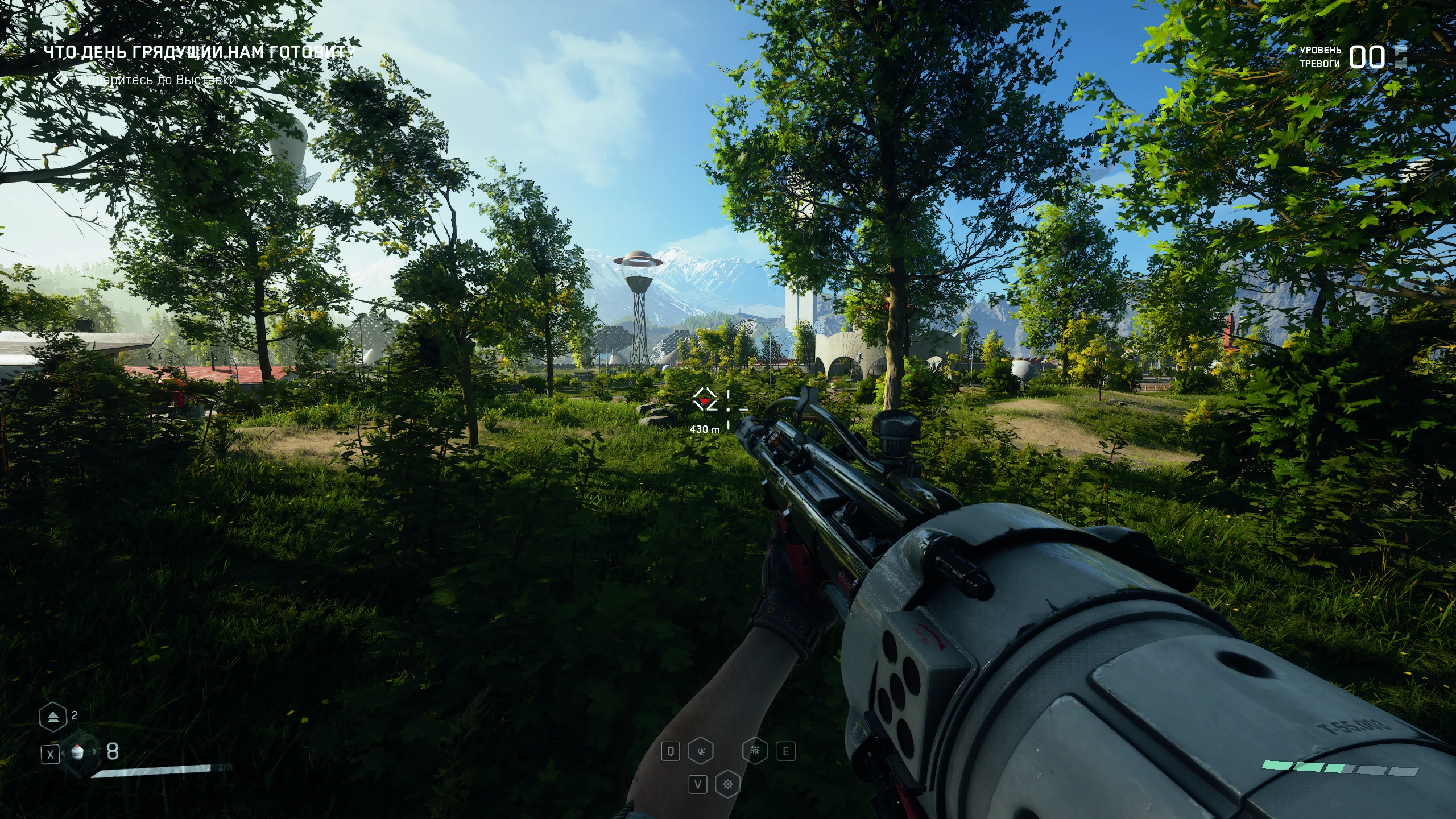
vibrant colors lut mxao reshade preset
⚪ Last updated 2023Preview
🔍 Analysis
- 👍 4.1% endorsement rate — high engagement, a strong quality signal
- 🏆 #38 of 72 Visuals mods in this game by downloads
📋 About This Mod
vibrant colors lut mxao reshade preset
1) Install Reshade into the \AtomicHeart\Binaries\WinGDK folder
\AtomicHeart\Binaries\Win64 folder.
2) Copy "atom.png" to the folder
"\AtomicHeart\Binaries\WinGDK\reshade-shaders\Textures".
"\AtomicHeart\Binaries\Win64\reshade-shaders\Textures"
3) For mxao to work you must configure the depth buffer, set the "global preprocessor definitions" as shown in the screenshot "Global preprocessor setings.png"
4) You can disable mxao to get more fps
5) Use the "Luma" and "Chroma" controls
to adjust the strength of the lut.
6)If your version of the game is from the windows store then you may need crosire's DLL injector, you can read how to use it here https://framedsc.com/ReshadeGuides/reshadeuwp.htm
📊 Mod Details
- Game
- Atomicheart Mods
- Author
- micjoc
- Version
- 1.0
- Downloads
- 919
- Endorsements
- 38
- Category
- Visuals
- Created
- 2/23/2023
- Updated
- 2/23/2023
🔧 How to Install Atomic Heart Mods
Download from Nexus Mods.
📖 Full step-by-step install guide for Atomic Heart →
Visit the official mod page for specific installation instructions for this mod.
🎮 Need cheat codes or console commands? Check ur gaming wiki for Atomic Heart commands, item IDs, and more.
Keep browsing — more Atomic Heart mods await