(Graphic Overhaul) Cinematic Near-real Reshade Preset
⚪ Last updated 2023⚠️ Install Order · 1 step
Install in this order, then this mod last — most mods fail to load without their framework and dependencies in place.
Preview
🔍 Analysis
- 👍 3.2% endorsement rate — high engagement, a strong quality signal
- 🏆 #22 of 72 Visuals mods in this game by downloads
📋 About This Mod
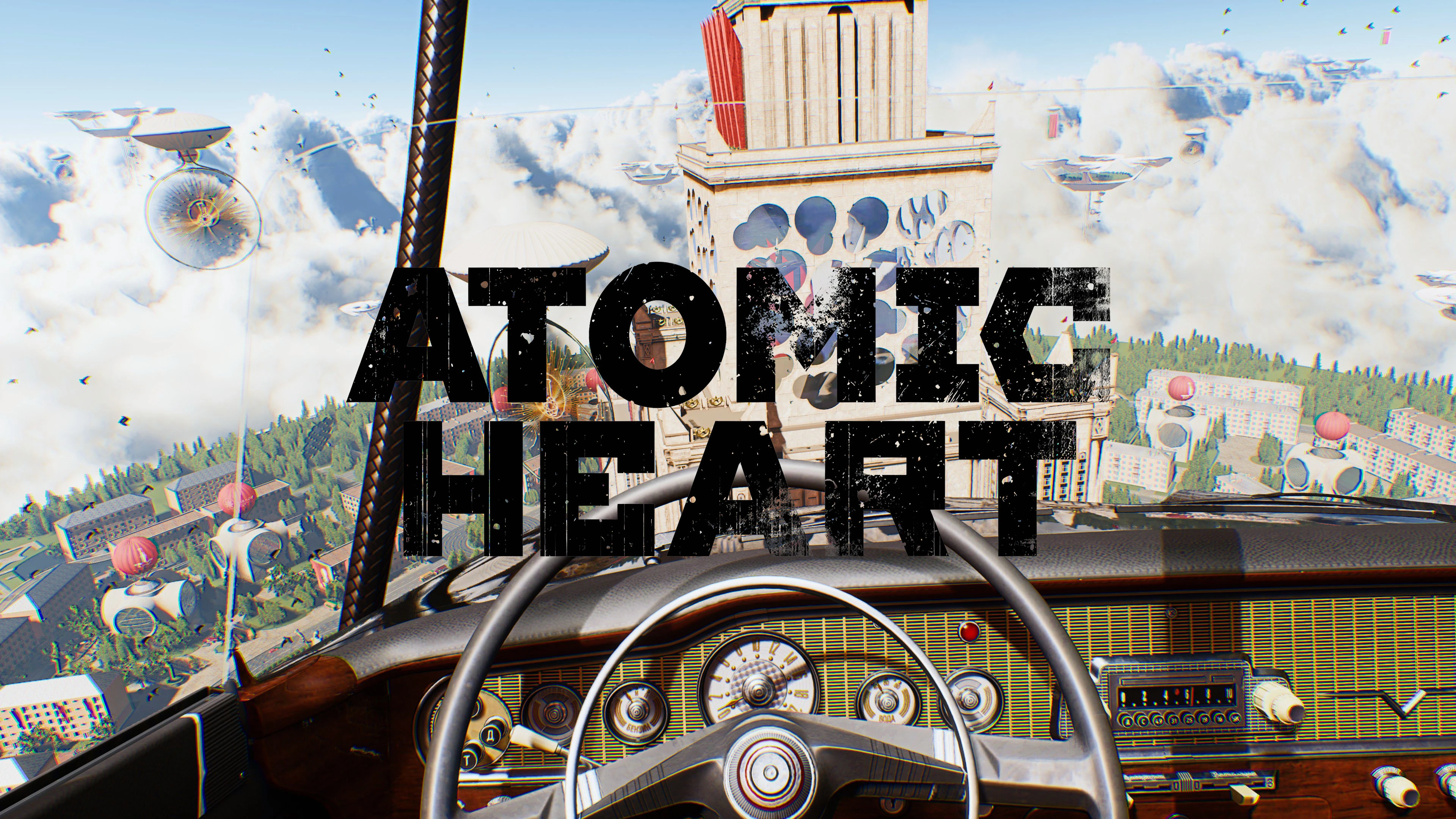
I found that many of the presets are too bright and over-saturated and deviate too much from the original art style of the game itself, in some cases the graphics are not natural, so that they are not universal and applicable enough. In this ReShade Preset, the colors are natural and vivid, the light is more layered, and the performance is excellent in both day and night.
You can check how the new picture compares to the original picture before your downloading.
HOW TO INSTALL:
-
[]Download ReShade: https://reshade.me/#download
[
]Kindly suggest that you download the “full add-on support version”, because some of other MODs may use like “Toggle HUD” (https://www.nexusmods.com/atomicheart/mods/19)[]Download and unzip the mod file
[]Run the app, find the “AtomicHeart-Win64-Shipping.exe”, notice that there are two “.exe” file in this game, choose the first one which under the “Binaries” folder
[]eg. (A:\SteamLibrary\steamapps\common\Atomic Heart\AtomicHeart\Binaries\Win64\AtomicHeart-Win64-Shipping.exe)
[]Click to chose rendering API as dx10/11/12
[]Select preset to install or modify if you already added another preset, then navigate address to my “.ini” file
[]Download automatically selected packages files of your using “.ini” (I prefer sellect all because I like to try different effects)
[]Launch the game, press button Home to check the menu
[]Everyone has different aesthetic tastes and computer hardware, so I suggest you adjust it to your own preferences
HOW TO UNINSTALL:
- Delete the “.ini” file under the Binaries folder
This ReShade preset for Atomic Heart delivers a cozy, near-real cinematic look, saving you time from trying other configurations. With 64 endorsements and over 2,000 downloads, it's a compact visual enhancement for players wanting a quick graphic upgrade.
✨ Key Features
📊 Pros & Cons
✅ Pros
- Cozy cinematic look that changes the game's atmosphere
- One-click solution—no need to browse other presets
- Decent community traction (64 endorsements, 2k downloads)
⚠️ Cons
- No screenshots or detailed previews in the description
- Last updated in March 2023—may not be compatible with future game patches
- Requires ReShade, which isn't included—you'll need to install it separately
For Atomic Heart players who want a quick, cinematic visual overhaul without fiddling with multiple presets. Skip if you prefer vanilla graphics or want more control over individual settings.
💡 Beginner Tips
- Make sure to install ReShade with full add-on support before adding this preset.
- After applying, tweak the preset's intensity in-game using the ReShade overlay (Home key) to match your taste.
- If the game updates, check the mod page for compatibility notes before installing.
📊 Mod Details
- Game
- Atomicheart Mods
- Author
- DDMY
- Version
- 2.0
- Downloads
- 2,022
- Endorsements
- 64
- Category
- Visuals
- Created
- 2/26/2023
- Updated
- 3/14/2023
🔧 How to Install Atomic Heart Mods
Download from Nexus Mods.
📖 Full step-by-step install guide for Atomic Heart →
Visit the official mod page for specific installation instructions for this mod.
🎮 Need cheat codes or console commands? Check ur gaming wiki for Atomic Heart commands, item IDs, and more.
Keep browsing — more Atomic Heart mods await