Atomic Heart Vanilla Plus ReShade by PROJ DRK DESIGN
⚪ Last updated 2023This mod may not work until the author updates it. Check for an update, or see the rollback guide.
⚠️ Install Order · 1 step
Install in this order, then this mod last — most mods fail to load without their framework and dependencies in place.
Preview
🔍 Analysis
- 👍 4.6% endorsement rate — high engagement, a strong quality signal
- 🏆 #19 of 72 Visuals mods in this game by downloads
📋 About This Mod
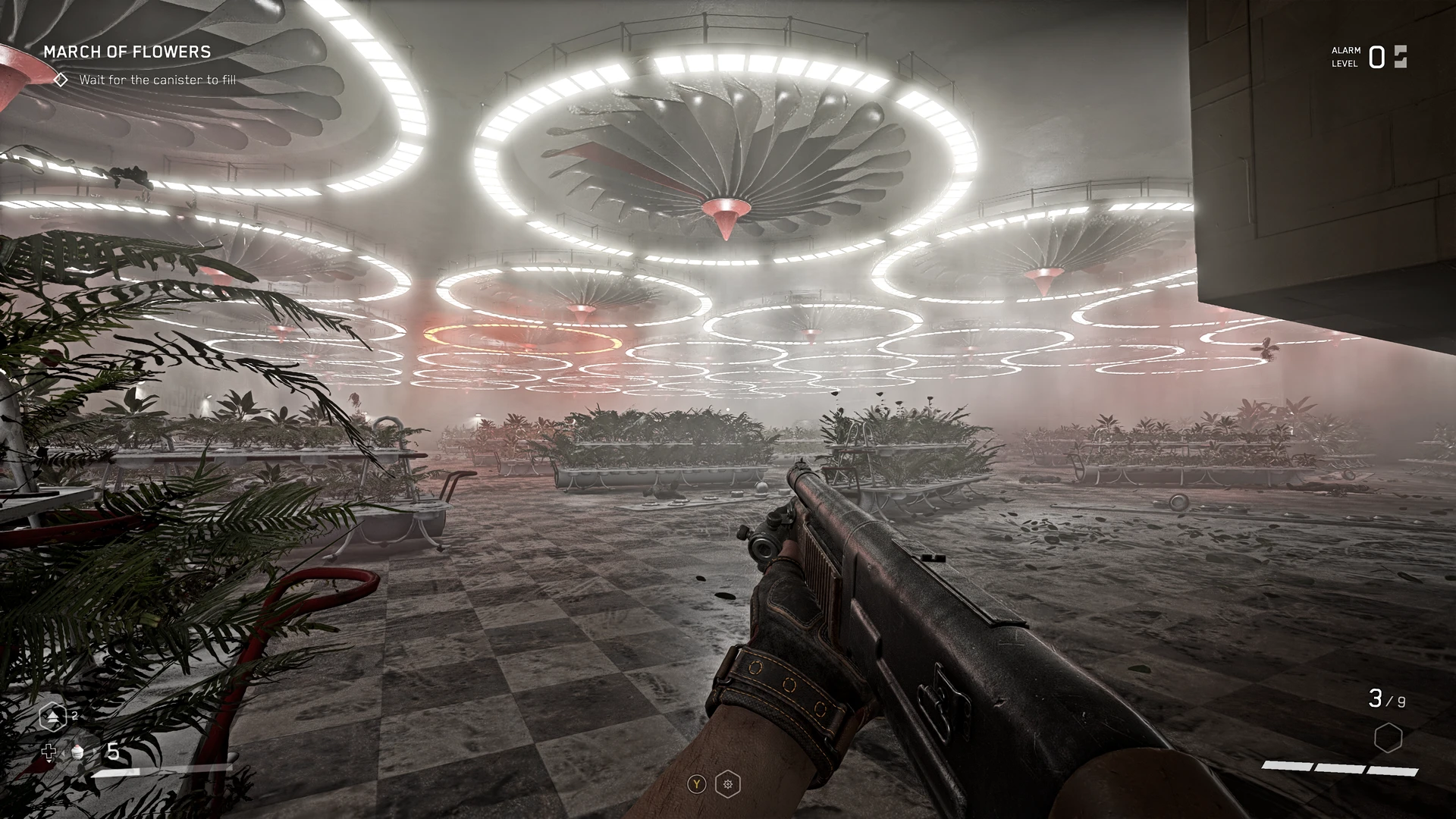
This ReShade Preset intends to build on the Original Visual Style of Atomic Heart with much enhanced clarity, sharpness and definition with processes to fully show off the smaller texture details that already exist in-game but are otherwise left unseen, giving everything a much more 'true-to-life' look without straying away from the developer's original vision for the game.
Aims for 60fps at MAX settings.
What It Adds:
-Several sharpening effects each targeting particular visual aspects for crystal-clear image quality in all situations.
-Contrast balancing for deeper definition and enhanced presentation of the darkest and brightest areas.
-Edges of on-screen objects shaded slightly for more defined silhouettes and deeper texture detail.
-Extra flare effect has been added to the brightest light sources that end up in in the centre area of your screen.
INSTALLATION GUIDE:
1. Download ReShade.exe from the official Website. [ reshade.me ]
2. Follow the instructions on the site to install and apply the ReShade menu to Atomic Heart.
3. Be sure to download ALL of the available effects to ensure total compatibility with this ReShade (and most likely many others).
4. Download and unpack the .zip file to [... Atomic Heart\AtomicHeart\Binaries\Win64]
5. Start up the game, apply the Preset & begin...
FOR UWP USERS:
(Solution posted by eodbot in 'posts' - head there to read the discussion)
"install Reshade to a different game directory. Select the DX10/11/12 thing, install all effects packages, finish. Then find that game directory, copy everything out of there related to Reshade (reshade-shaders folder, dxgi.dll, ReShade.ini, and Reshade text document) into the Atomic Heart directory "XboxGames\Atomic Heart - Windows\Content\AtomicHeart\Binaries\WinGDK" (for me anyways, may differ for you) then finally drag the file for this specific reshade into the folder as well."
WORKS WELL WITH:
SIMPLE FLASHLIGHT by SIDIUSZ - https://www.nexusmods.com/atomicheart/mods/25
DISABLE VIGNETTE by YAKUZADESO - https://www.nexusmods.com/atomicheart/mods/26
A ReShade preset for Atomic Heart that enhances clarity, sharpness, and detail while preserving the original visual style. Targets 60fps at max settings. With 120 endorsements and 2,606 downloads, it's a niche but appreciated visual upgrade for players seeking a more realistic look.
✨ Key Features
📊 Pros & Cons
✅ Pros
- Community-tested with 120 endorsements and 2,600+ downloads
- Designed for performance—targets 60fps at max settings
- Builds on the original look rather than overhauling it
⚠️ Cons
- Requires ReShade, which isn't included—you'll need to grab it separately
- Last updated in February 2023—may not be optimized for later game patches
- No screenshots or comparison images in the description, so you're flying blind
For Atomic Heart players who want crisper visuals without straying from the game's intended aesthetic. If you're after a dramatic overhaul or don't want to fiddle with ReShade, skip this one.
💡 Beginner Tips
- Install ReShade first, then drop this preset into the game's main folder where the ReShade files are located.
- If you're using a mod manager, make sure it's set to handle ReShade presets correctly—manual placement is often safer.
- Test the preset in a busy area to check performance; if you dip below 60fps, consider lowering some in-game settings.
📊 Mod Details
- Game
- Atomicheart Mods
- Author
- PROJDRK
- Version
- v1.0
- Downloads
- 2,606
- Endorsements
- 120
- Category
- Visuals
- Created
- 2/23/2023
- Updated
- 2/23/2023
🔧 How to Install Atomic Heart Mods
Download from Nexus Mods.
📖 Full step-by-step install guide for Atomic Heart →
Visit the official mod page for specific installation instructions for this mod.
🎮 Need cheat codes or console commands? Check ur gaming wiki for Atomic Heart commands, item IDs, and more.
Keep browsing — more Atomic Heart mods await