F-22A Razgriz
⚪ Last updated 2019Preview
🔍 Analysis
- 🏆 #477 of 1429 Models and Textures mods in this game by downloads
📋 About This Mod
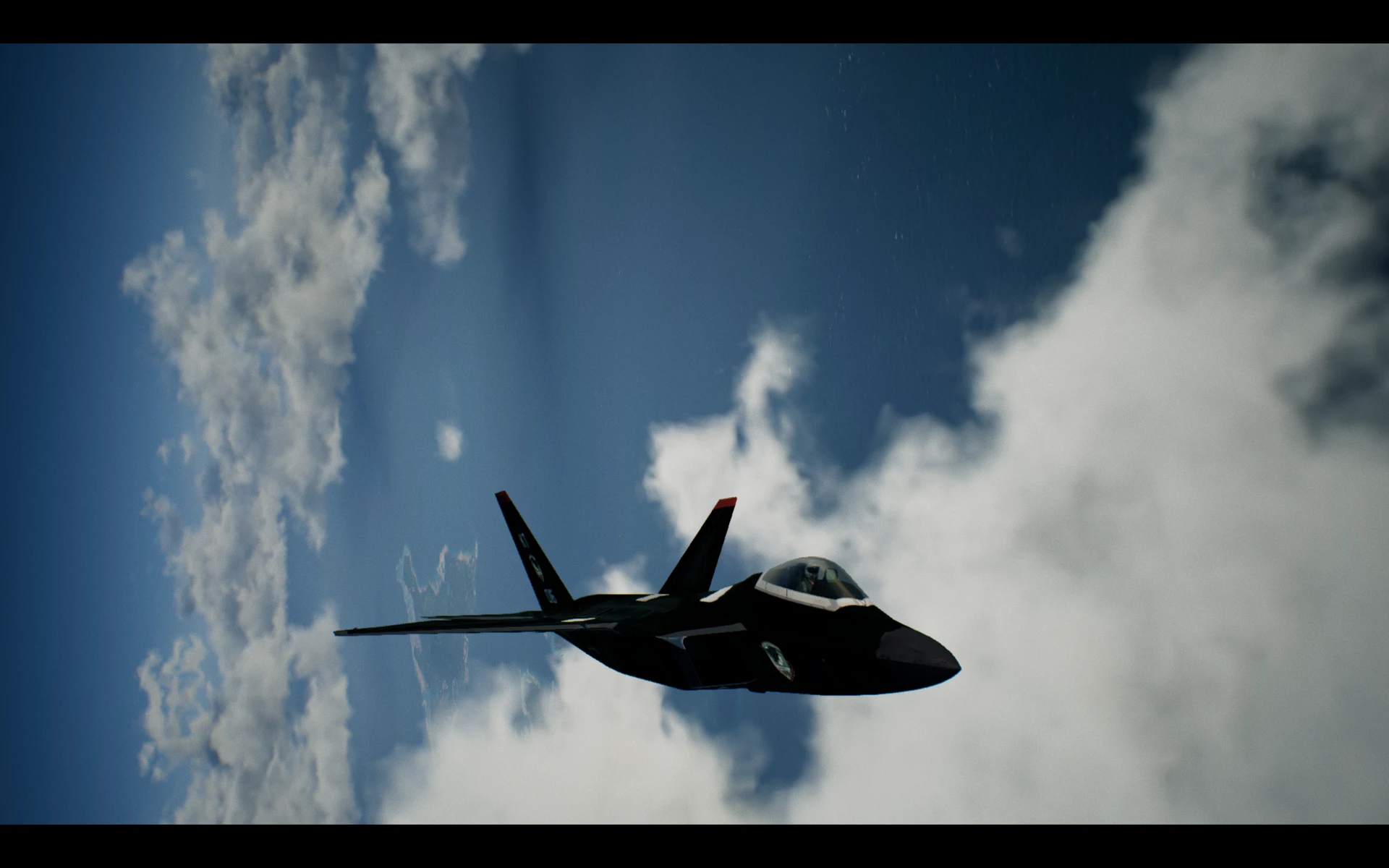
This file replaces skin slot 5 (Spare) on the F-22A. The skin features the Razgriz emblem and red-tipped vertical stabilizers, as well as the iconic grey on black theme. Read the description for installation instructions:
This skin features the lovely Kei Nagase. This skin will replace the skin in slot 1 for the F-2A in Ace Combat 7. Read description for installation instructions.
How to Install:
-
[]Make sure that you own the F-2A, purchase it if you do not yet own it.
[
]Exit Ace Combat through selecting "Quit Game" on the main menu.[]Locate your SteamLibrary folder, and navigate to the "ACE COMBAT 7" folder (it should be under \SteamLibrary\steamapps\common\ACE COMBAT 7).[]Alternatively, you can launch Steam, navigate to "Library." Right click Ace Combat 7, and select "Properties." A properties window will come up. Click "Local Files" and then "Browse local files."
[]Both of these methods will bring you to the same place. Once you are there, click Game > Content > Paks
[]Create a "~mods"(lower-case and with the snake at beginning) folder
[]Unpack the mod with WinRAR and paste the mod into this new "~mods" folder.
[]Start up Ace Combat 7 and enjoy the skin :)
📊 Mod Details
- Game
- Acecombat7skiesunknown Mods
- Author
- Hanks_Hill
- Version
- 1.0
- Downloads
- 441
- Endorsements
- 42
- Category
- Models and Textures
- Created
- 5/4/2019
- Updated
- 5/4/2019
🔧 How to Install Ace Combat 7: Skies Unkno Mods
Download from Nexus Mods.
📖 Full step-by-step install guide for Ace Combat 7: Skies Unkno →
Visit the official mod page for specific installation instructions for this mod.
🎮 Need cheat codes or console commands? Check ur gaming wiki for Ace Combat 7: Skies Unkno commands, item IDs, and more.
Keep browsing — more Ace Combat 7: Skies Unkno mods await