More Mod Slots A18-A19
⚪ Last updated 2019Preview
🔍 Analysis
- 👍 4.5% endorsement rate — high engagement, a strong quality signal
- 🏆 #24 of 59 Items and Loot mods in this game by downloads
📋 About This Mod
Tested and working with A19!
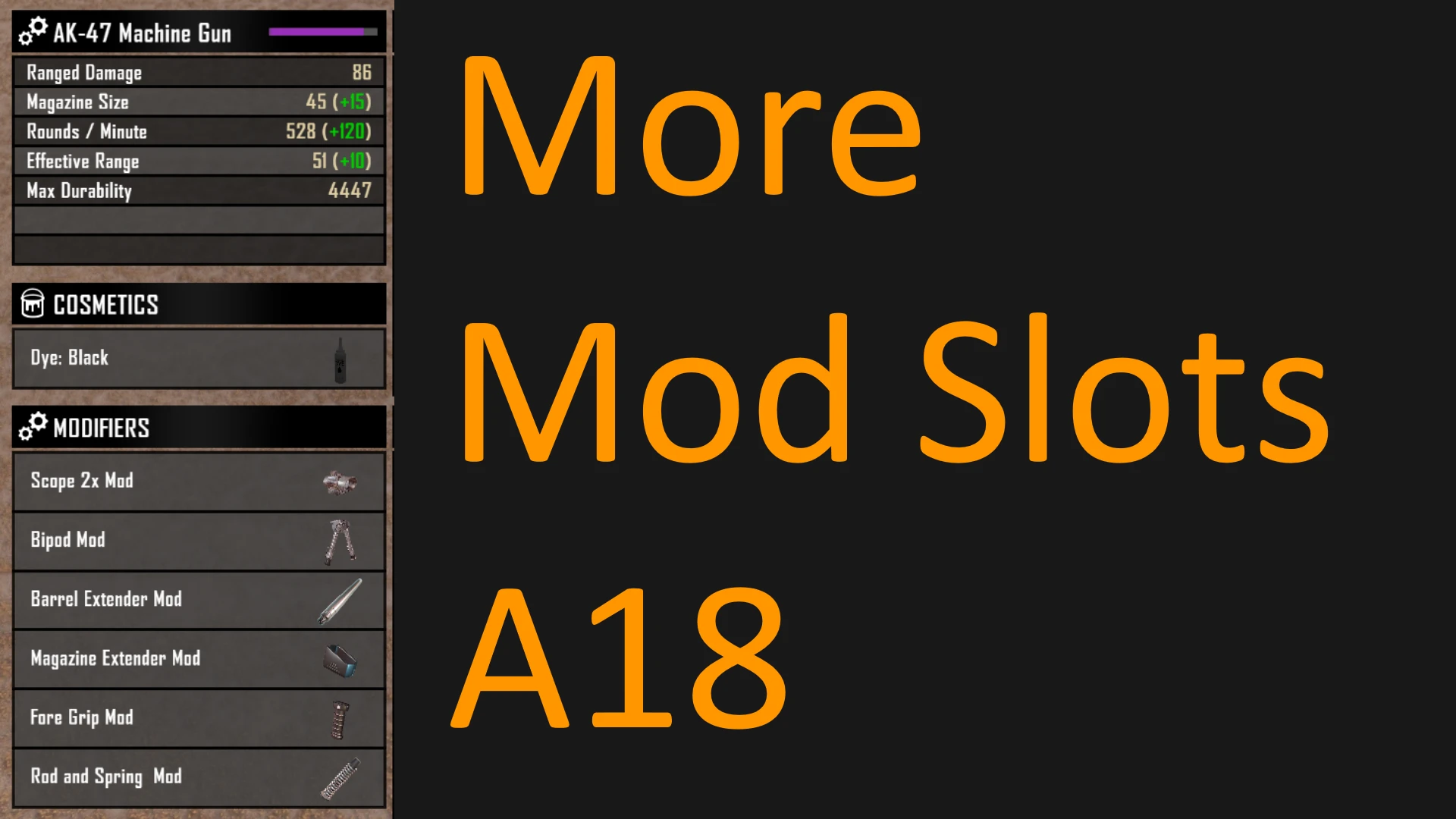
Changes the way mod slots are calculated based on item quality to provide you with more mod slots while retaining balance and progression.
Items will now gain 1 extra mod slot per level of quality up to a maximum of 6 mod slots.
Why?
In A18 the maximum amount of mod slots was reduced, and you need better quality items to reach it. This mod aims to increase the maximum number of slots while making progressing there more enjoyable and consistent.
How?
This mod is a single line XML edit that simply replaces all the old mod slot values with the new ones (See below for details).
Extra Info:
Old:
Tier 1 = 1 Mod Slot
Tier 2 = 1 Mod Slot
Tier 3 = 2 Mod Slots
Tier 4 = 2 Mod Slots
Tier 5 = 3 Mod Slots
Tier 6 = 4 Mod Slots
New:
Tier 1 = 1 Mod Slot
Tier 2 = 2 Mod Slots
Tier 3 = 3 Mod Slots
Tier 4 = 4 Mod Slots
Tier 5 = 5 Mod Slots
Tier 6 = 6 Mod Slots
Installation:
-
[]Download The main file.
[
]Extract the folder within the .zip archive.[]Place it in: ".../Steam\steamapps\common\7 Days To Die\Mods"
[]Launch the game and you're ready to play!
[]To uninstall simply remove the folder from your mods folder.
Known Bugs:
- []This mod only applies additional mod slots to items found/crafted/cheated-in after the mod is applied. (Your existing items will not be affected)
- Although the "Modify" Interface will show six mod slots, the inventory UI will not. 6 mods may still be attached and used properly without any errors or bugs, but you will have to press "Modify" to see the sixth mod in the menu.
More Mod Slots A18-A19 is a small XML mod for 7 Days to Die that increases mod slots per item quality tier, from 1 slot at Tier 1 up to 6 slots at Tier 6. It aims to restore progression and balance while offering more customization. The mod is a single-line XML edit, tested with A19.
✨ Key Features
📊 Pros & Cons
✅ Pros
- 917 endorsements indicate community approval.
- 20,243 downloads show significant usage.
- Last updated in 2019, indicating stability for A18-A19.
⚠️ Cons
- Only affects items found/crafted/cheated-in after mod installation; existing items are not changed.
- Inventory UI does not display the sixth mod slot, though it works via the Modify interface.
- May not be compatible with other mods that alter mod slot values.
This mod is for 7 Days to Die players who want more mod slots on their gear and feel the vanilla limits are too restrictive. It's ideal for those who enjoy customization and progression. Players who prefer the original balance or use mods that change mod slots might want to skip it.
💡 Beginner Tips
- Back up your save before installing to avoid issues with existing items.
- After installing, craft or find new items to see the increased mod slots.
- Use the Modify interface to attach up to 6 mods, even though the inventory UI shows fewer.
📊 Mod Details
- Game
- 7 Days To Die Mods
- Author
- Josh Mate
- Version
- 1.00
- Downloads
- 20,243
- Endorsements
- 917
- Category
- Items and Loot
- Created
- 10/14/2019
- Updated
- 10/14/2019
🔧 How to Install 7 Days to Die Mods
Use Vortex or manual. Most mods go in /Mods/ folder.
📖 Full step-by-step install guide for 7 Days to Die →
Visit the official mod page for specific installation instructions for this mod.
🎮 Need cheat codes or console commands? Check ur gaming wiki for 7 Days to Die commands, item IDs, and more.
Keep browsing — more 7 Days to Die mods await