Efficient Base Repair - V3.0
🟡 Updated this year⚠️ Install Order · 1 step
Install in this order, then this mod last — most mods fail to load without their framework and dependencies in place.
Preview
🔍 Analysis
- 👍 1.6% endorsement rate — high engagement, a strong quality signal
- 🏆 #10 of 25 Utilities mods in this game by downloads
📋 About This Mod
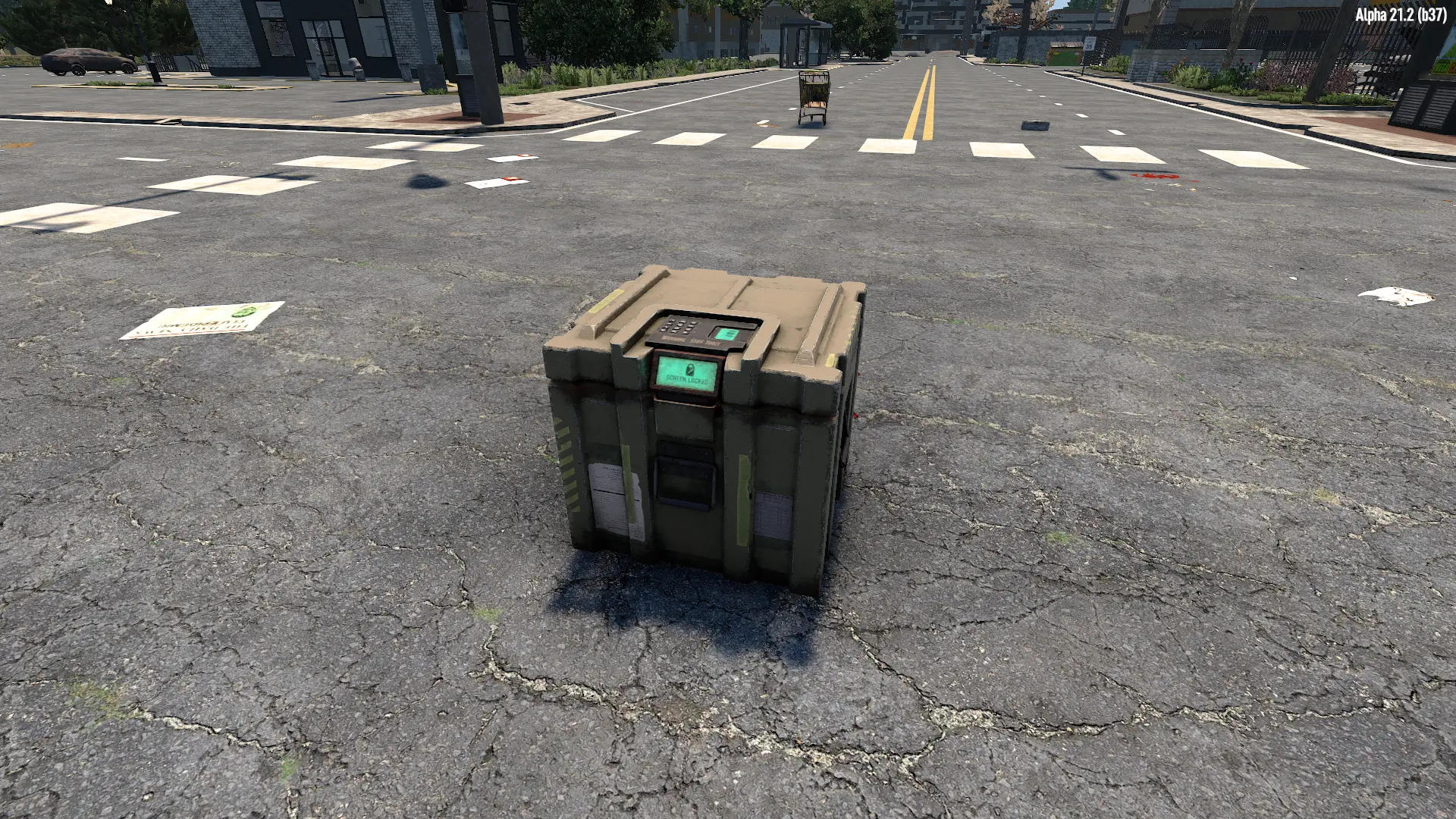
Inspired by ocbClaimAutoRepair, this mod adds a new block that allows you to efficiently repair and / or upgrade your base while dynamically displaying useful repair statistics.
Almost fully customizable, this mod allows you to choose your own balancing settings. You can configure it through XML files to have an overpowered behavior, instantly repairing your entire base without any required materials. Or, you can listen to the reasonable voice in your head and choose a small repair rate to slowly repair your base over time, stopping when it's out of resources.
This block is unlocked at level 60 of repair tool skills and can be crafted in a workbench with forged steel, electric parts, and a car battery.
Find more details, and see how it was coded on the github repo of the project
As this mod is at experimental stage, consider doing a backup of your save before testing it.
How to Install Manually
-
[]Download the zip file of the mod.[/]
[]Extract the entire content of the zip file to `C:\...\Steam\steamapps\common\7 Days To Die\Mods\`.[/]
NOTES
-
[]This mod is not EAC compatible.[/]
[]The Vanilla mod TFP_HARMONY is required to make this mod working[/]
[]Installation on both client and server side is required.[/]
[]Consider doing a backup of your current save before installing the mod.[/]
[]Before uninstalling the mod, ensure to remove all EfficientBaseRepair blocks from the world.[/]
How to Use
-
[]Place the EfficientBaseRepair block on the structure that you want to repair.[/]
[]Open the EfficientBaseRepair block and put the required materials inside.[/]
[](optional) press the `Upgrade On` button to enable the blocks upgrading[/]
[]Press the `Turn on` button from the user interface or from the block command bar.[/]
[]That's it! Now just wait for your base to be repaired![/]
Incoming features
-
[]Auto refill turrets, generators, traps, etc...[/]
FAQ
I Accidentally deleted TFP_HARMONY, how to get it back ?
-
[]In steam, go to your games library and search for 7 days to die.[/]
[]Look for properties / local files / check local files integrity.[/]
[]Once the checking process is over, the folder TFP_HARMONY should be back in your mods folder[/]
How to Customize ?
Once the installation is done, go to blocks.xml and look for the `Specific properties` section.
Once you have set up your own balancing options, restart the game or the dedicated server.
How 'Efficient' is it?
It will be as efficient as you want it to be!
With the default settings, you can expect to repair about 100 hit points per game tick (on game tick ~ 2s), but you can configure it to instantly repair over 100,000 blocks! Obviously, there will be a (minimal) cost in terms of game performance. For small structures, you may not notice the calculation time, but for structures over 100,000 blocks, be mentally prepared for a wait of between 0. 5 and 2 seconds.
So yes, it is efficient! (Much more so than manually searching for damaged blocks.)
I have set the RepairRate to 100 but it repaired 120. Why?
This is normal. The specified RepairRate is only a target. The actual amount of damage repaired is based on the amount of material taken from the container.
For example, if one unit of ResourceConcrete repairs 120 damage points but you specified a RepairRate of 100, then the repaired amount will be 120, and no more blocks will be repaired in this tick since the limit of 100 repairs per tick was reached.
Can I use this mod on a multiplayer server?
Yes, but be aware of the following points:
-
[]This mod is not EAC compatible.[/]
[*]EfficientBaseRepair does not check if the block you are trying to repair is inside your land claim or not. It can repair blocks much farther away than the maximum distance covered by your land claim bl
-
[]This mod is not EAC compatible.[/]
-
[]In steam, go to your games library and search for 7 days to die.[/]
-
[]Auto refill turrets, generators, traps, etc...[/]
-
[]Place the EfficientBaseRepair block on the structure that you want to repair.[/]
-
[]This mod is not EAC compatible.[/]
Efficient Base Repair - V3.0 is a utility mod for 7 Days to Die that adds a new block for repairing and upgrading bases, with dynamic repair statistics. It is highly customizable via XML, allowing players to adjust repair rates and resource requirements. The mod requires TFP_HARMONY and is not EAC compatible.
✨ Key Features
📊 Pros & Cons
✅ Pros
- 665 endorsements indicate community approval.
- 40,581 downloads show significant usage.
- Recently updated on 2026-06-30, indicating active maintenance.
⚠️ Cons
- Requires the TFP_HARMONY mod, adding a dependency.
- Not EAC compatible, which may restrict multiplayer use.
- Experimental stage, with a warning to backup saves before use.
This mod is for 7 Days to Die players who want an automated base repair solution and are comfortable with XML customization. It suits players who enjoy tweaking game balance to their preference. Those who play on EAC-protected servers or prefer vanilla gameplay should skip this mod.
💡 Beginner Tips
- Always backup your save before installing, as the mod is experimental.
- Place the block on the structure you want to repair and ensure it has materials.
- Remove all EfficientBaseRepair blocks before uninstalling to avoid issues.
📊 Mod Details
- Game
- 7 Days To Die Mods
- Author
- LeopardTheBoss
- Version
- 3.0.0
- Downloads
- 40,581
- Endorsements
- 665
- Category
- Utilities
- Created
- 6/2/2024
- Updated
- 6/30/2026
🧩 Commonly Used Together
Users add these mods to the same collections — a real compatibility signal, not an AI guess.
🔧 How to Install 7 Days to Die Mods
Use Vortex or manual. Most mods go in /Mods/ folder.
📖 Full step-by-step install guide for 7 Days to Die →
Visit the official mod page for specific installation instructions for this mod.
🎮 Need cheat codes or console commands? Check ur gaming wiki for 7 Days to Die commands, item IDs, and more.
Keep browsing — more 7 Days to Die mods await